Overview:
Email verification is required after account creation to ensure the registered email address belongs to the legitimate owner, enhancing account security.
Scenario:
After registering for an account, users will be prompted to verify their email ownership before gaining access to N3 AI Accounting.
Procedure:
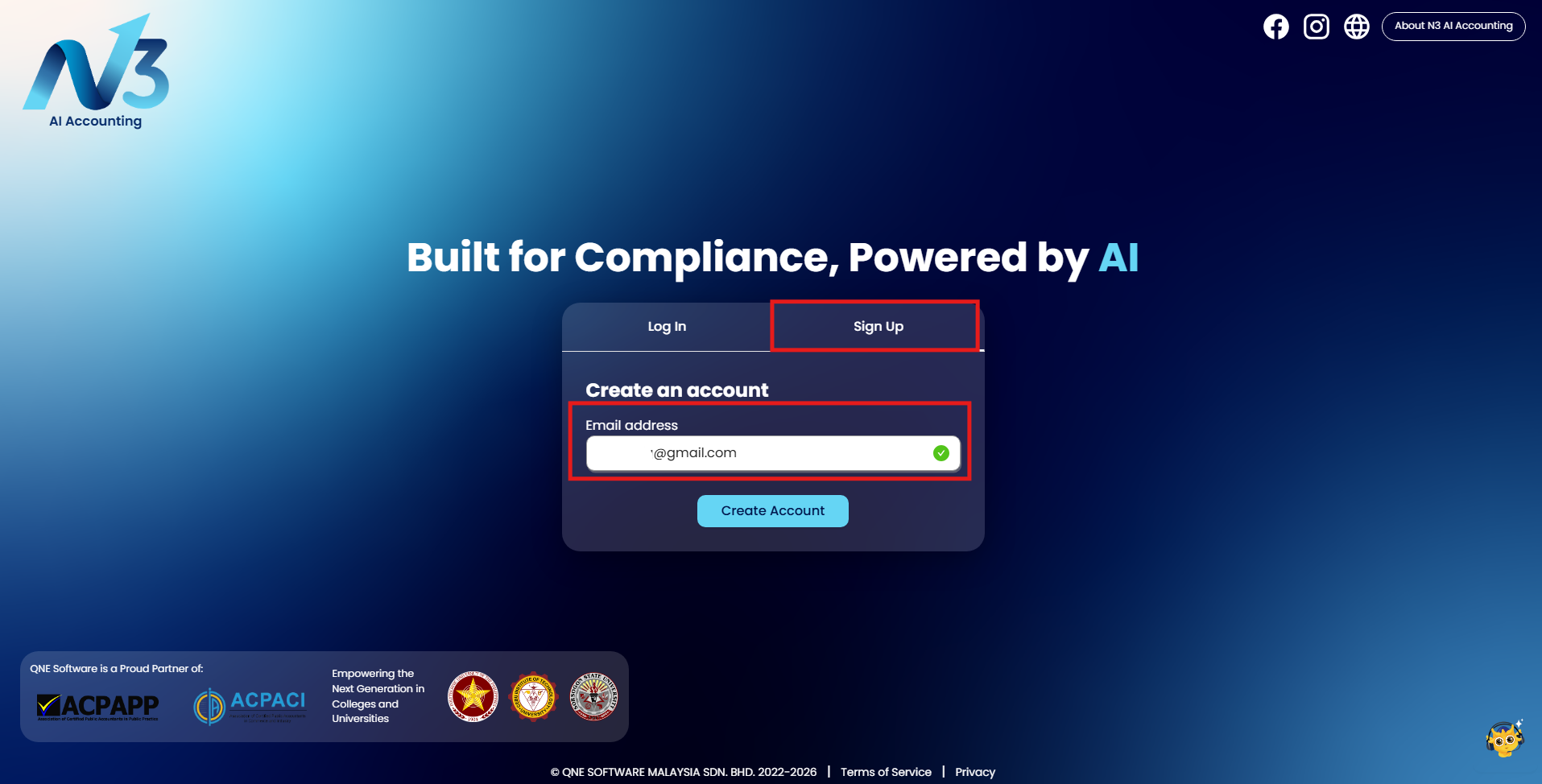
1. Go to the Log in n3.qne.cloud page > Sign up, and enter a valid email address.
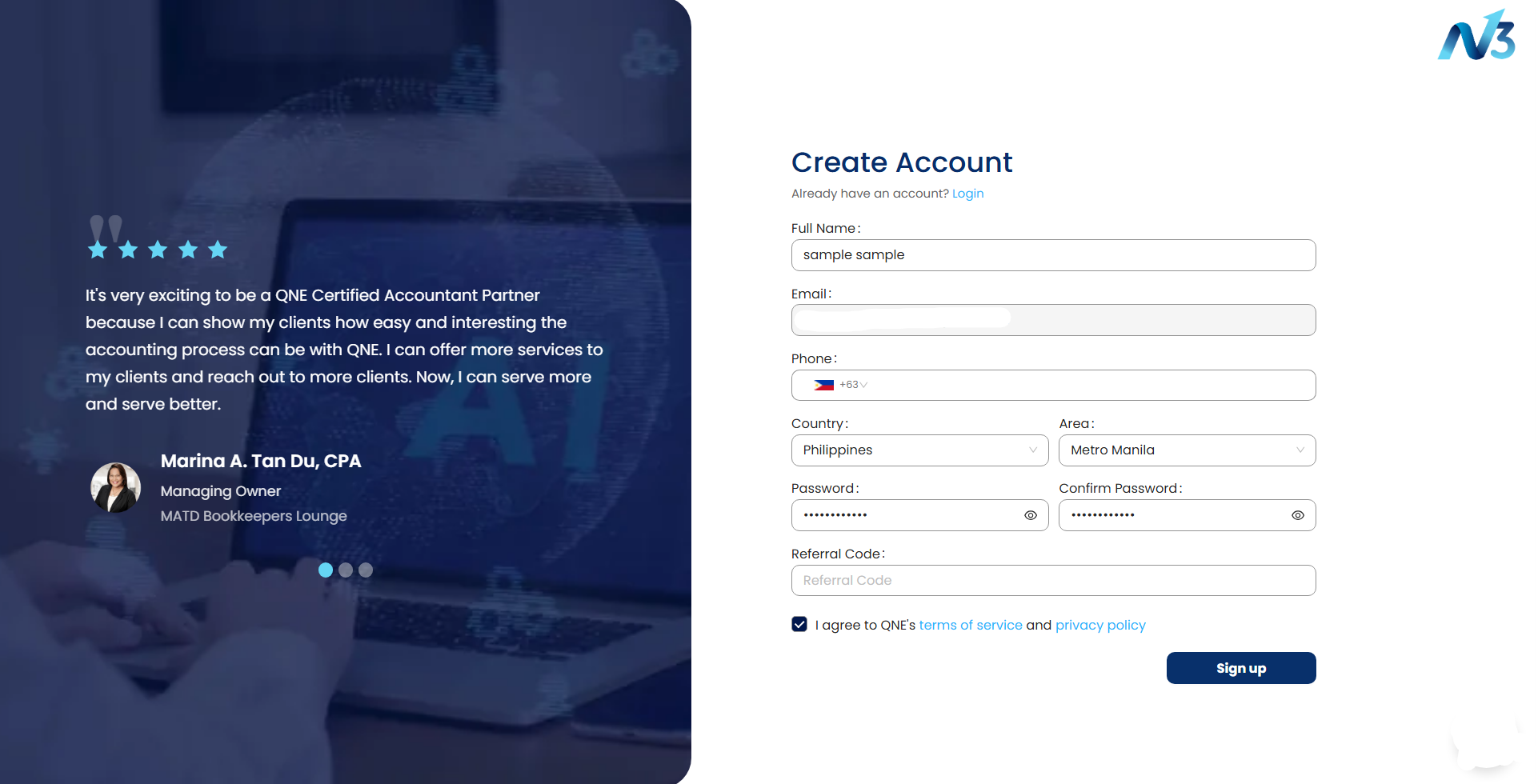
2. Fill out all the necessary information. Once done, click 'Continue.'
● Full Name
● Country
● Area
● Phone
● Password
● Referral Code (Optional)
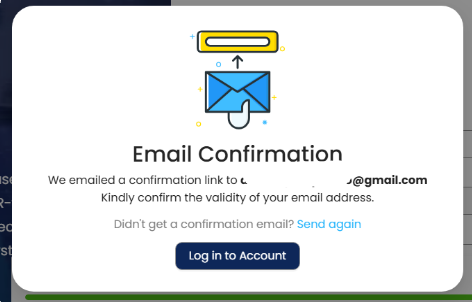
3. Email confirmation will be sent to your registered email. Click ‘Log in to Account.'
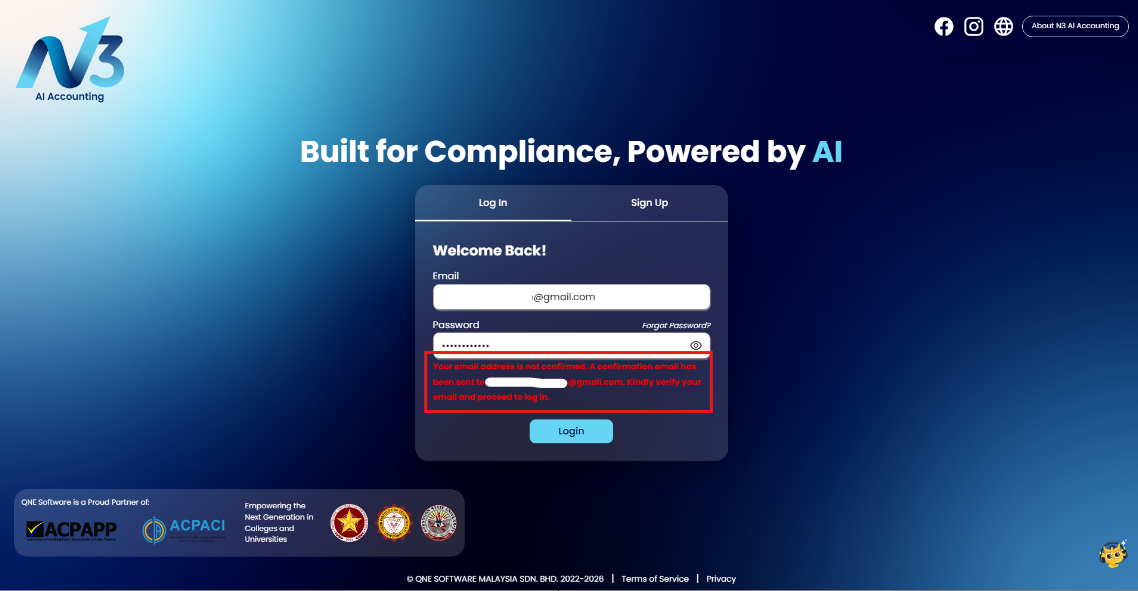
4. An error will appear when the registered email is not verified.
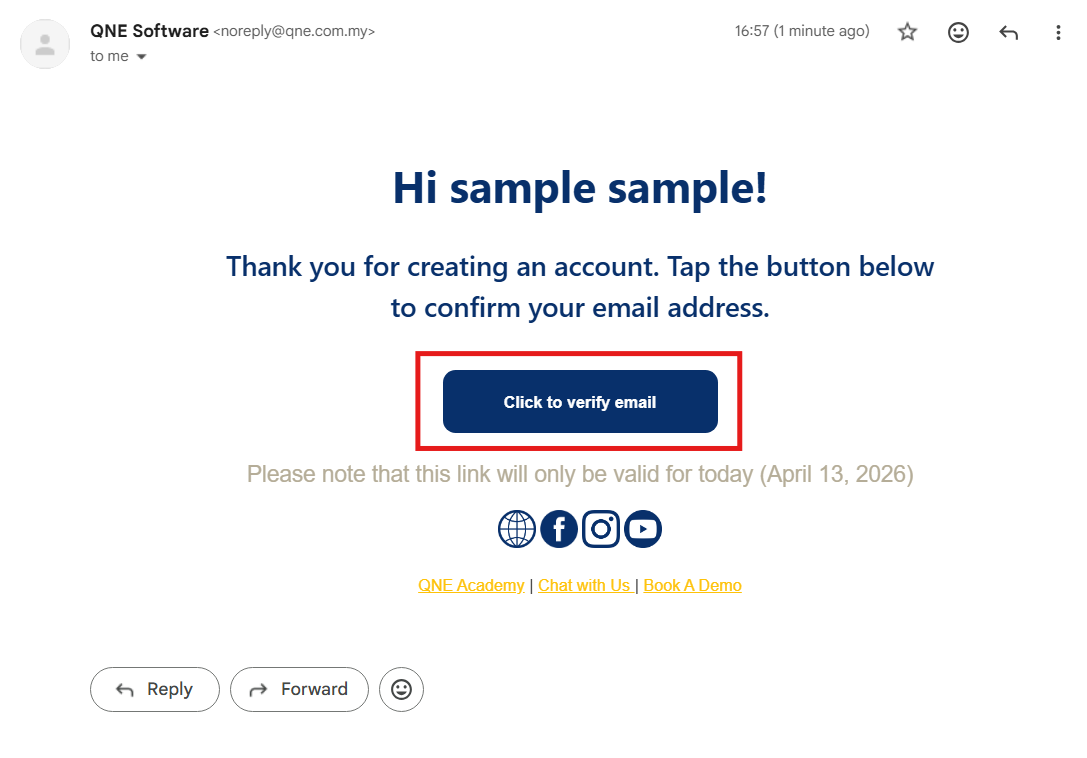
5. Access your email inbox and open the email sent QNE Software, then click ‘Click to verify email.'
Sender: noreply@qne.com.my
Email subject: N3 AI Accounting: Email Verification
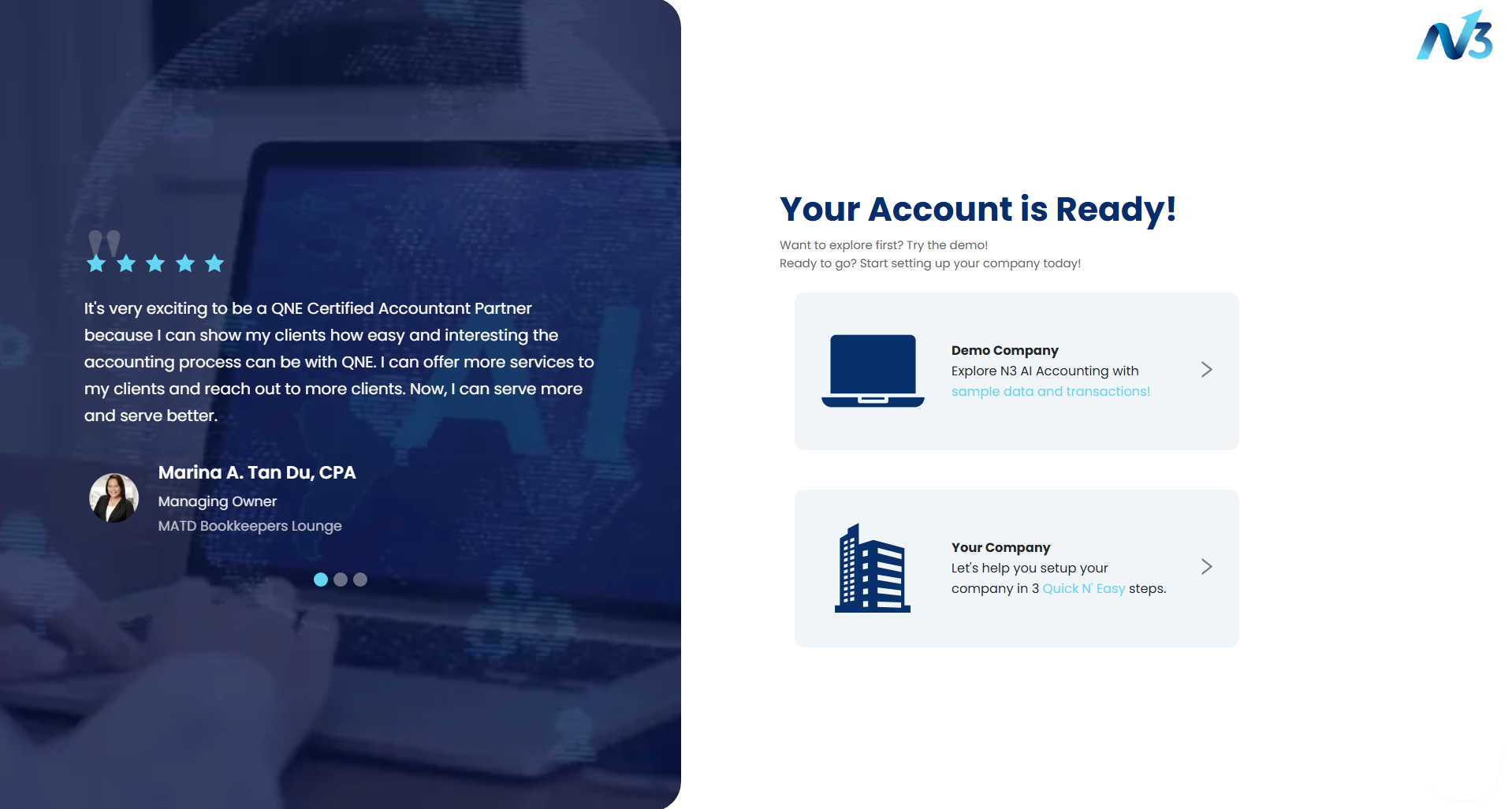
6. Your email has been confirmed and verified. Click 'Get Started' to log in.
Note: Email confirmation will only be available on the day of registration.

Application:
You can now log in and create a company.
System Scope: QNE AI Cloud Accounting / N3 AI Accounting
Was this article helpful?
That’s Great!
Thank you for your feedback
Sorry! We couldn't be helpful
Thank you for your feedback
Feedback sent
We appreciate your effort and will try to fix the article