Overview:
N3 AI Accounting (formerly QNE AI Cloud Accounting) provides remote support to help users troubleshoot issues and optimize their accounting processes. Enabling QNE Support Access allows the support team to securely connect to your system, diagnose problems, and provide solutions efficiently. This guide explains how to grant access to QNE Support, ensuring a smooth and secure troubleshooting experience.
Scenario:
N3 AI Accounting provides remote support to help users troubleshoot issues and optimize their accounting processes. Enabling QNE Support Access allows the support team to securely connect to your system, diagnose problems, and provide solutions efficiently. This guide explains how to grant access to QNE Support, ensuring a smooth and secure troubleshooting experience.
Solution:
Access QNE Support Settings
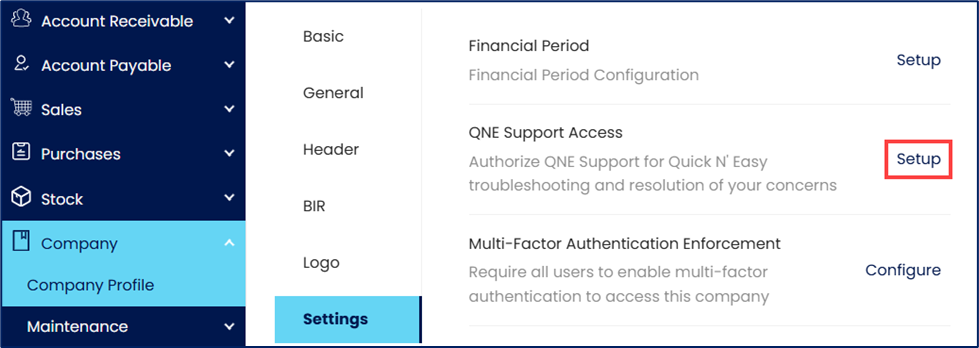
On the Navigation Pane, go to Company > Company Profile > Settings. Click the Setup next to QNE Support Access.
Enable QNE Support Access:
In the QNE Support Access pop-up window, toggle ‘ON’ the Access Granted button to enable support access.
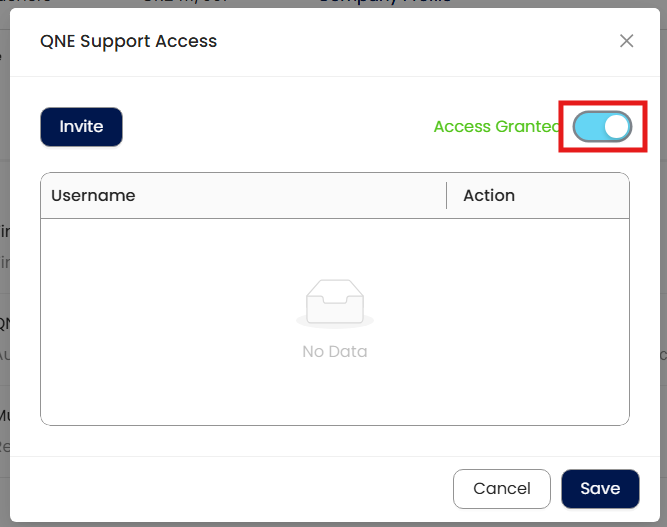
Click Invite to proceed.
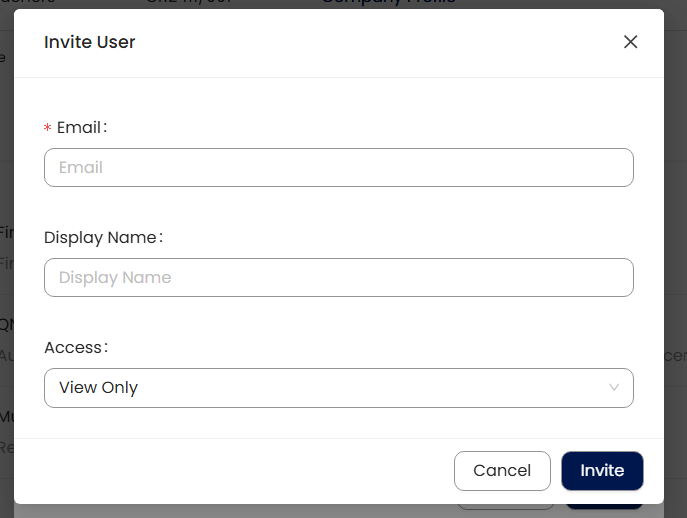
Invite QNE Support Access
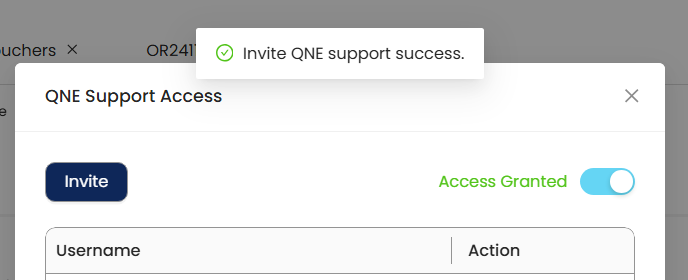
In the Invite User pop-up window, enter supportaccess@qne.com.ph in the email field. Enter a Display Name for easier reference (optional). Set the access level to Full Access.
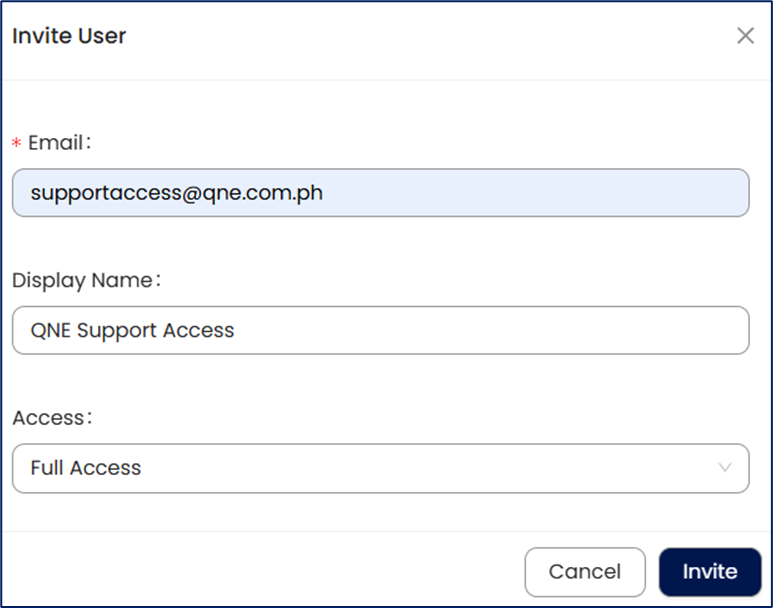
Click Invite to send the invitation.
Save Changes:
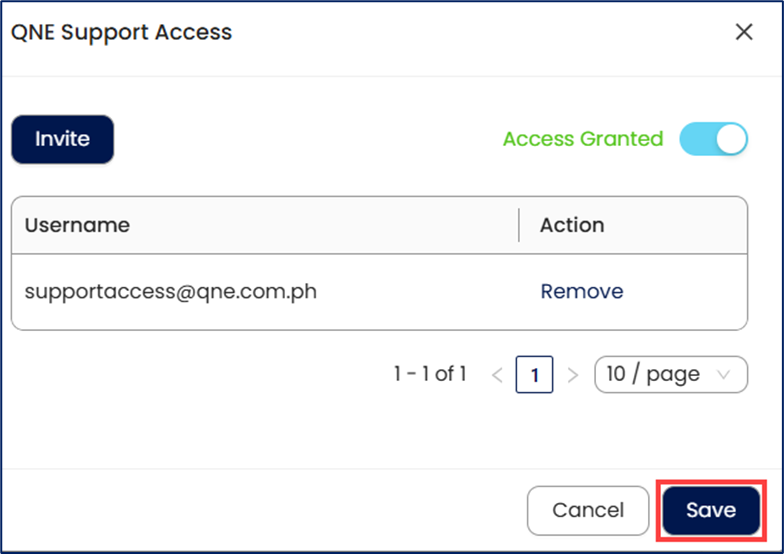
Once the invitation is sent, click Save to finalize the setup.
Application:
Suppose you are reconciling accounts in N3 AI Accounting and notice a discrepancy in the balance that you cannot resolve. Instead of spending hours troubleshooting manually:
You enable Support Access by following the steps above.
You invite the QNE Support Access via email, allowing them to access your system.
The support team identifies a missing transaction entry and guides you through the correction process.
After the issue is resolved, the session ends, and your system remains secure.
By enabling QNE Support Access, you ensure faster issue resolution, minimize downtime and keep your accounting processes running smoothly.
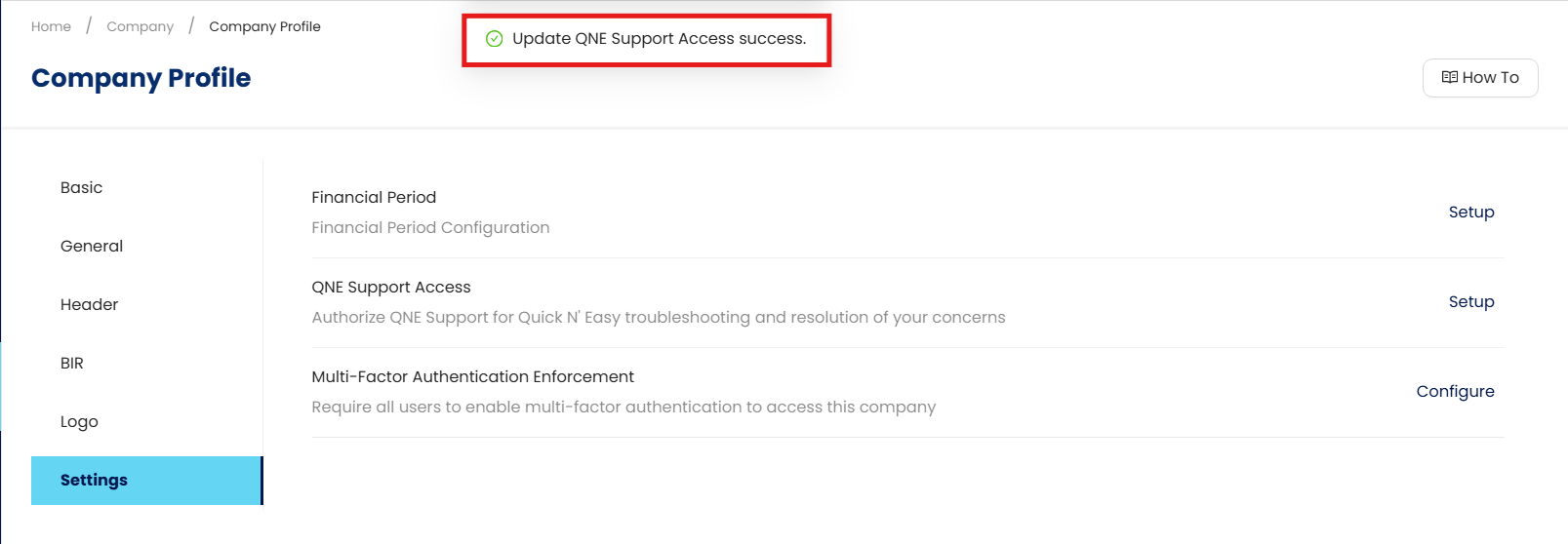
Note: To remove their access to your company, simply untick the Access Granted toggle.
System Scope: QNE AI Cloud Accounting / N3 AI Accounting
Was this article helpful?
That’s Great!
Thank you for your feedback
Sorry! We couldn't be helpful
Thank you for your feedback
Feedback sent
We appreciate your effort and will try to fix the article