Overview:
The Mark as Closed feature allows users to manually close inactive Sales and Purchase transactions that are no longer intended for processing or transfer. Once closed, transactions are treated as finalized, no longer appear in Transfer From or Transfer To lists, and are excluded from outstanding reports. This ensures only active, valid documents remain available for reporting and transfer.
Scenario:
A Sales Quotation was partially transferred to a Sales Order, but the remaining quantity will not be processed. Similarly, a Purchase Order was partially transferred to Goods Received Notes, with no plan to receive the remaining items. By marking these transactions as Closed, the user ensures they do not appear in outstanding reports and clearly indicates that no further processing is expected.
Procedure:
Using the Mark as Closed Option in Sales Transactions
Open the Sales transaction (e.g., Sales Order) to be closed. Click the tri-dot button > Click Mark as Closed.
Click OK to proceed with closing the transaction.
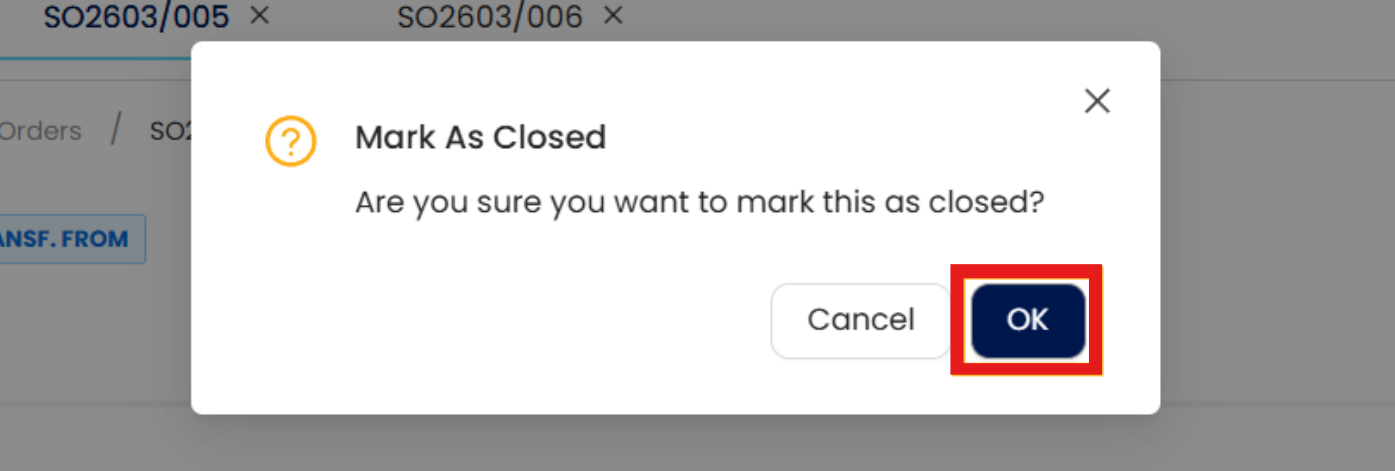
A Closed tag appears beside the transaction title. The document is now excluded from Transfer From/To lists.

Using the Mark as Closed Option in Purchase Transactions
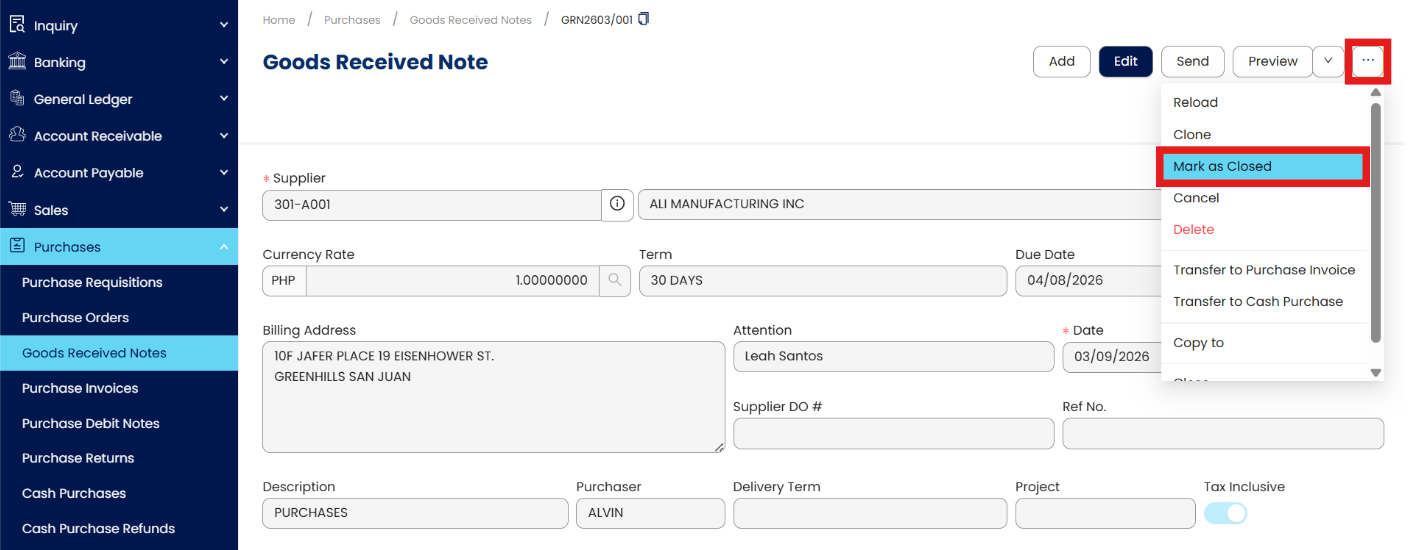
Open the Purchase transaction (e.g., Goods Received Notes) to be closed. Click the tri-dot button > Mark as Closed.
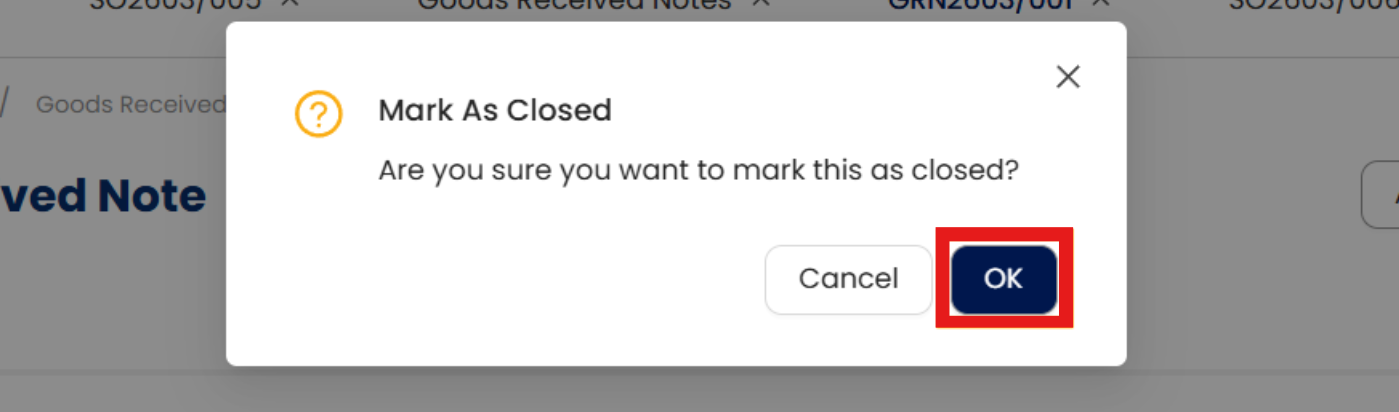
Click OK to proceed with closing the transaction.
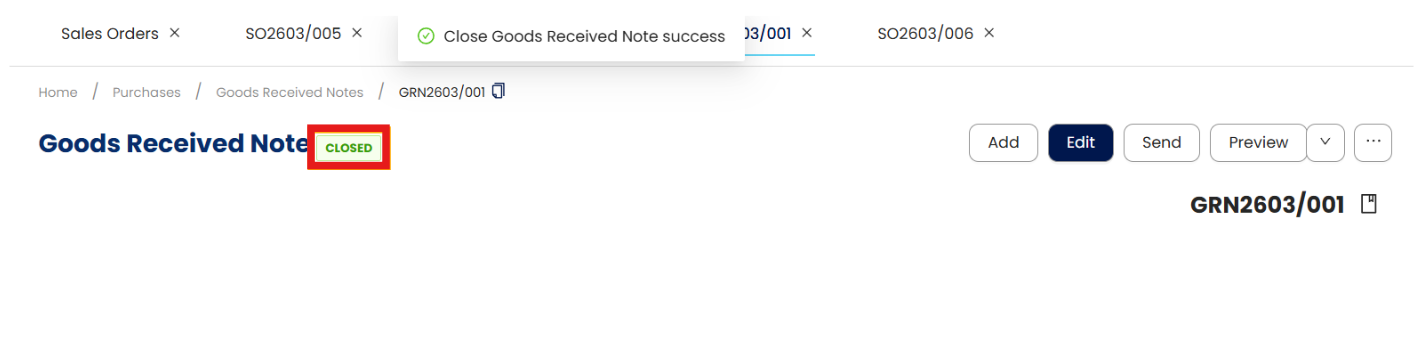
A Closed tag appears, and the document is excluded from transfer lists.
Reopening Closed Transactions
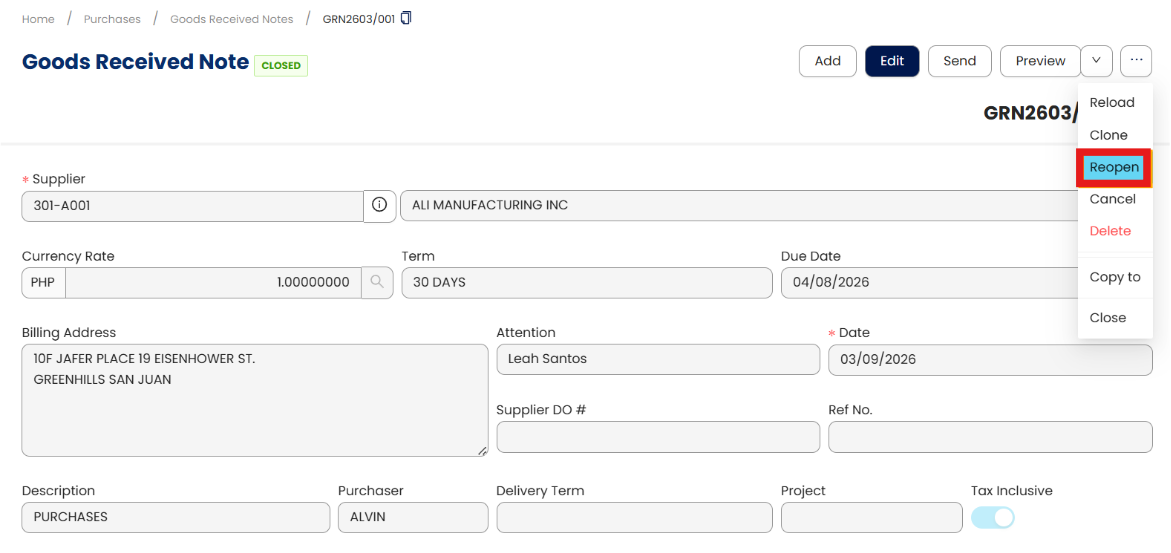
Open a transaction that is tagged as “Closed” > Click the tri-dot button > Click Reopen.
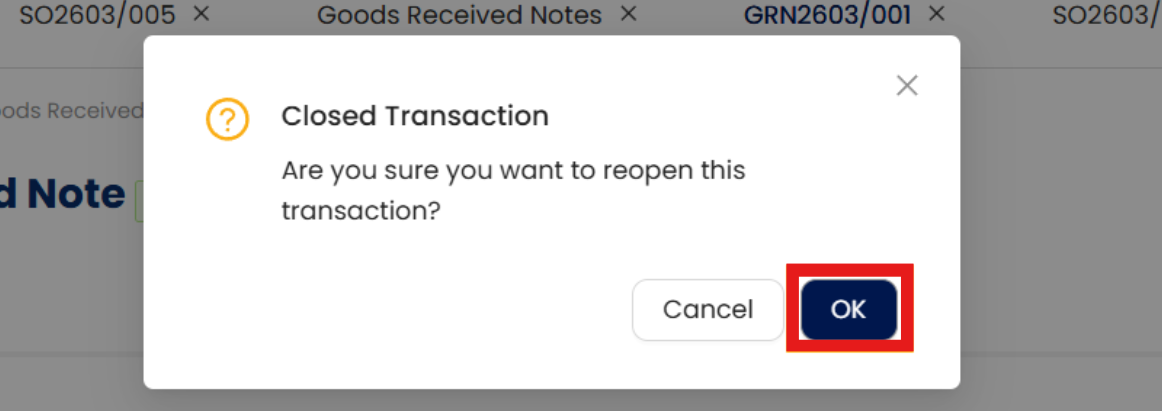
Click OK to proceed with reopening the transaction.
Notes:
Applicable transaction forms
Sales: Quotation, Sales Order, Delivery Order
Purchases: Purchase Requisition, Purchase Order, Goods Received Notes
Closed transactions are excluded from all outstanding reports.
Cancelled transactions cannot be marked as closed, but closed transactions can be cancelled.
Mark as Closed is available only for open transactions; Reopen appears only for closed transactions.
Application:
Outstanding Report Accuracy: Exclude finalized transactions from reports.
Transfer Control: Prevent further transfers from inactive documents.
Operational Clarity: Identify non-actionable documents with a Closed tag and lock icon.
Audit Support: Retain closed documents for reference without reflecting pending activity.
Workflow Efficiency: Reduce confusion from old or partially processed transactions remaining open.
System Scope: N3 AI Accounting (formerly QNE AI Cloud Accounting)
Was this article helpful?
That’s Great!
Thank you for your feedback
Sorry! We couldn't be helpful
Thank you for your feedback
Feedback sent
We appreciate your effort and will try to fix the article