Overview
Service Items are maintained within Stock Item Maintenance. They are used to create, update, and manage service item records in QNE Optimum. A service item represents a non-inventory product or service that an organization provides to customers, such as consulting services, installation work, maintenance contracts, professional fees, or labor charges.
This function is typically used by accounting personnel, sales administrators, service coordinators, and system administrators responsible for maintaining service item master data.
Maintaining accurate service item records helps standardize service descriptions, pricing information, accounting treatment, and transaction processing. Properly maintained service items can be selected consistently during sales and billing activities, reducing manual data entry and improving data accuracy.
Scenario
An organization offers technical support services to its customers and wants to use a standardized service item named Technical Services when creating their customer billing.
Before the service can be used in transactions, a service item record must be created and maintained with the appropriate details. This allows users to select the service consistently during transaction processing rather than entering service information manually each time.
Procedure
Step 1: Open the new Stock Items form in the System
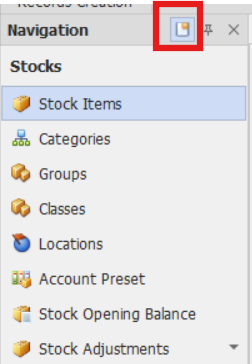
On the navigation pane Go to Stocks → Stock Items.
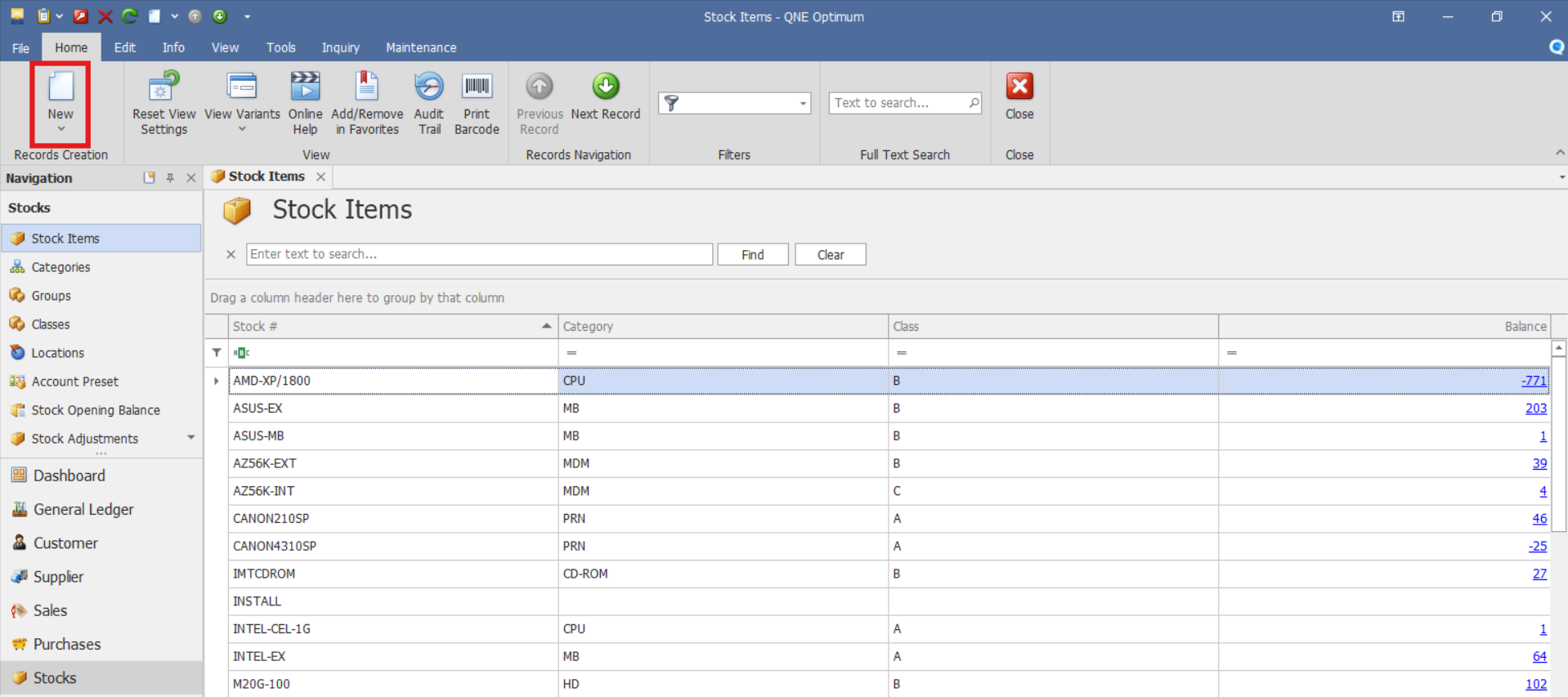
Note: If the Quick Create Icon (the one inside the redbox) is highlighted, clicking Stock Item will immediately redirect you to the New Stock Item form. If the Quick Create Icon is not highlighted, you will be directed to the Stock Item List instead.
If you are on the Stock Item List, click New to create a new item.
Step 2: Complete the Service Item Details
Fill out the Service Item setup information and input information as needed.
Important Fields
Stock #: Unique code or identifier for the service item
Stock Name: Name of the service being offered
Stock Control:
For service items, Stock Control is typically not selected.
Preset Code: Determines the stock item template Account Posting (Sales / Purchase) based on Service Items. Select the appropriate preset code configured by your organization.
UOM #: Unit of Measure used when selling the service. Example: HOUR, DAY, PROJECT, or UNIT(S).
Additional Fields:
Alternate Name (Field below Stock Name) - An optional field for entering another recognizable name or nickname for the item.
Further Description (Button) - Opens a section or pop-up to enter extended item details or specifications.
Created Date - Displays the item creation date.
Default Location - Select a default location if applicable.
Category - Used to classify the item under a predefined stock category (e.g., "Professional Services").
Group - A grouping field for further classification or reporting purposes.
Class - Another classification field often used for internal tracking or categorization.
Sales Price: Standard selling price of the service.
Sales Discount: Default discount percentage for the service.
Volume: Enter item volume (if applicable).
Floor Price: Minimum price before approval is required.
Min Price: Lowest allowable selling price.
Purchase Price: Standard purchase price of the service.
Purchase Discount: Default discount percentage if the service is being bought from suppliers.
Weight: Enter item weight if necessary for logistics or costing (if applicable).
Step 3: Save the Service Item Record
Once all fields are filled out and verified:
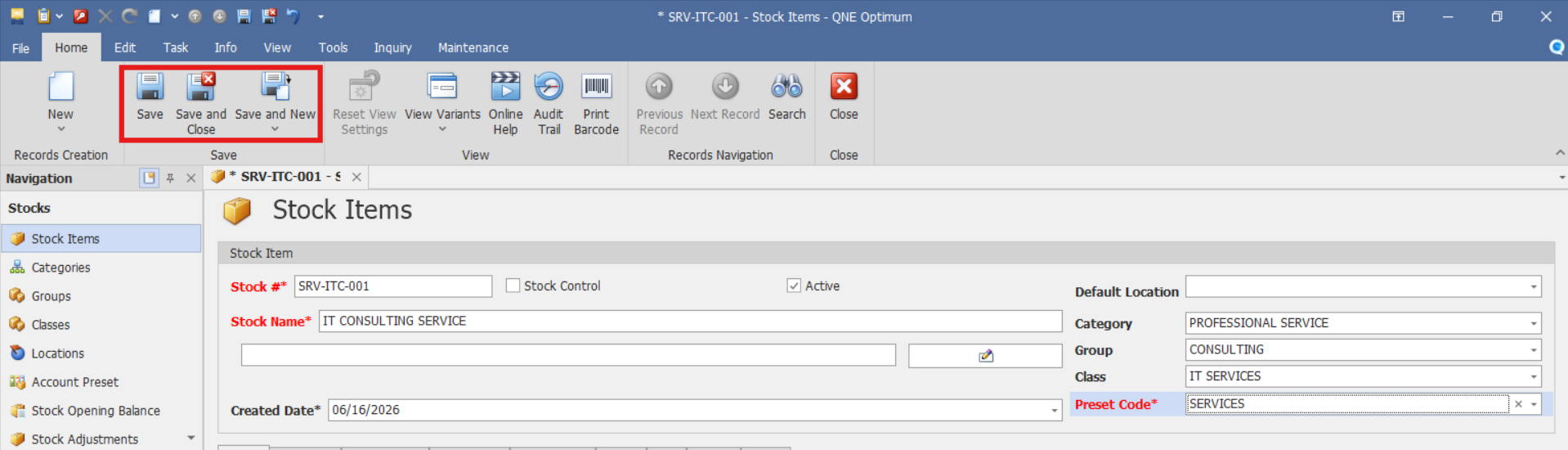
Click Save to complete the entry.
Or click Save & Close to save and close the window.
Or choose Save & New to save and create another service item.
Verify that the Service Item record appears in the Stock Items list and that the service item details were saved correctly.
Application
Your customer requires network infrastructure assessment and IT advisory services.
Here’s how you'd set them up in QNE Optimum:
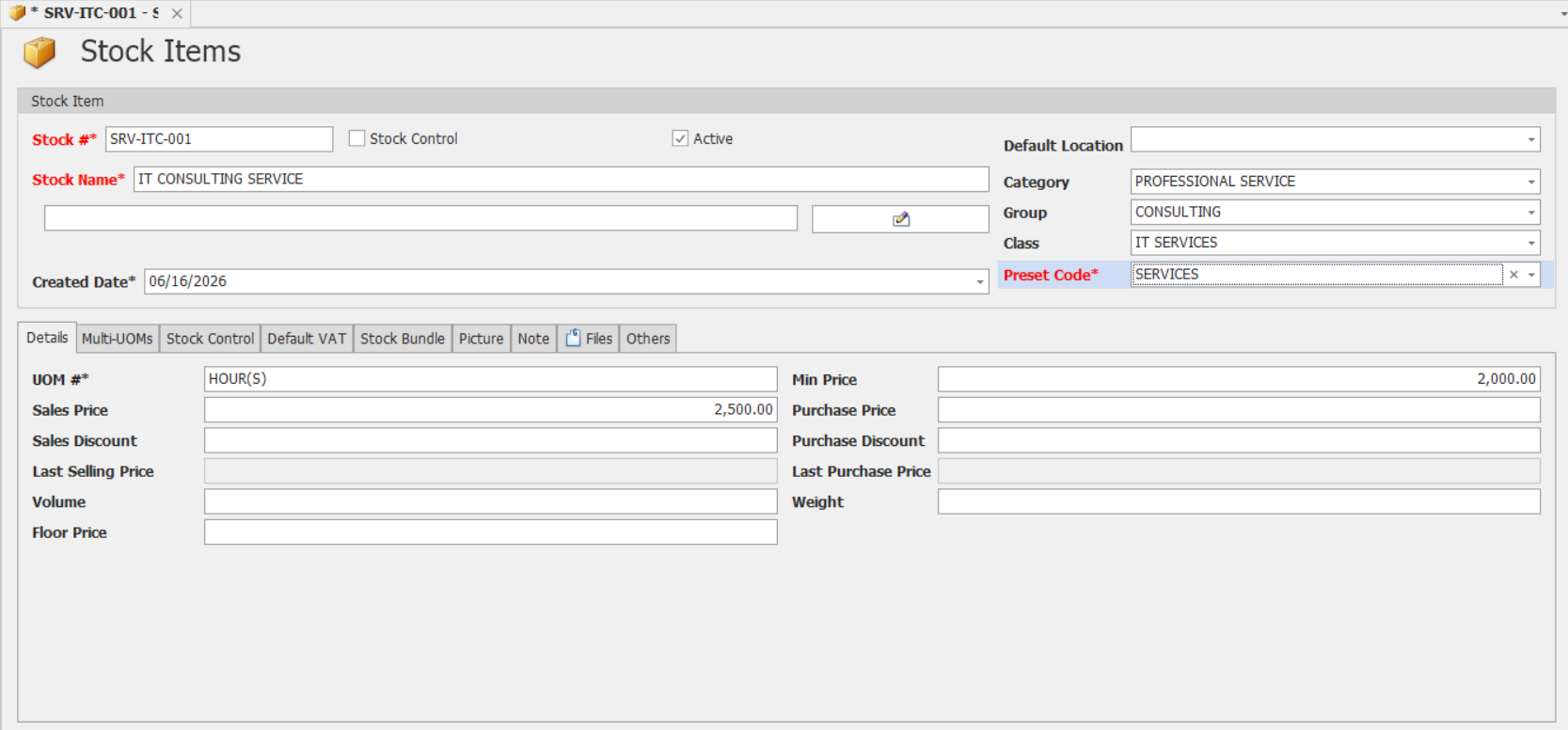
Stock #: SRV-ITC-001
Stock Name: IT CONSULTING SERVICE
Stock Control: Not selected
Default Location: Input if applicable
Category: PROFESSIONAL SERVICE
Group: CONSULTING
Class: IT SERVICES
UOM #: HOUR(S)
Sales Price: 2500.00
Sales Discount: Input as needed
Floor Price: Input as needed
Min. Price: 2000 (input if applicable)
Purchase Price: Input as needed
Purchase Discount: Input as needed
Application (General Use Cases)
Standardize recurring service offerings used in sales transactions.
Maintain predefined service descriptions and pricing structures.
Support consistent billing for professional and consulting services.
Improve transaction accuracy by reducing manual service entry.
Organize services using categories, groups, and classes for reporting purposes.
Enable users to select predefined service items during future sales transactions.
Once configured in QNE Optimum, the service item becomes available for use in sales transactions. Depending on system configuration, predefined information such as the service description, unit of measure, and pricing may be available when the service item is selected.
System Scope: QNE Optimum
Was this article helpful?
That’s Great!
Thank you for your feedback
Sorry! We couldn't be helpful
Thank you for your feedback
Feedback sent
We appreciate your effort and will try to fix the article