Bank Reconciliation Opening Balance setup is performed when an organization begins using QNE Optimum and needs to establish the starting point for future bank reconciliation activities.
This process is typically performed by accounting personnel, finance administrators, treasury personnel, or implementation teams responsible for system migration and financial data setup.
Setting up the correct opening balance helps maintain continuity between historical banking records and transactions subsequently recorded in the system. It also supports accurate bank reconciliation by providing a starting balance for future reconciliation periods.
Prerequisites
Bank accounts have been created in QNE Optimum.
The previous accounting system's final bank reconciliation has been completed.
Outstanding uncleared cheques and deposits have been identified.
The user has permission to maintain Bank Reconciliation Opening Balances.
Scenario:
Your company transitioned to QNE Optimum on January 1, 2015. Your last completed bank reconciliation was for the period ending December 31, 2014 with a closing balance of ₱49,510.00. Three cheques issued in late December had not yet cleared the bank:
Cheque #1543 – ₱17,250
Cheque #1544 – ₱9,700
Cheque #1546 – ₱21,400
Because these cheques were released but not yet cleared, they are considered uncleared items. Instead of entering the ₱49,510.00 opening balance directly, you will record only these uncleared cheques in the Bank Reconciliation Opening Balance screen. QNE Optimum will automatically carry them over to your first reconciliation for January 2015, where you will then enter the actual bank statement closing balance.
This helps the system begin with the correct adjusted position and accurately reflect outstanding items without creating additional journal entries or affecting your books.
Procedure 1: Recording a Bank Reconciliation Opening Balance
Go to General Ledger > Bank Recon OB
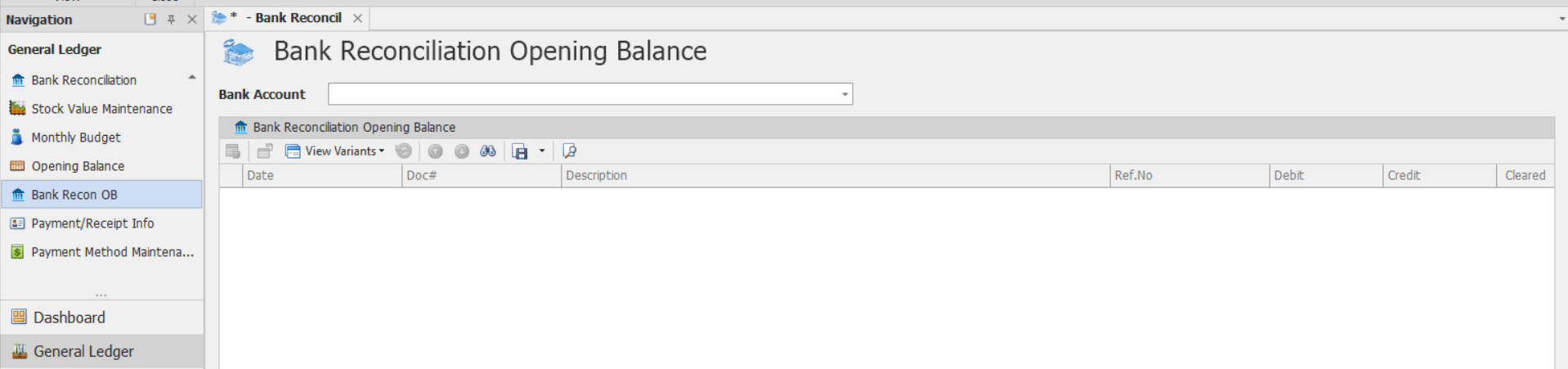
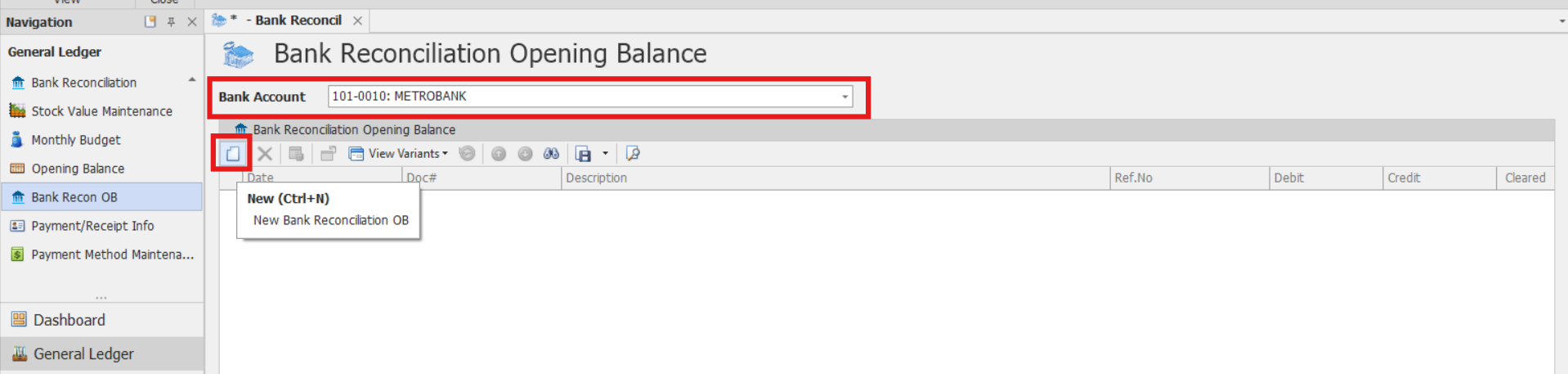
Select Bank Account that requires an opening balance setup
Click New to record a historical uncleared cheque or deposit.
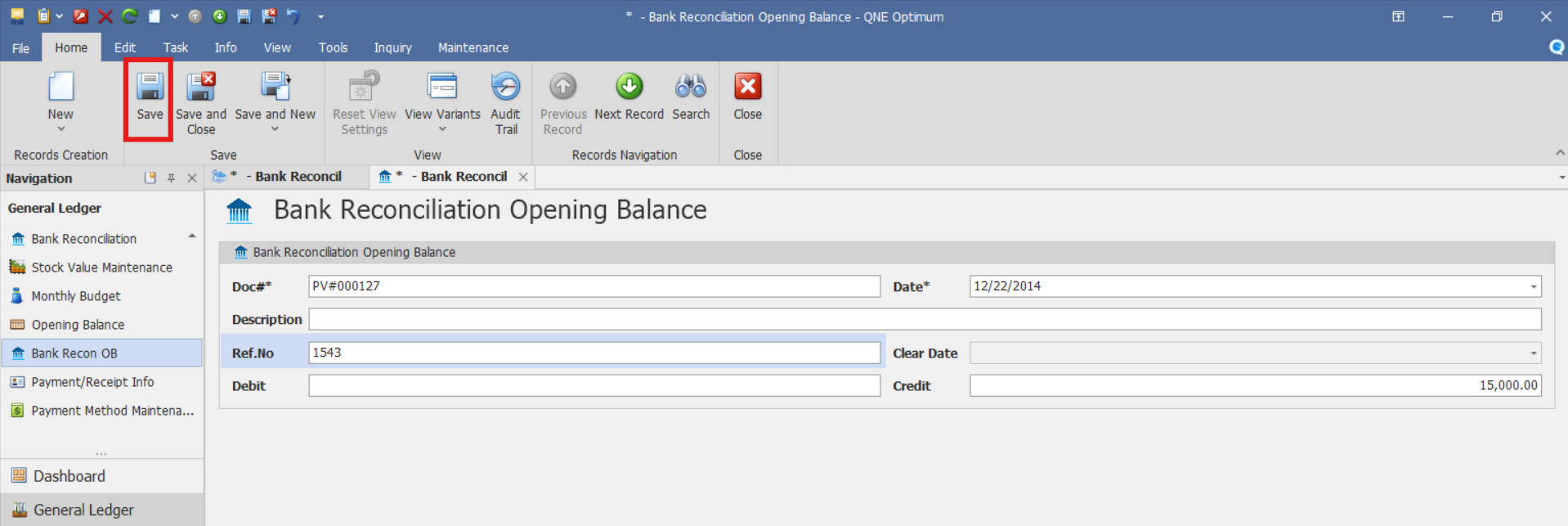
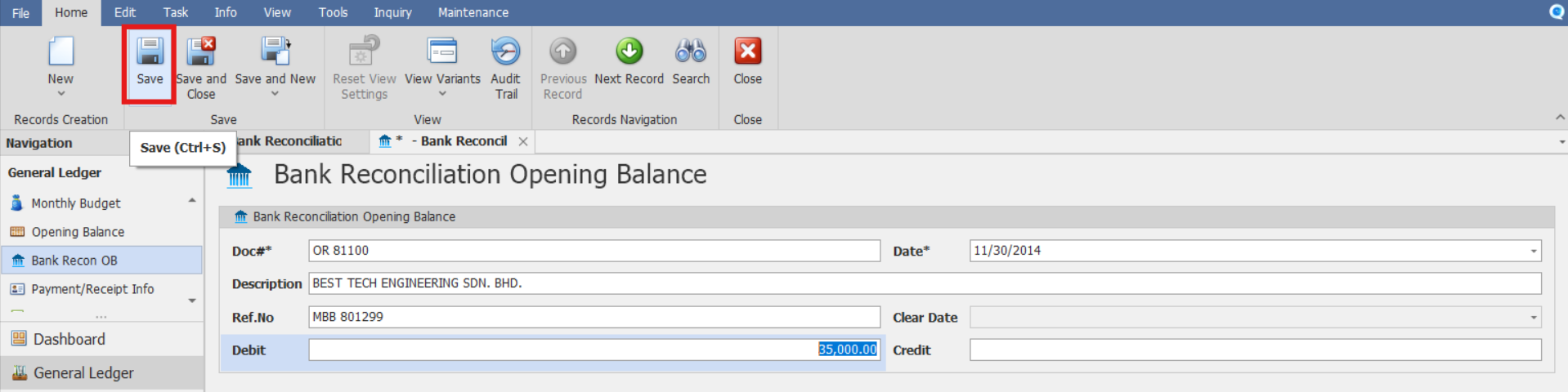
In the Pop-up window, enter the cheque details
Date – Cheque or deposit date
Doc # - Document Number
Description – Brief Description of the transaction
Ref No – Cheque number or reference number
Debit / Credit – Amount based on nature of transaction
Uncleared disbursement cheques are recorded as Credit (reduce bank balance)
Uncleared Deposits are recorded as Debit (increase bank balance)
Click Save button once done recording.
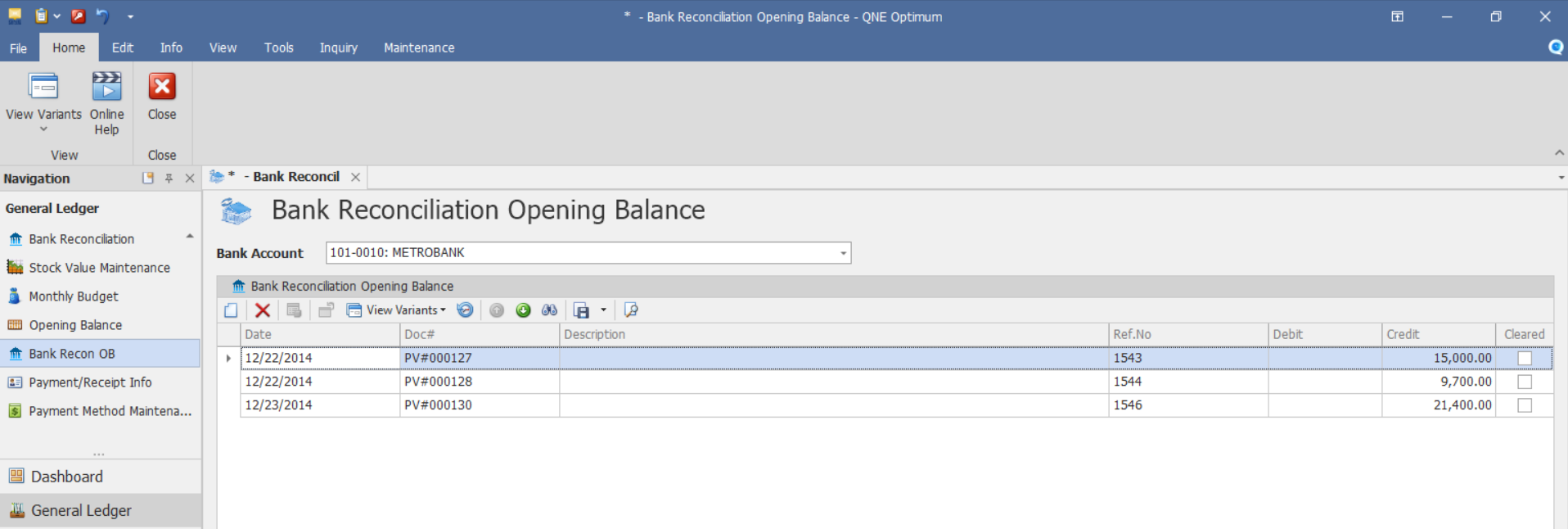
Review the list of uncleared items displayed on the screen. Verify that each entry has the correct date, reference number, amount, and transaction type (cheque or deposit). You may edit or remove any item if needed before proceeding.
Procedure 2: Validation of Recorded Bank Reconciliation Opening Balance
After saving the transaction, verify that:
The bank reconciliation opening balance transaction is saved successfully.
The transaction details are generated or displayed correctly.
The totals reflect the corresponding debit or credit amounts.
Verify that the bank reconciliation opening balance transaction appears in the Bank Reconciliation Opening Balance List.
Procedure 3: Editing a Bank Reconciliation Opening Balance
Go to General Ledger > Bank Recon OB, then select the Doc # of the bank reconciliation opening balance transaction that you want to update.

Once opened, make the required changes, then click Save.
Procedure 4: Deleting a Bank Reconciliation Opening Balance
In the Bank Reconciliation OB List View, identify the document you wish to delete. Hover your cursor over the document and right-click on it. Then click Delete to remove the transaction.

Verify that the bank reconciliation opening balance transaction no longer appears in the Bank Reconciliation OB List.
Important Note:
Both the opening balance items and uncleared cheques or deposits entered here appear in the Bank Reconciliation module for tracking purposes only. They do not create additional journal entries or affect your accounting books.
Application:
The Bank Reconciliation Opening Balance feature is commonly used in the following situations:
Establish a starting point for bank reconciliation after system implementation.
Migrate bank account balances from a previous accounting system.
Support reconciliation of historical and future banking transactions.
Maintain continuity between legacy banking records and current accounting records.
Improve accuracy of bank account reconciliation activities.
Support financial record verification during system migration projects.
System Scope: QNE Optimum
Was this article helpful?
That’s Great!
Thank you for your feedback
Sorry! We couldn't be helpful
Thank you for your feedback
Feedback sent
We appreciate your effort and will try to fix the article