Overview:
By default, only form formats tag as ‘Default’ is the only format shown on the transactions upon preview. On the other hand, reports only show it as the first format on the dropdown list to preview.
In N3 AI, default formats shown can be changed using the Report Designer module.
Scenario:
To change the default format of a transaction.
Procedure:
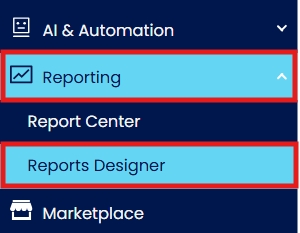
Under Navigation Panel, go to Reporting > Reports Designer.
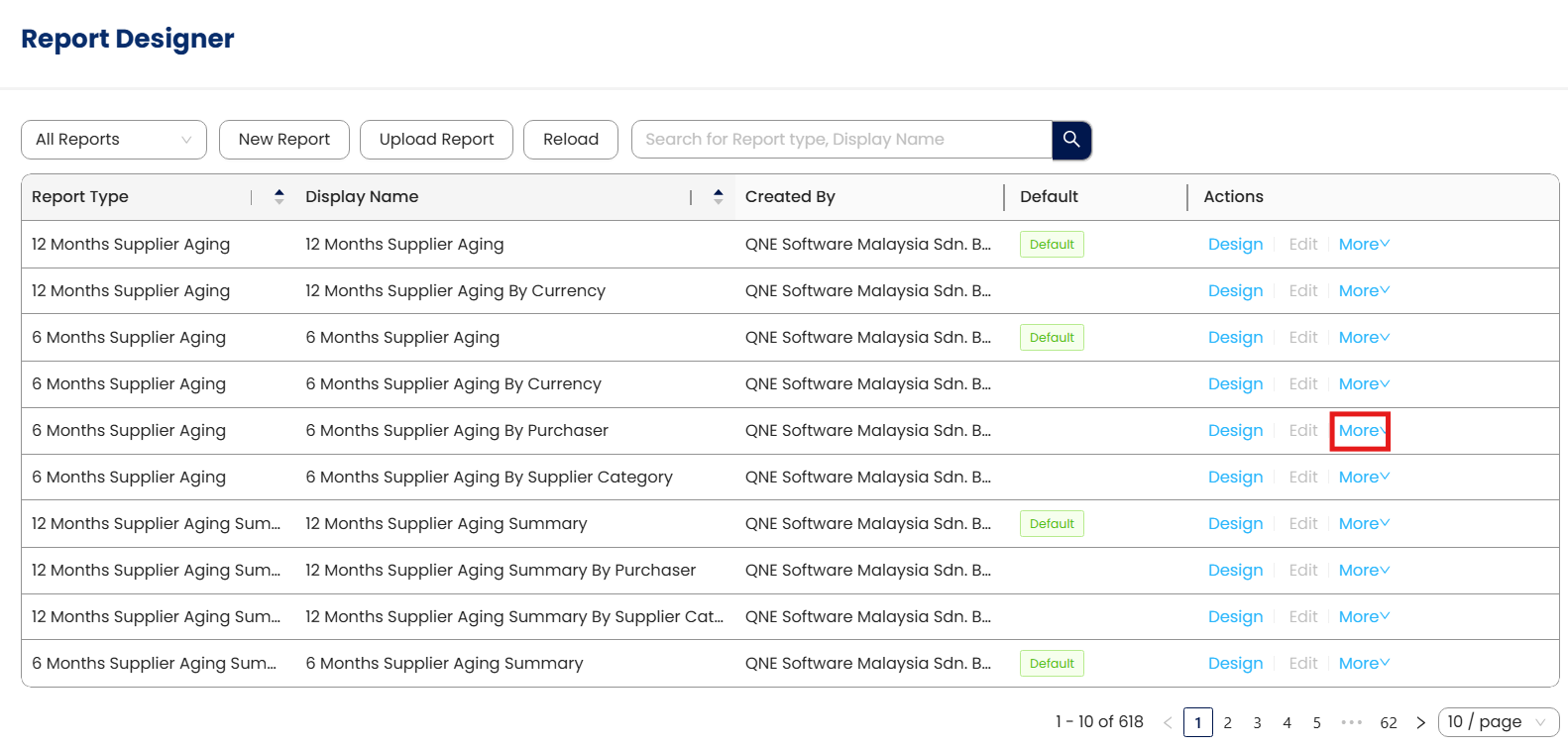
Select More on the format that will be set as Default.
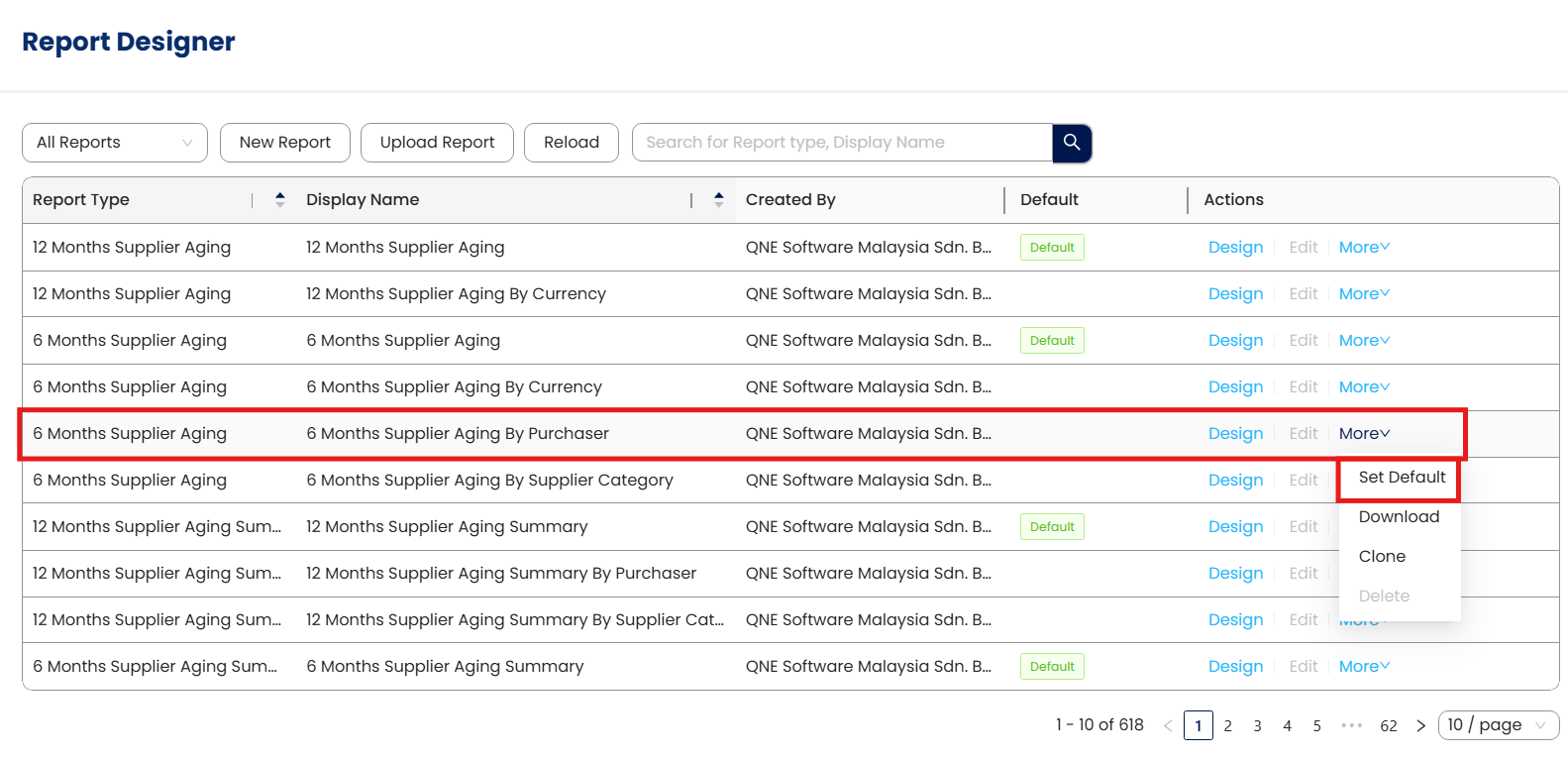
Click Set as Default.
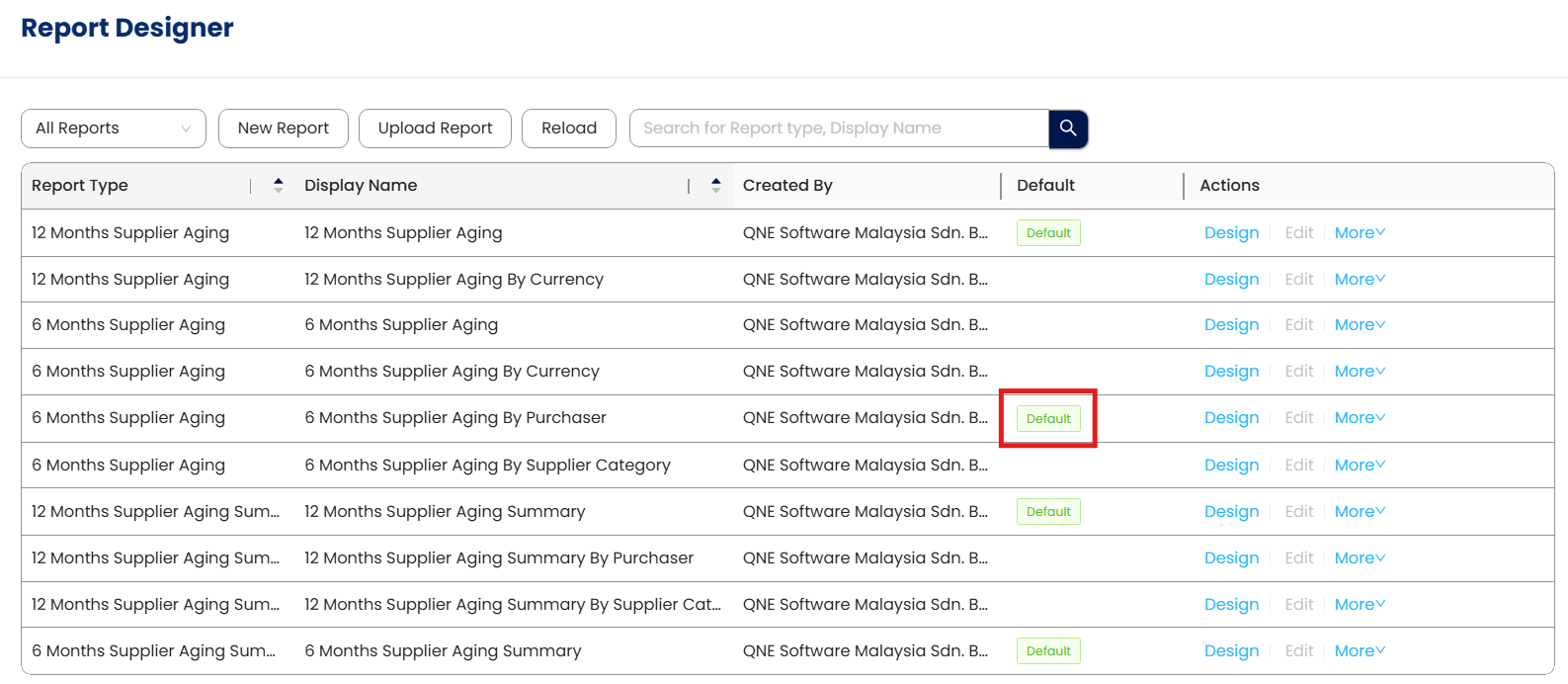
'Default' tag has been transferred already.
Application:
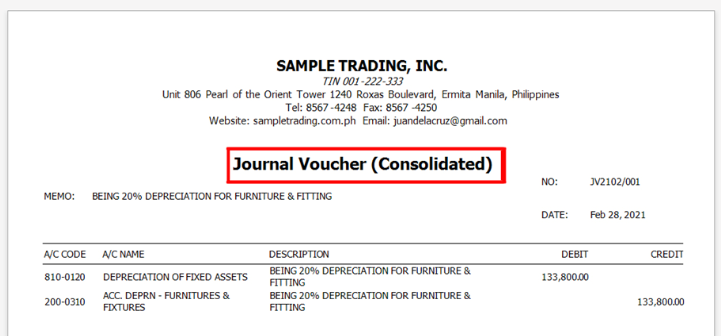
1. Open transaction and click Preview.
New default format
System Scope: N3 AI Accounting (formerly QNE AI Cloud Accounting)
Was this article helpful?
That’s Great!
Thank you for your feedback
Sorry! We couldn't be helpful
Thank you for your feedback
Feedback sent
We appreciate your effort and will try to fix the article