Overview:
Fixed Assets depreciate its value over a period of time. In this manner, recording of its initial cost as well as its depreciation must be done to know the current book value of it.
Scenario:
To identify set-up the Assets and Depreciation Accounts that will help to display the current book value of the fixed assets.
Procedure:
Under the Navigation Panel, go to General Ledger > Chart of Accounts.

Under Property, Plant and Equipment Account, create a fixed asset account and accumulated depreciation account.
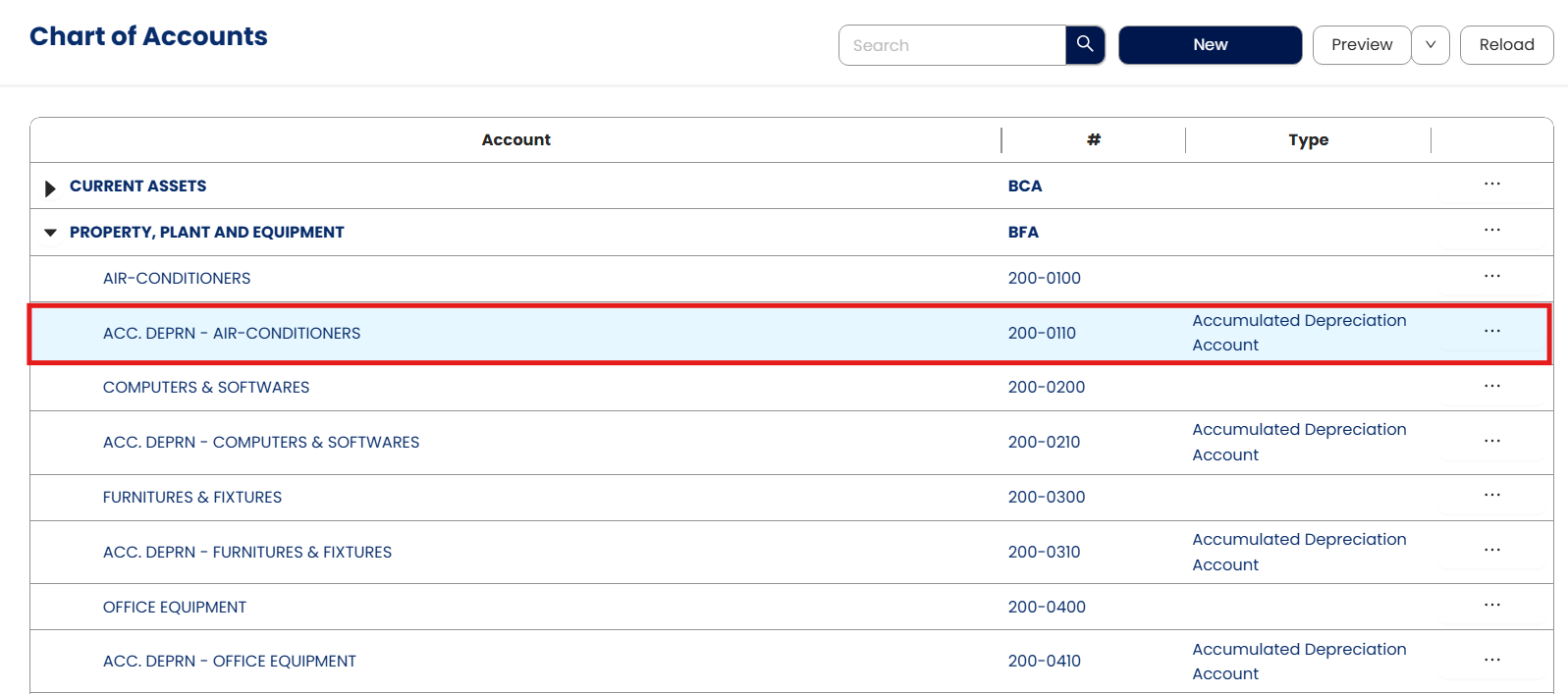
Accumulated Depreciation Accounts per each fixed asset account should be tagged as ADA in the Special Account. This should be set-up to identify what fixed asset will the accumulated depreciation be deducted.
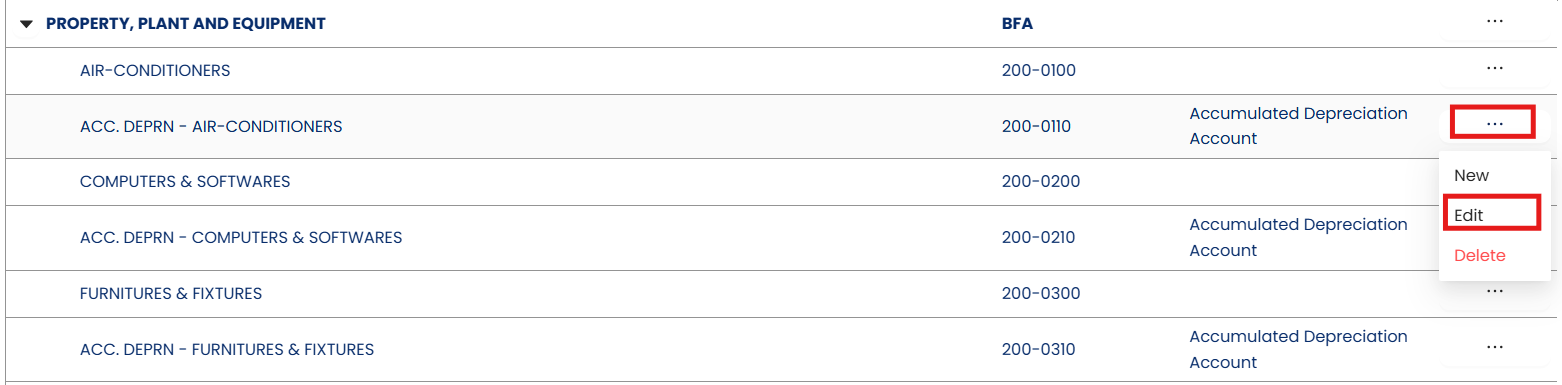
To tag the Special Account, click the 3-dot button of the corresponding accumulated depreciation account. Select Edit.
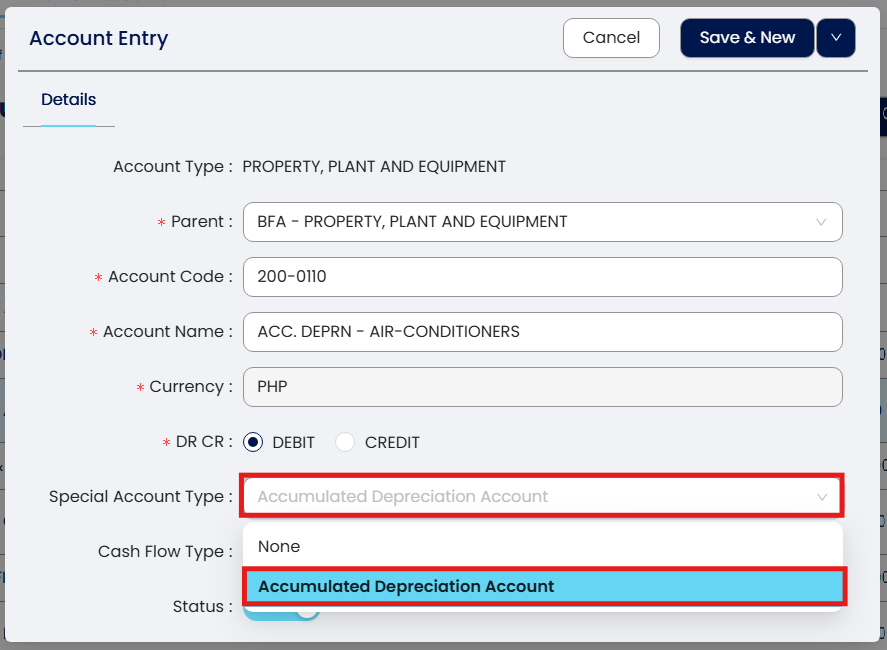
Under Special Account, select Accumulated Depreciation Account.
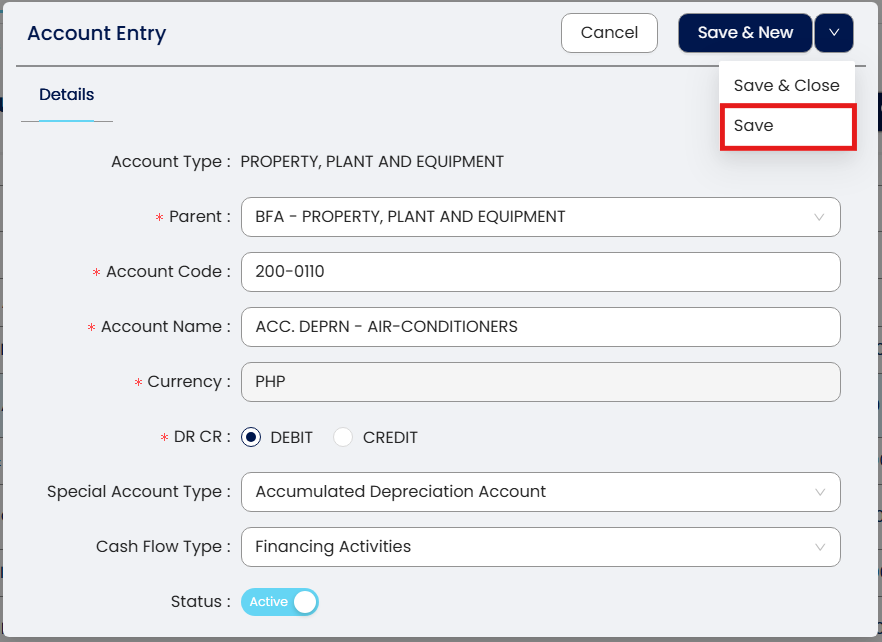
Once done, click Save.
Application:
Set-up now the Assets and Depreciation to generate the current book value of the fixed assets.
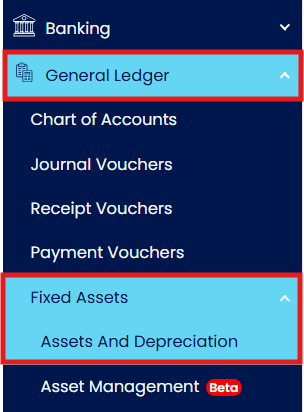
Under the Navigation Panel, go to General Ledger > Fixed Assets > Assets and Depreciation.
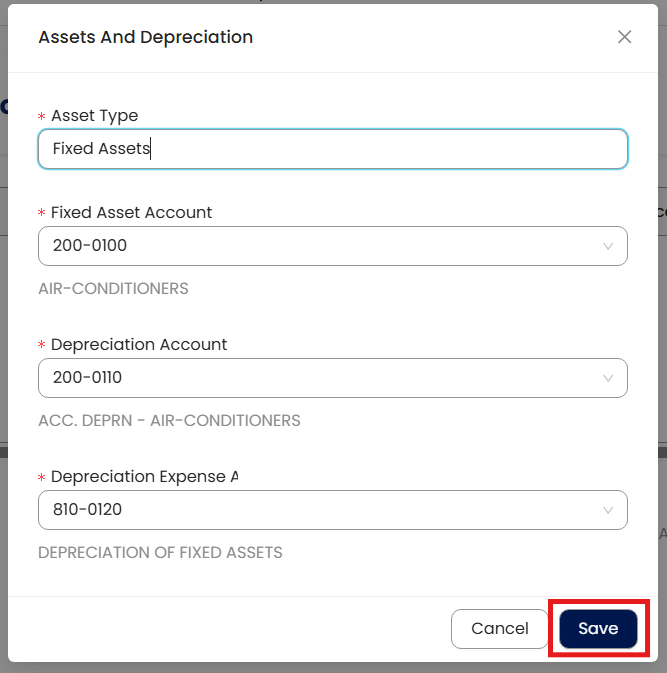
Click Add, to match the Fixed Assets with their corresponding Accumulated Depreciation Accounts.

Select the Fixed Asset Account on the dropdown, followed by its corresponding Accumulated Depreciation Account. Once done, click Save.
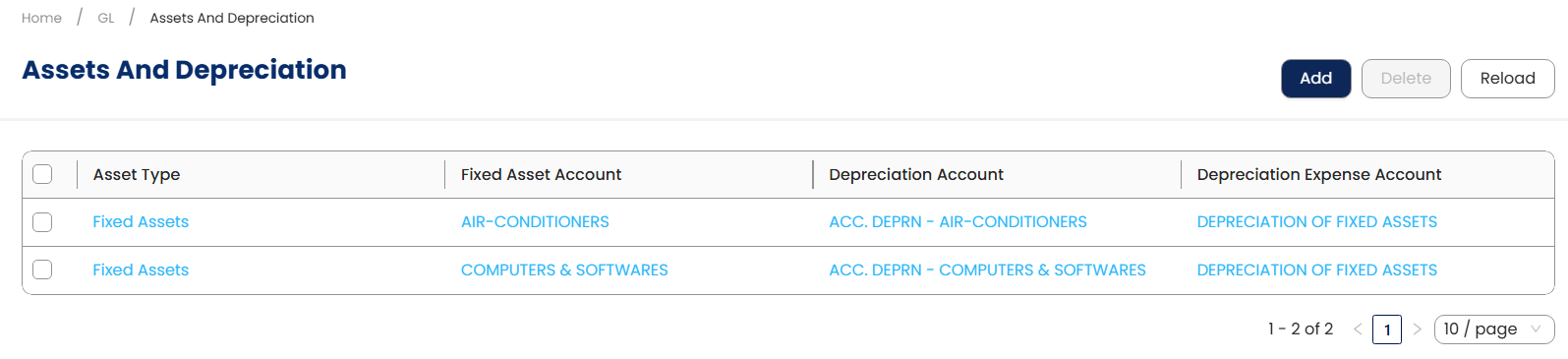
Continue the same procedure until all fixed assets and depreciation accounts have been fully matched.
Having matched, accumulated depreciation will be deducted on the cost of the fixed assets once entries for depreciation have been entered. This will be generated under the Statement of Financial Position.
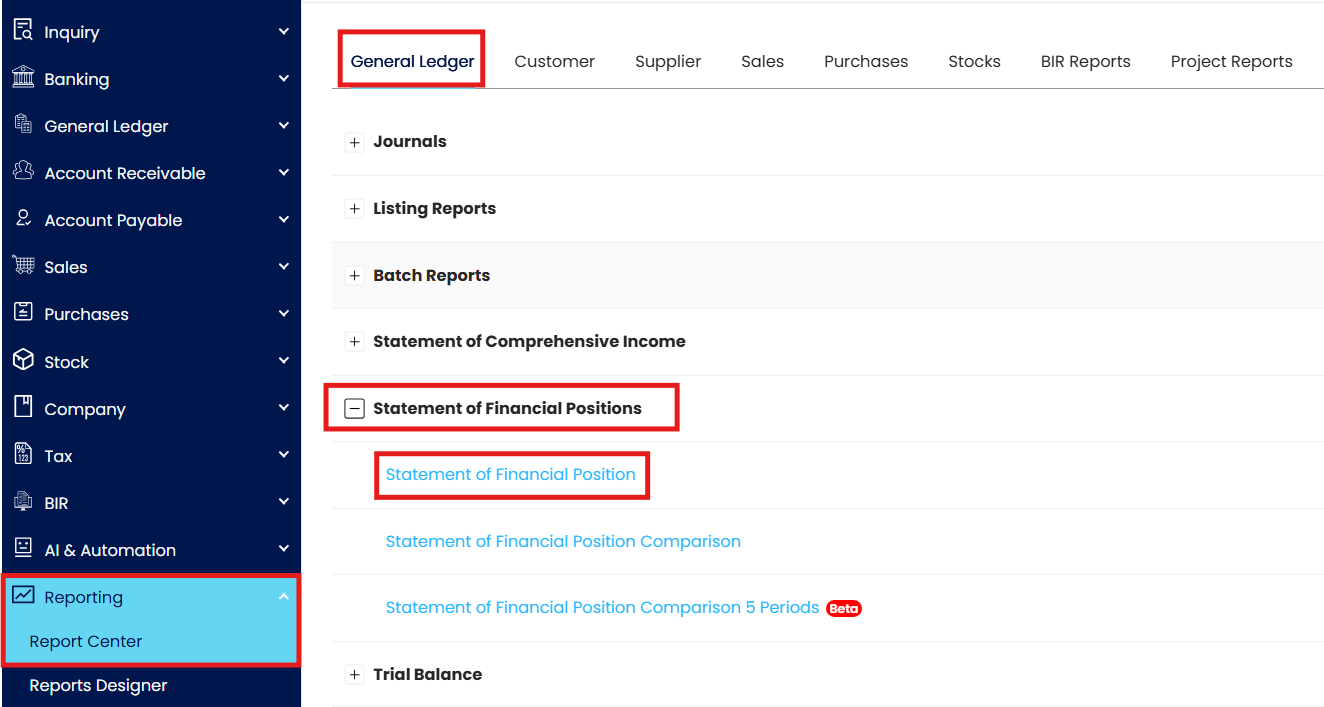
Go to Reporting > Report Center > General Ledger Reports > Statement of Financial Positions.
Click Preview.
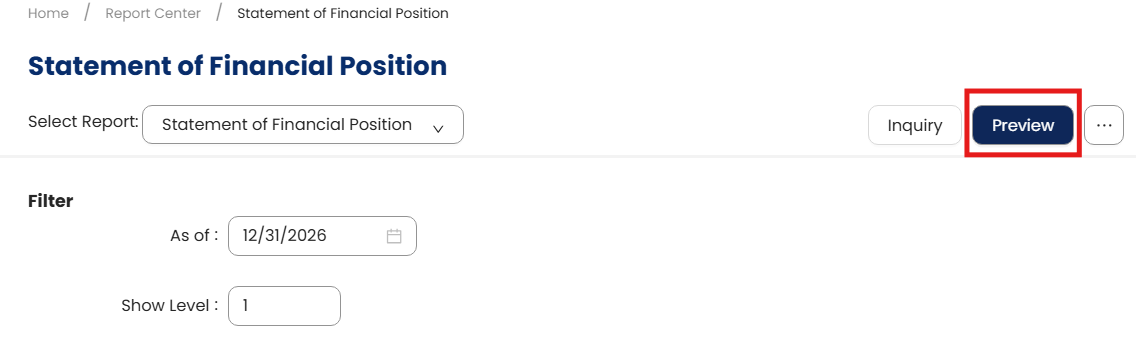
Print Preview
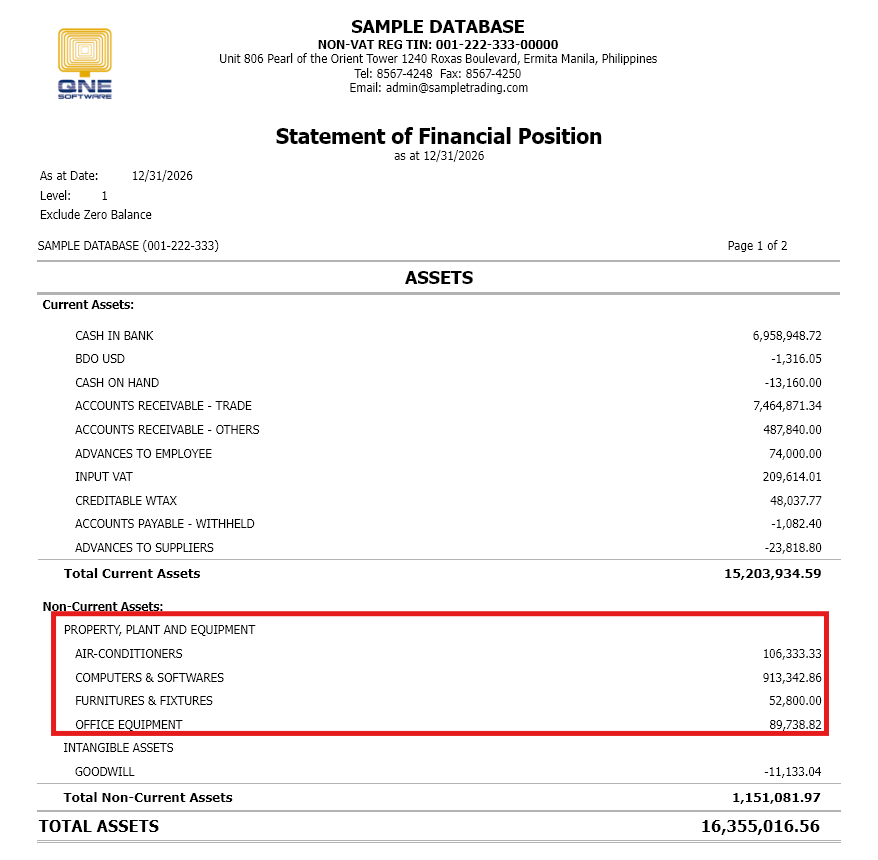
Current book value of the fixed assets will be displayed on the report shown above.
System Scope: QNE AI Cloud Accounting / N3 AI Accounting
Was this article helpful?
That’s Great!
Thank you for your feedback
Sorry! We couldn't be helpful
Thank you for your feedback
Feedback sent
We appreciate your effort and will try to fix the article