Overview:
Setting up the Percentage Tax Declaration in cloud accounting is crucial for preparing BIR Form 2551Q because it ensures accurate calculation and reporting of percentage taxes due. This setup helps businesses comply with tax regulations, simplifies the filing process, and provides a clear record of tax payments for auditing purposes
Scenario:
Enable and set up the Non-VAT Tax Declaration.
Solution:
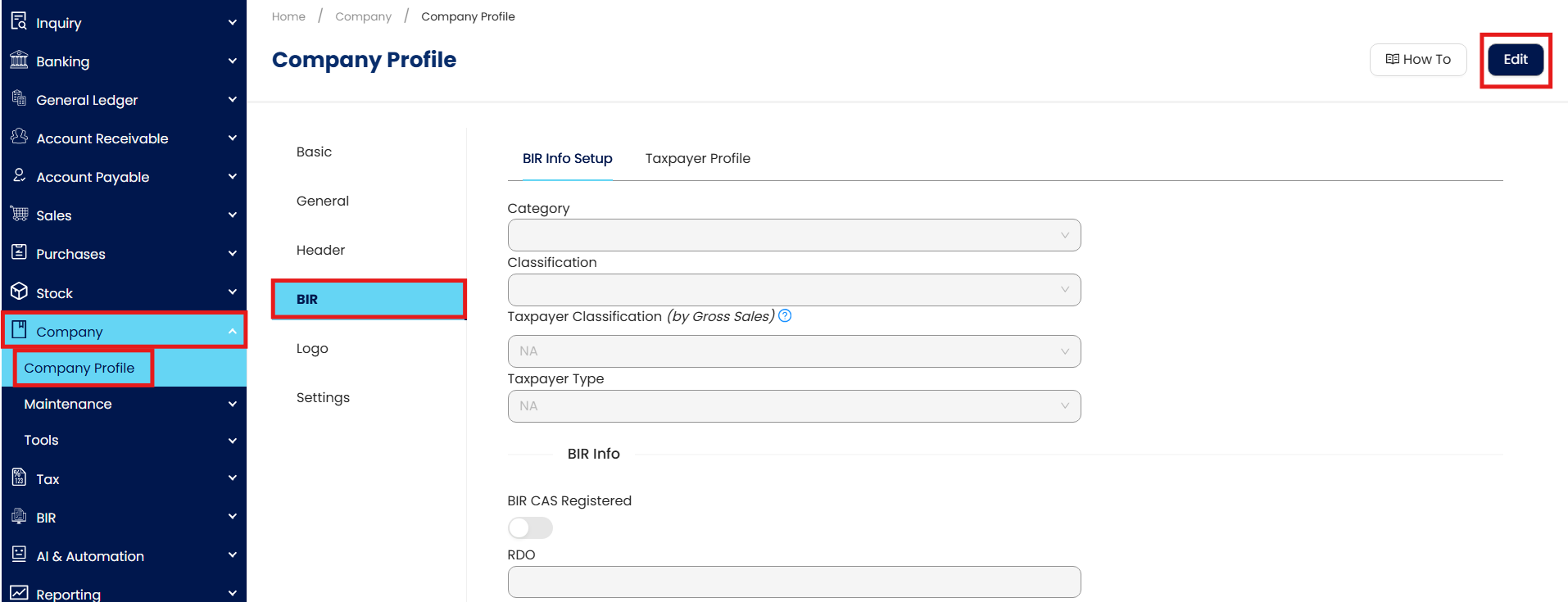
In the navigation pane, go to Company > Company Profile. Then on the Company Profile screen go to BIR > Edit > Taxpayer Type > Percentage Tax.
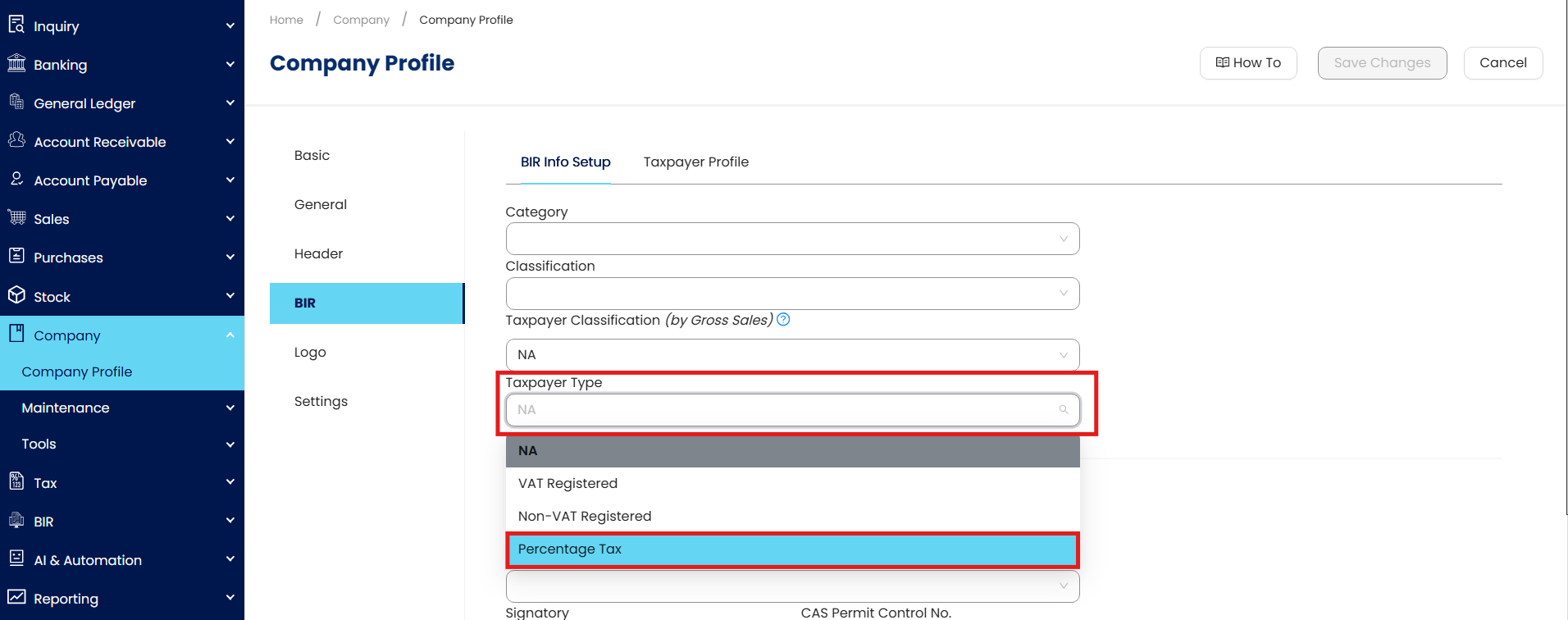
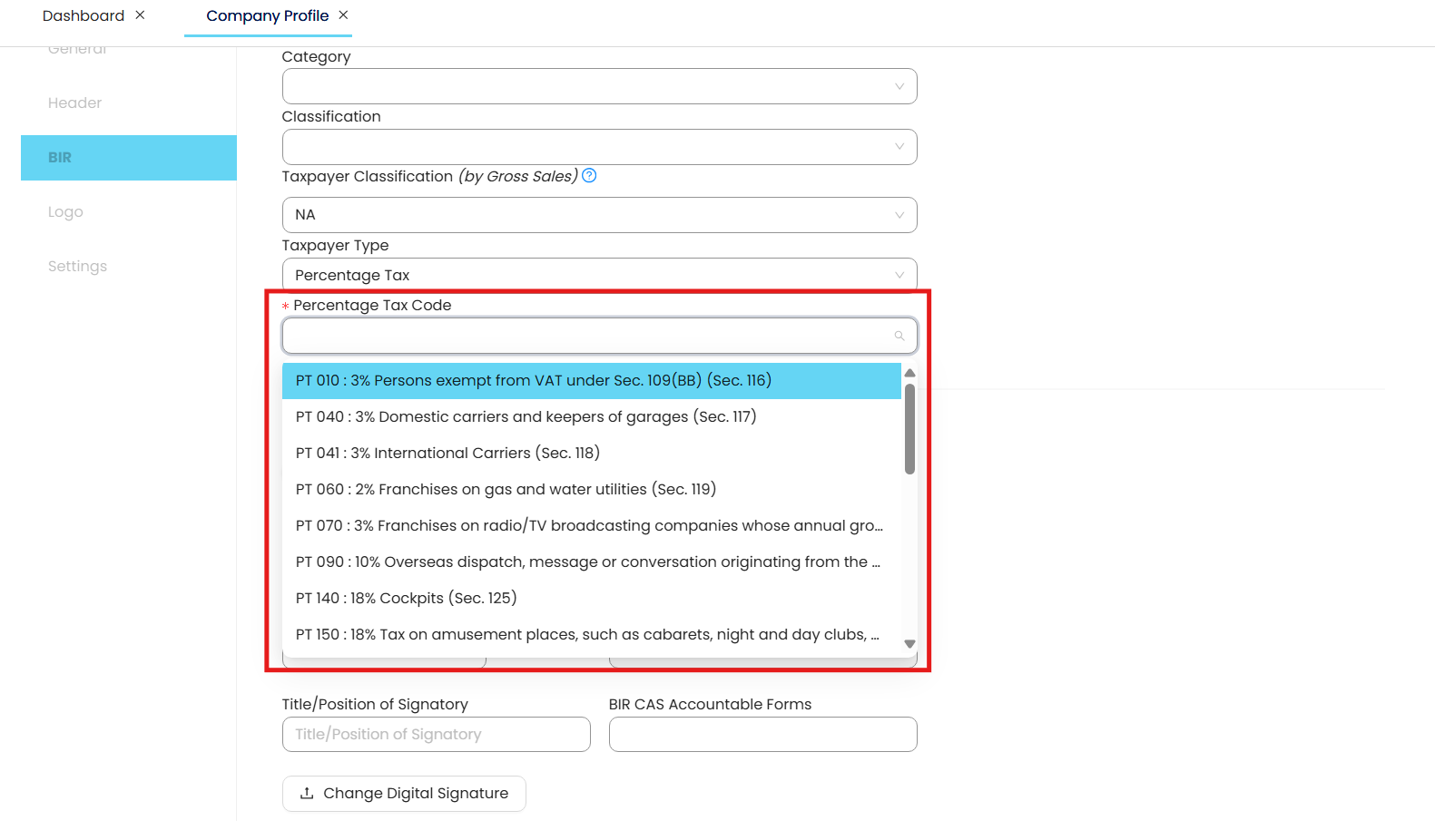
Upon selecting the Percentage Tax, the Percentage Tax Code selection should become visible for users to select an Alphanumeric Tax Code (ATC) intended for your company.
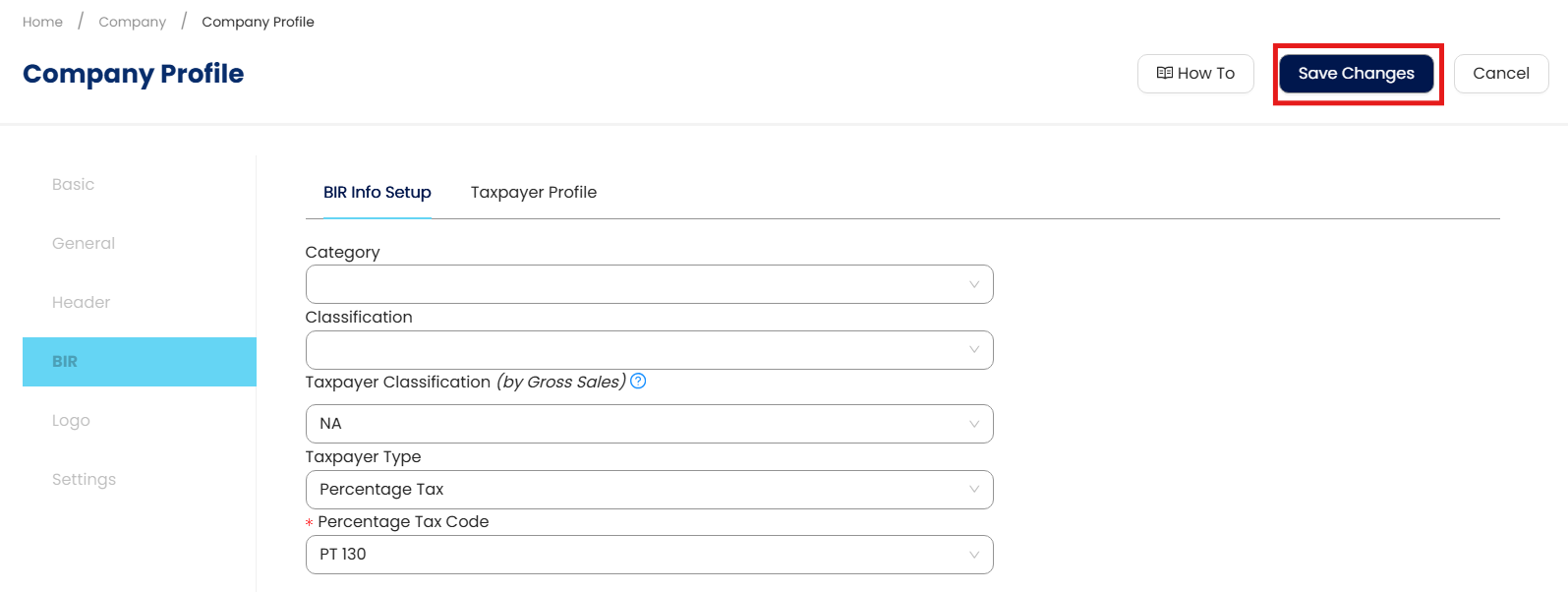
Once set, click Save Changes to apply the settings.
Application:
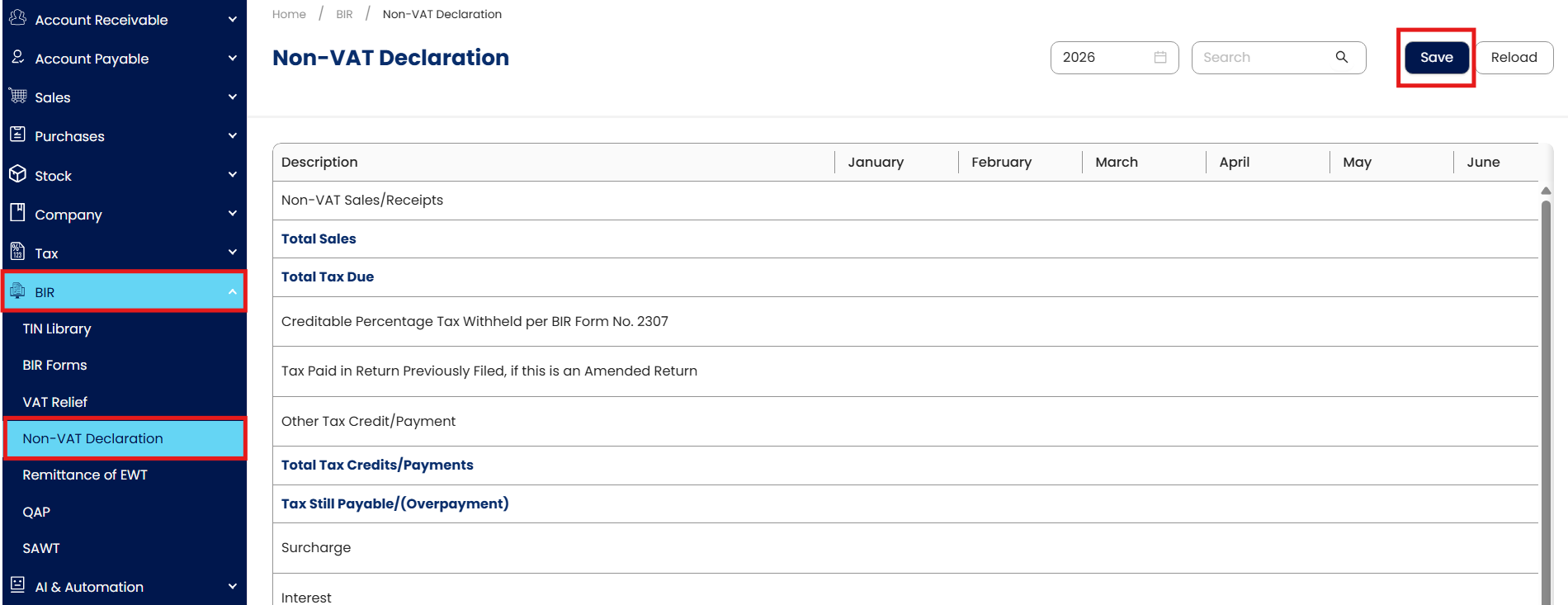
The Non-VAT Declaration module will now be visible to users for setting up their Percentage Tax Declaration, a prerequisite to generating a BIR Form 2551Q.
In the Navigation, click BIR > Non-VAT Declaration.
Important Note:
Editing and Deleting Transactions: According to regulatory guidelines, modifications or deletions of recorded transactions in the system may be strictly prohibited once Computerized Accounting System (CAS) approved. It's vital to adhere to your company's internal policy regarding these functionalities. It is generally advisable to disable or limit the ability to edit/delete to maintain compliance with regulations.
System Scope: N3 AI Accounting (formerly QNE AI Cloud Accounting)
Was this article helpful?
That’s Great!
Thank you for your feedback
Sorry! We couldn't be helpful
Thank you for your feedback
Feedback sent
We appreciate your effort and will try to fix the article