How to 'Allow Modify After Bank Reconciliation' in Advanced Options
Overview:
Once transactions are marked as reconciled in Accounting, the system typically locks them to preserve the accuracy and integrity of bank reconciliation records. However, certain scenarios may require updates to these reconciled transactions. The Allow Modify After Bank Reconciliation feature enables users to edit these entries—while maintaining an audit trail—to support operational flexibility without compromising control.
Scenario:
An accountant discovers a minor error in the transaction description or cheque number of a reconciled payment. Reversing the reconciliation is not practical, so they need to enable post-reconciliation modification to apply the correction directly.
Solution:
Navigate the Advanced Options
Go to Company > Maintenance > Advanced Options > General
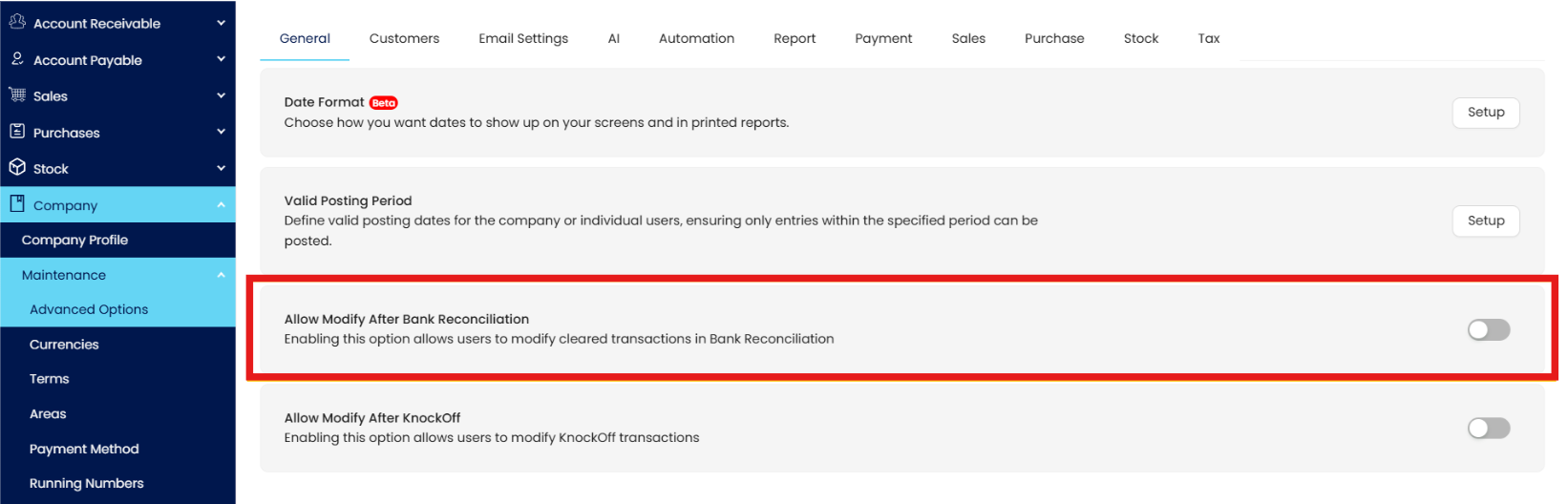
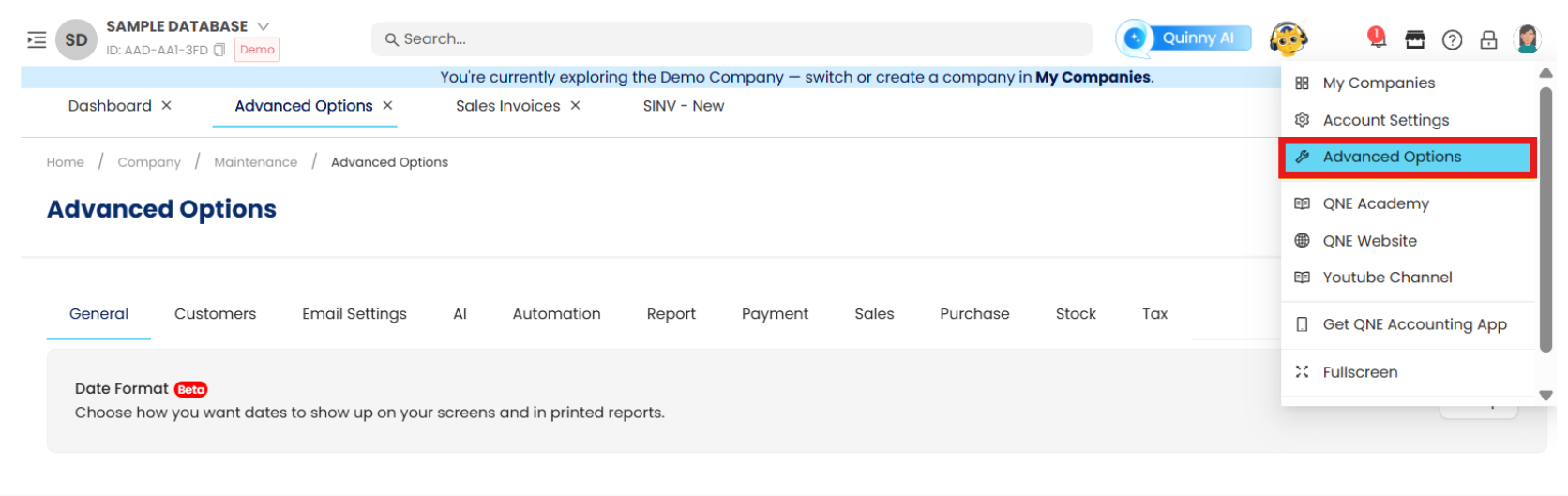
Alternatively, users may select Account Icon > Advanced Options
In the Advanced Options list, look for the toggle labeled Allow Modify After Bank Reconciliation and enable the option.

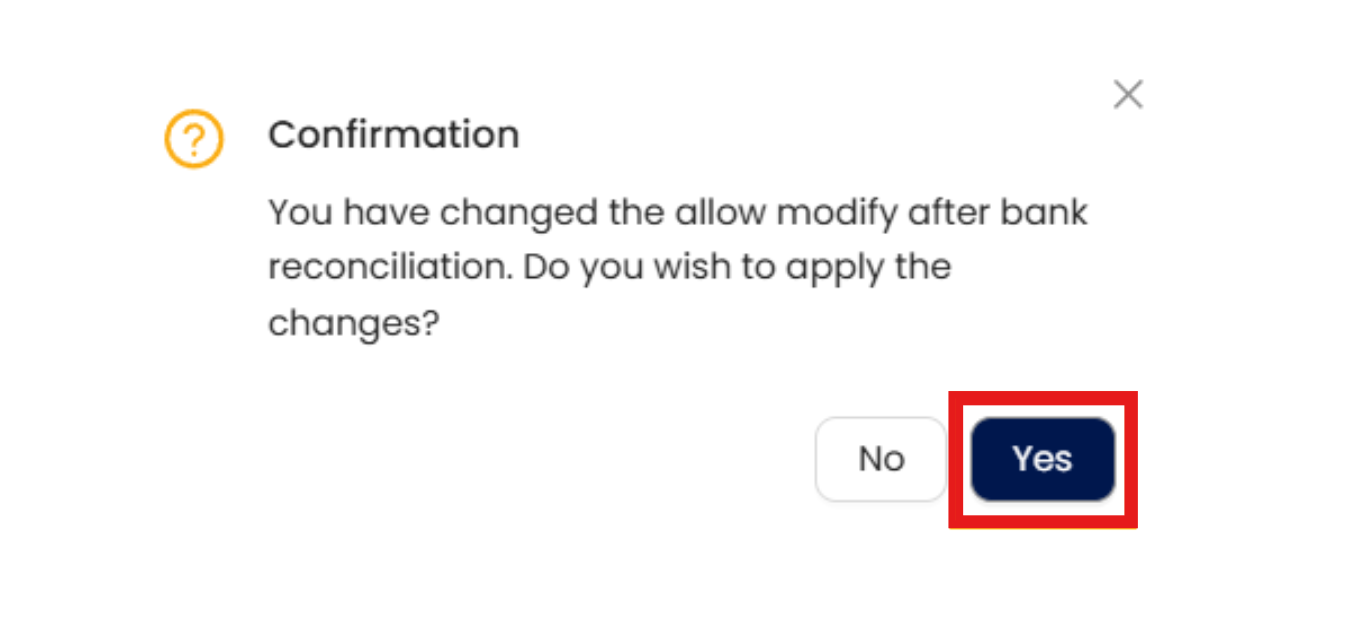
After enabling the toggle, a confirmation prompt will appear, asking whether you wish to apply the changes. Click Yes to confirm the modification.
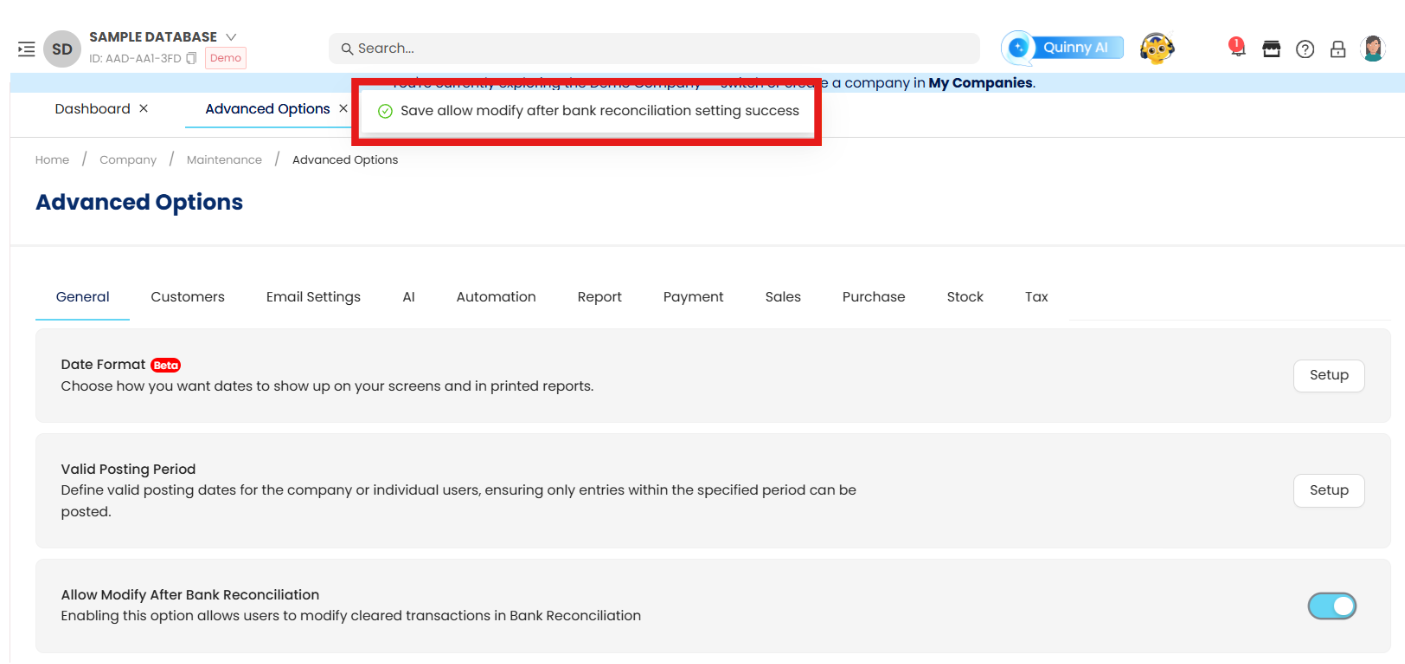
In the upper part of the page, a confirmation message will appear, indicating that the modification setting for KnockOff has been successfully saved.
Note: It is recommended to enable this setting only for authorized users and to monitor any changes through audit logs.
Application:
For example, after reconciling a set of bank transactions, the finance team realizes that one transaction has the wrong payment reference. Instead of undoing the reconciliation process, they enable the Allow Modify After Bank Reconciliation setting to directly amend the reference field. This flexibility ensures accurate reporting without the need to reprocess bank reconciliations.
Enabling this feature allows finance teams to handle post-reconciliation corrections more efficiently while preserving transparency and accountability in financial records.
System Scope: QNE AI Cloud Accounting / N3 AI Accounting
Was this article helpful?
That’s Great!
Thank you for your feedback
Sorry! We couldn't be helpful
Thank you for your feedback
Feedback sent
We appreciate your effort and will try to fix the article