
Overview:
Setting a default Payment By account ensures that outgoing payments are automatically posted to the correct bank or cash GL account. This helps reduce manual entry, minimize posting errors, and streamline bank reconciliation and cash flow reporting.
In QNE AI Cloud, you can set:
- Default Interface Accounts — global defaults applied to all users.
- User Default Settings — personal defaults applied only to a specific user.
This article explains how to set your Payment By account under User Default Settings (user-level default).
Scenario:
You want your outgoing payments — such as supplier payments, refunds, or petty cash disbursements — to post automatically to a predetermined account. This reduces the time your accounting team spends correcting postings and reconciling bank statements.
Procedure:
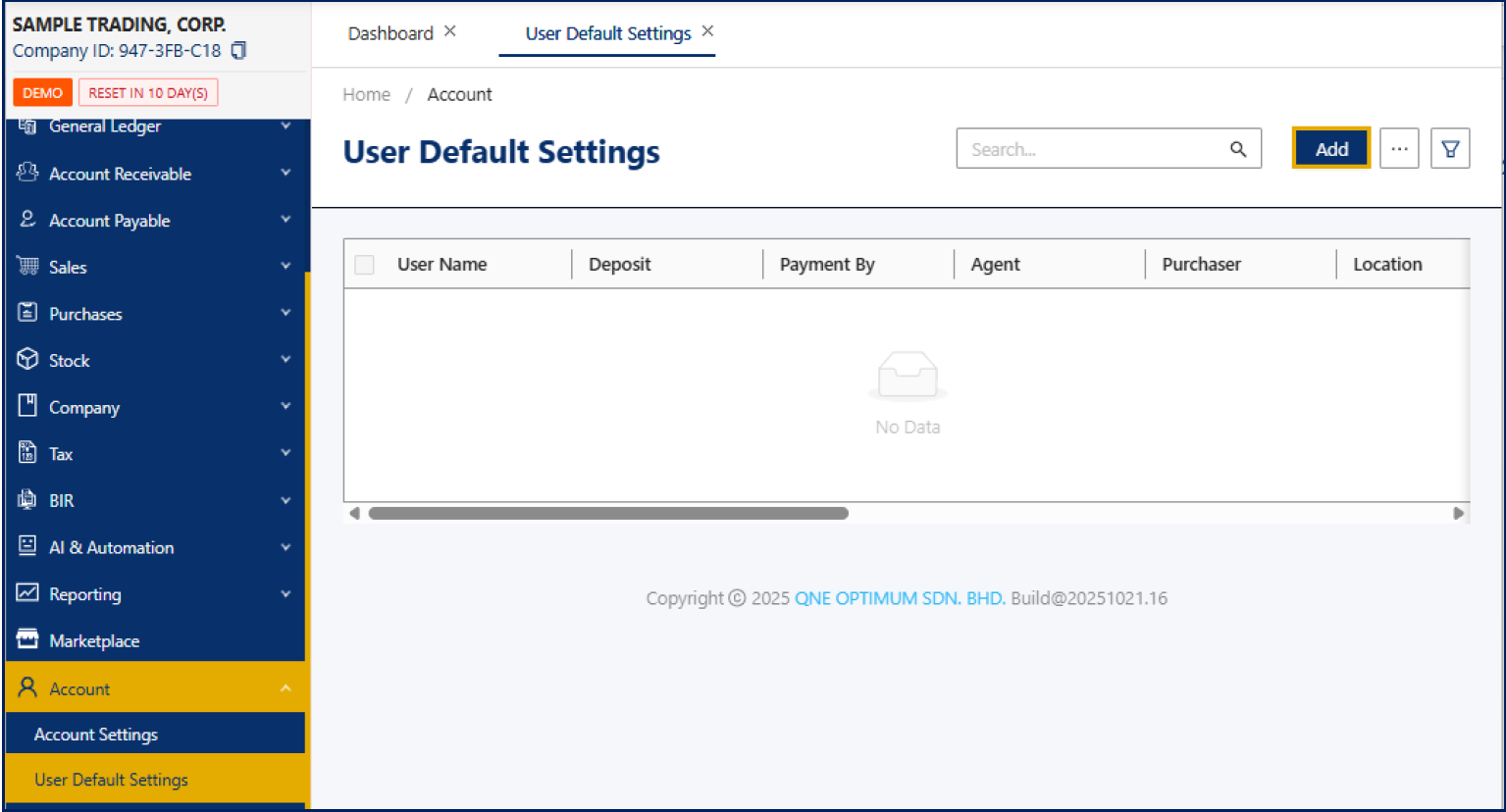
Step 1: Go to Account > User Default Settings, then click Add
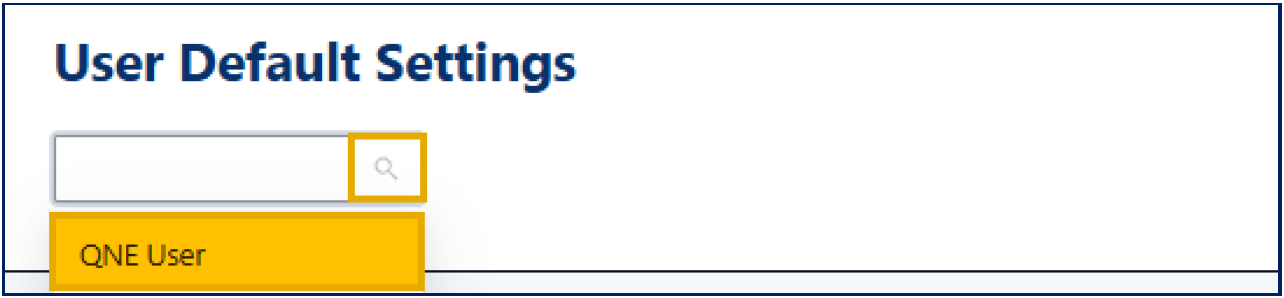
Step 2: In the User Account field, select the user whose default payment account you want to set.
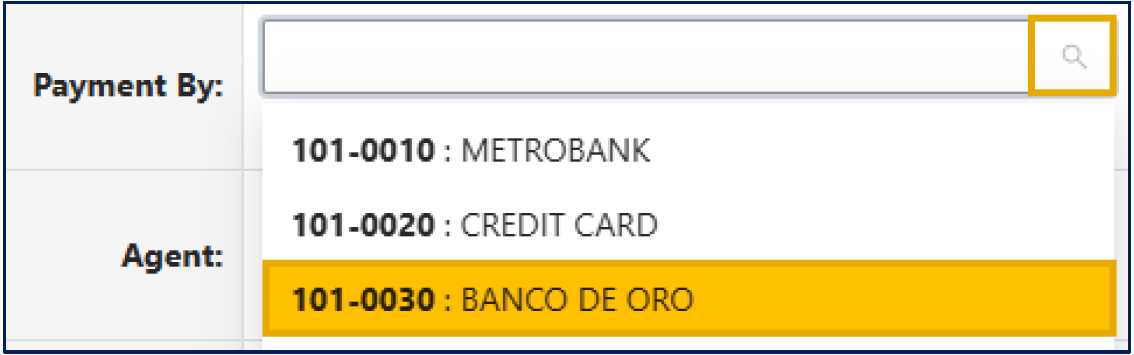
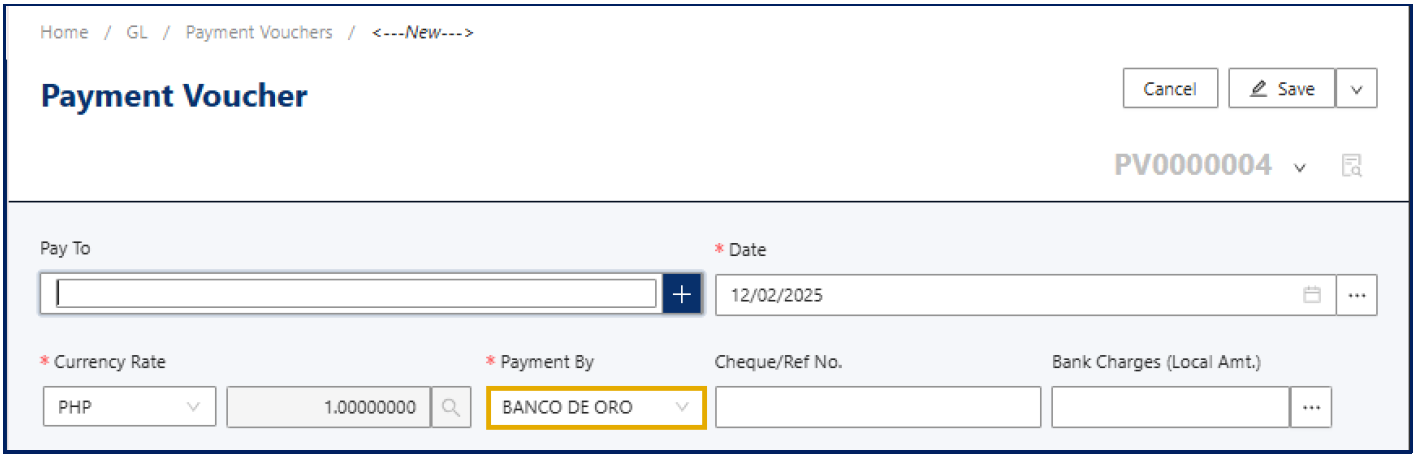
Step 3: In the Payment By field, select the bank or cash GL account to be used as your default payment source.
Step 4: Click Save.
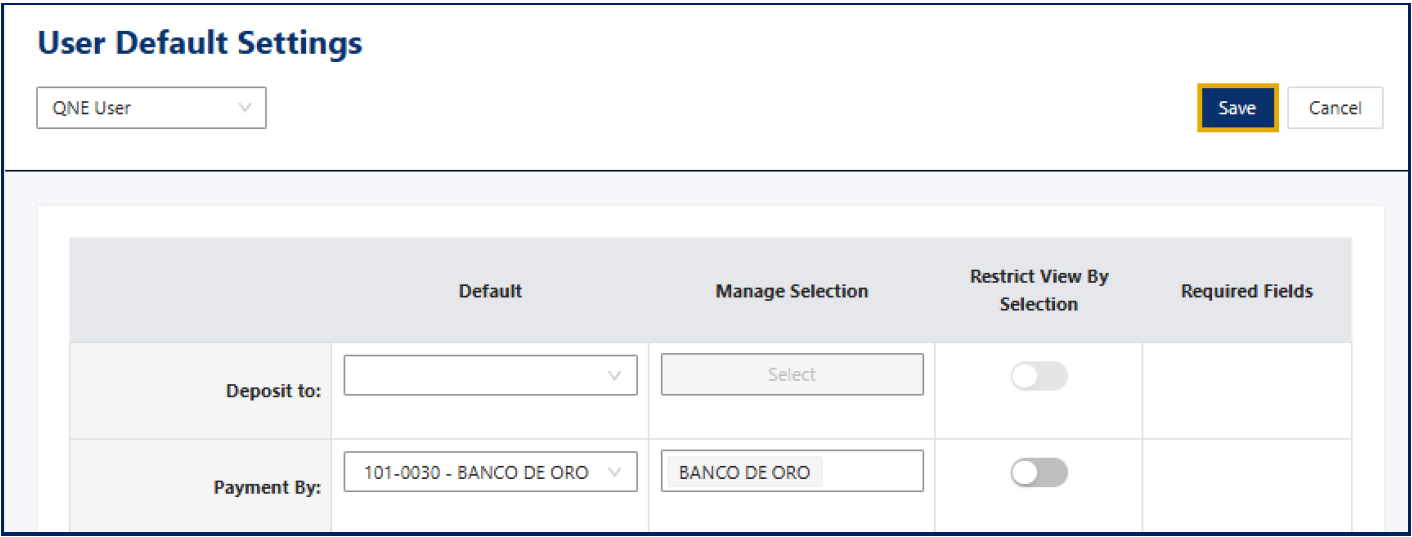
The selected account will now be automatically used whenever this user records supplier payments, refunds, or petty cash disbursements.
Note: This setting applies only to the selected user. To define a company-wide payment default, use Default Interface Accounts instead.
Application:
Use this feature when you want to:
- Assign specific payment accounts per payee.
- Separate payments made by different branches or departments.
- Simplify reconciliation by ensuring each user’s transactions post to their respective accounts.
- Prevent accidental posting to the wrong bank or cash GL.
- Combine with Default Interface Accounts to maintain both user-level and company-level consistency.

Was this article helpful?
That’s Great!
Thank you for your feedback
Sorry! We couldn't be helpful
Thank you for your feedback
Feedback sent
We appreciate your effort and will try to fix the article