Overview:
The Statement of Comprehensive Income now includes three additional ratio indicators that compare Cost of Sales, Cost of Services, and Operating Expenses to Total Income. These ratios provide a clearer view of cost behavior and profitability, helping users quickly assess whether expenses are increasing relative to income.
This enhancement supports Accountants, Finance Managers, and Business Owners who rely on fast, accurate insights for decision-making. With the ratios displayed directly in the report, users can identify cost trends, validate performance, and prepare more reliable financial analyses.
Scenario:
During quarter-end review, the Finance Manager observes a decline in net income even though sales remained stable. To identify what caused the drop, the manager generates the updated Statement of Comprehensive Income. The newly added ratios help determine whether the increase came from Cost of Sales, Cost of Services, or Operating Expenses. This allows the manager to pinpoint which cost area affected profitability and prepare a clear explanation for management.
Procedure:
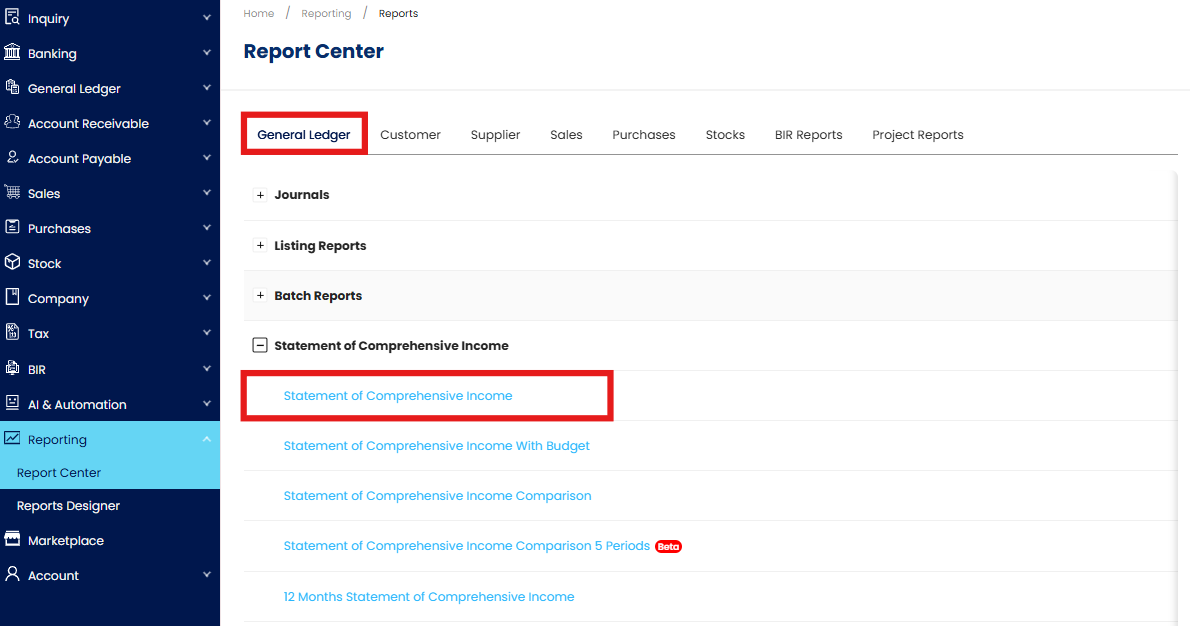
Go to Reporting > Report Center > General Ledger > Statement of Comprehensive Income > Statement of Comprehensive Income
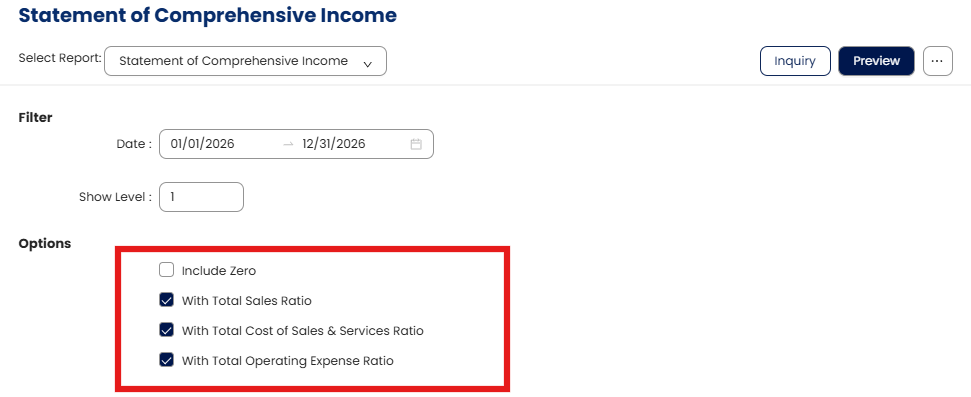
In the Filter options, you can select the following options:
With Total Sales Ratio – Percentage of Cost of Sales compared to Total Sales, indicating how much of sales revenue is used to produce or purchase goods sold;
Formula: (Account ÷ Total Cost of Sales) x 100With Total Cost of Sales & Services Ratio – Percentage of Cost of Sales and Cost of Services compared to Total Income, indicates the overall cost required to deliver goods and services; Operating Expense Account;
Formula: (Account ÷ Total Cost of Sales & Services) x 100With Total Operating Expense Ratio – Percentage of Operating Expenses compared to Total Income indicates how much income is spent on day-to-day business operations such as salaries, utilities, and administrative costs.
Formula: (Account ÷ Total Cost of Operating Expenses) x 100
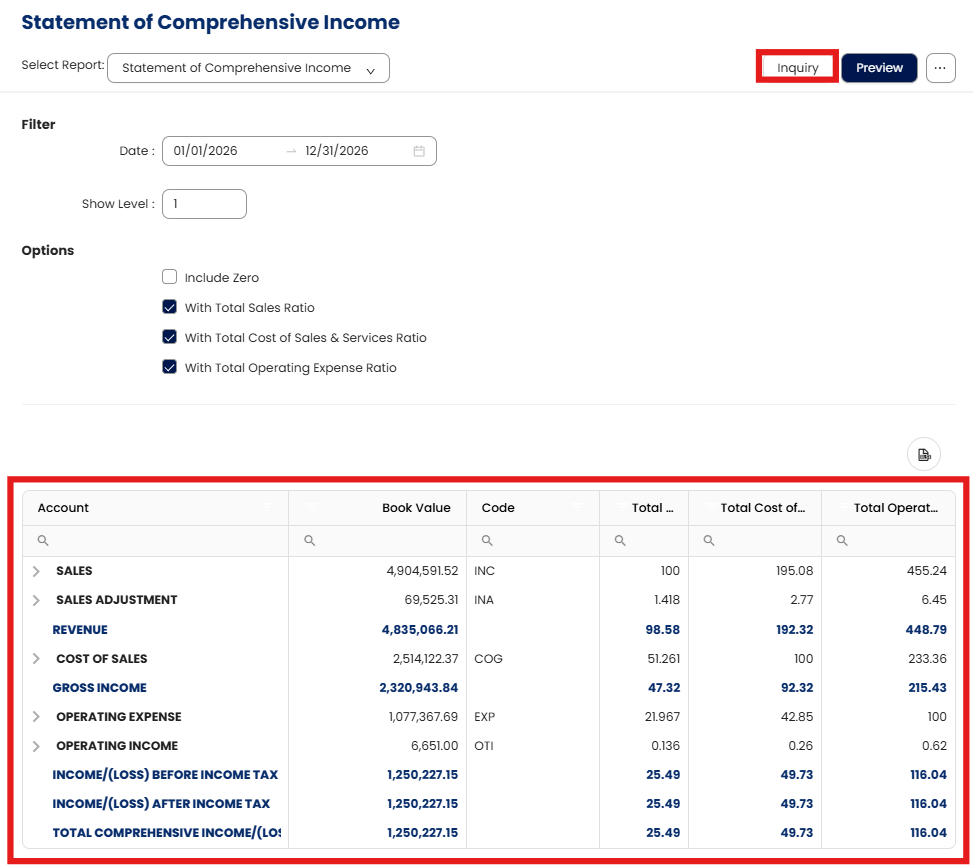
Click Inquiry to view the figures directly in the system.
Click Preview to generate the report.
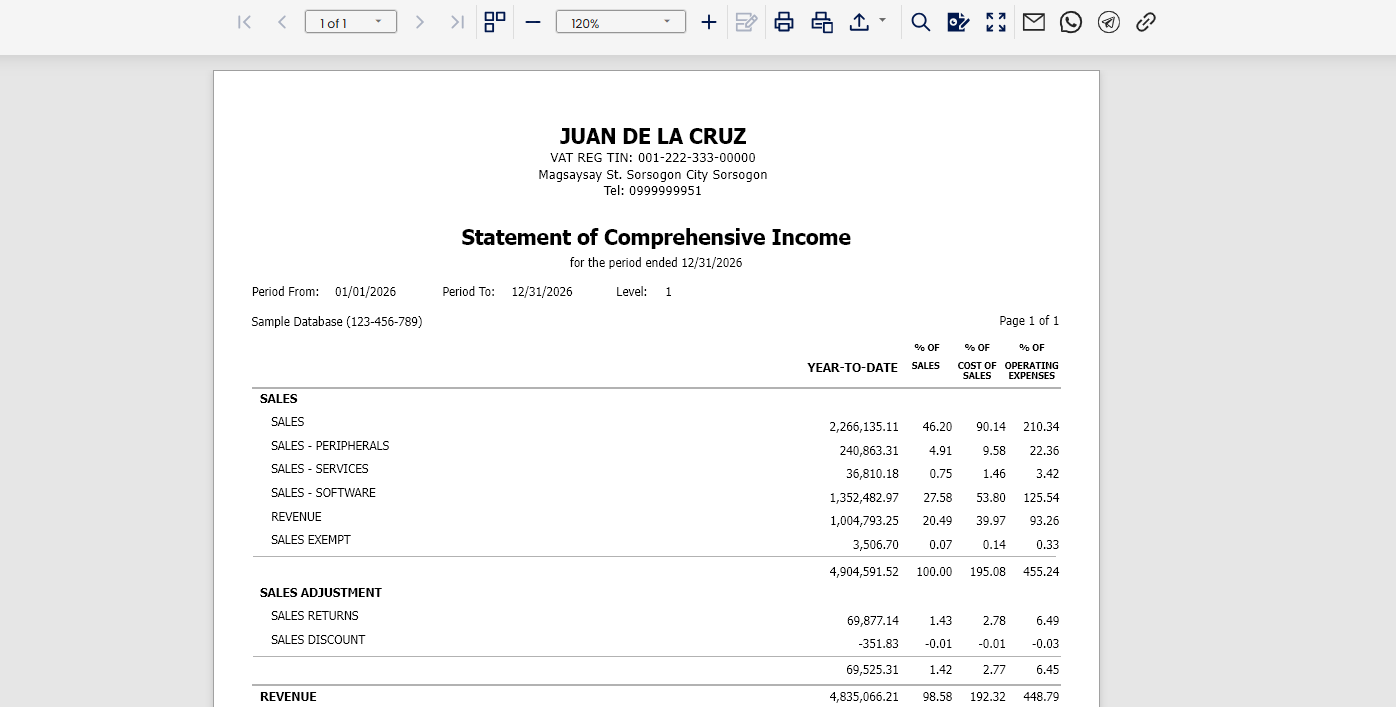
Review the generated report and verify that all ratios are displayed correctly and calculated based on the figures in the Statement of Comprehensive Income.
Application:
Expense Efficiency Monitoring: Identify whether specific cost categories are rising faster than income.
Profitability Analysis: Determine which cost areas have the greatest impact on profit margins.
Budgeting & Cost Control: Support planning activities and adjust cost-management strategies based on ratio trends.
Management Reporting: Provide leadership with clear, ratio-based insights into financial health.
Trend Evaluation: Track changes in cost behavior across reporting periods to detect improvements or potential issues.
System Scope: N3 AI Accounting (formerly QNE AI Cloud Accounting)
Was this article helpful?
That’s Great!
Thank you for your feedback
Sorry! We couldn't be helpful
Thank you for your feedback
Feedback sent
We appreciate your effort and will try to fix the article