Overview:
The Project Header feature assigns specific header details to each project, ensuring that project-related documents display consistent and relevant information. When a project is tagged in a transaction, the document header automatically reflects the project-specific setup. This feature is available only for companies with the Project Module.
Scenario:
A company manages multiple client projects, each requiring different headers on documents like Sales Invoices. By configuring project headers in advance, the correct header is automatically applied when a project is assigned, saving time and ensuring consistency. For transactions with multiple or no projects tagged, the system defaults to the company’s general header.
Procedure:
Enable Project Header
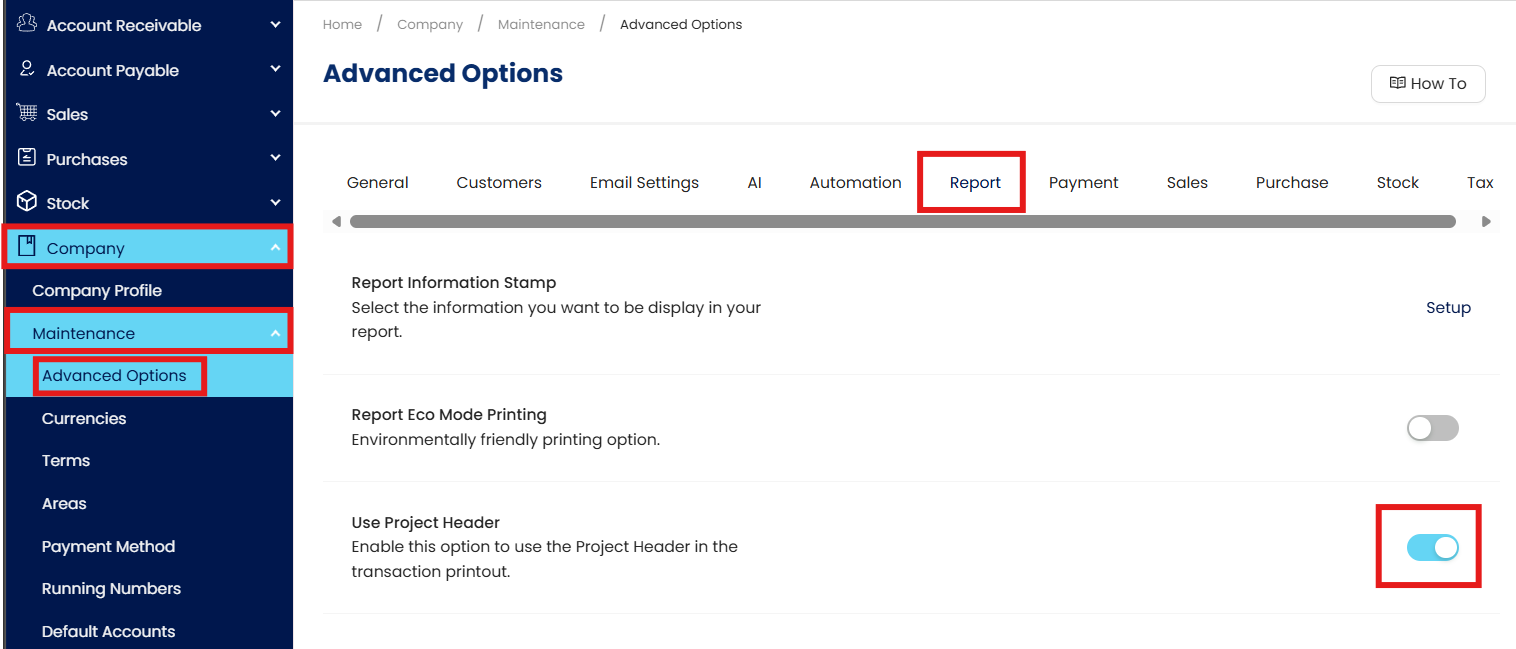
Go to Company > Maintenance > Advanced Options > Report.
Toggle on Use Project Header
Set Up Project Header Information
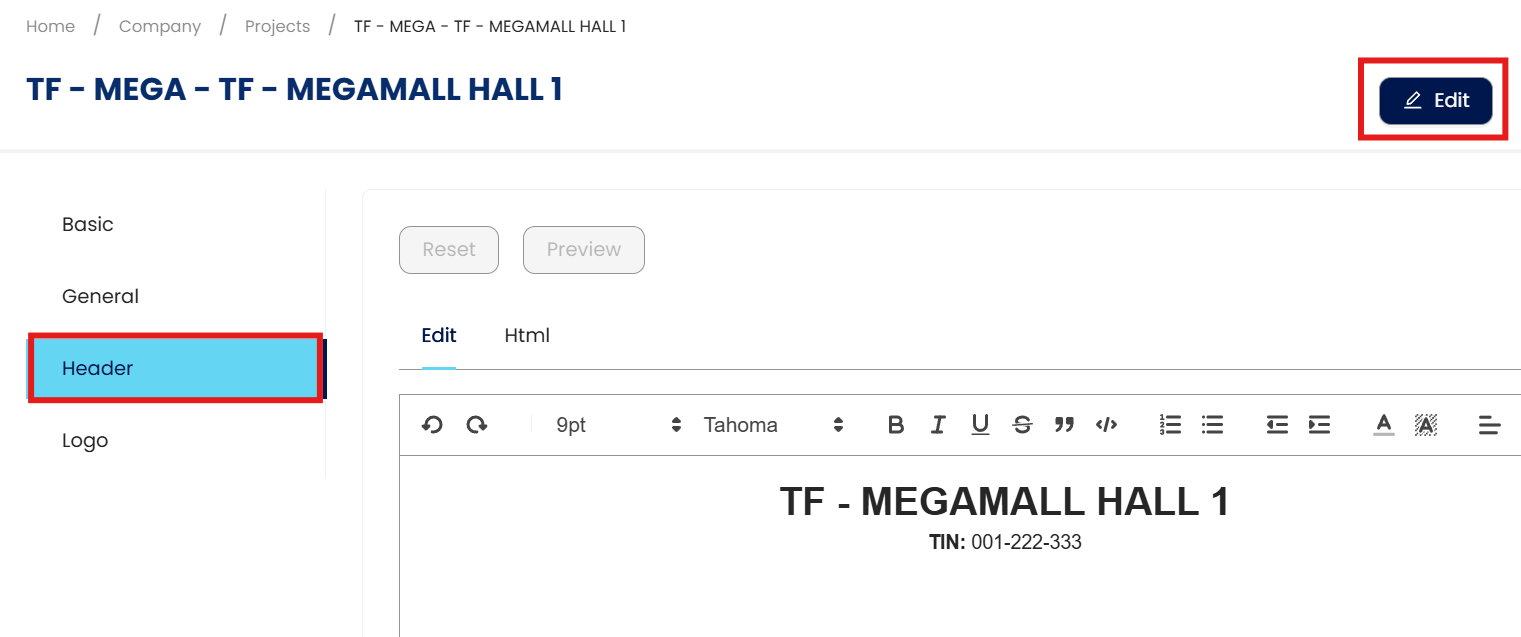
Go to Company > Maintenance > Projects > Select a project from the list.
Go to the Header Tab > Click Edit.
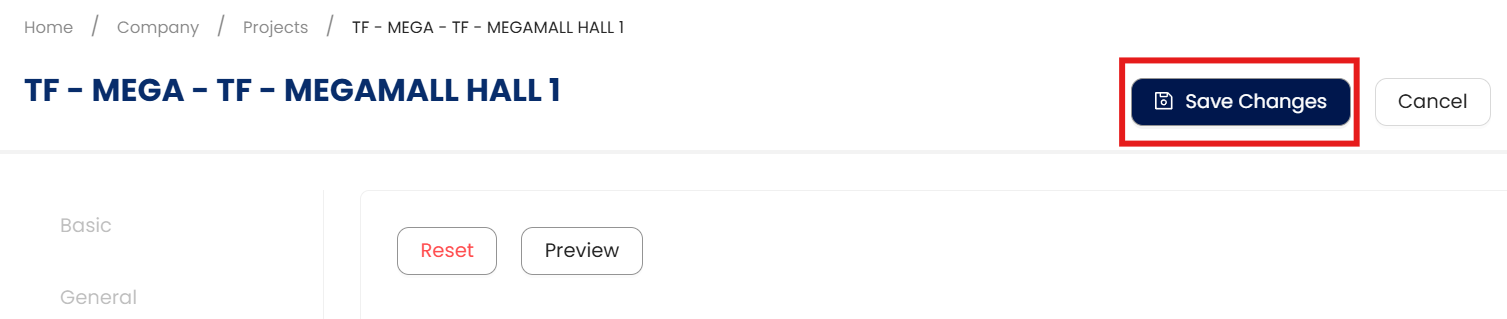
Update the header details as needed, or select Reset to revert to the existing Company Profile information. Click Save Changes.
Using Project Header in Transactions
Create a transaction > Input details > Tag the project > Click Save.
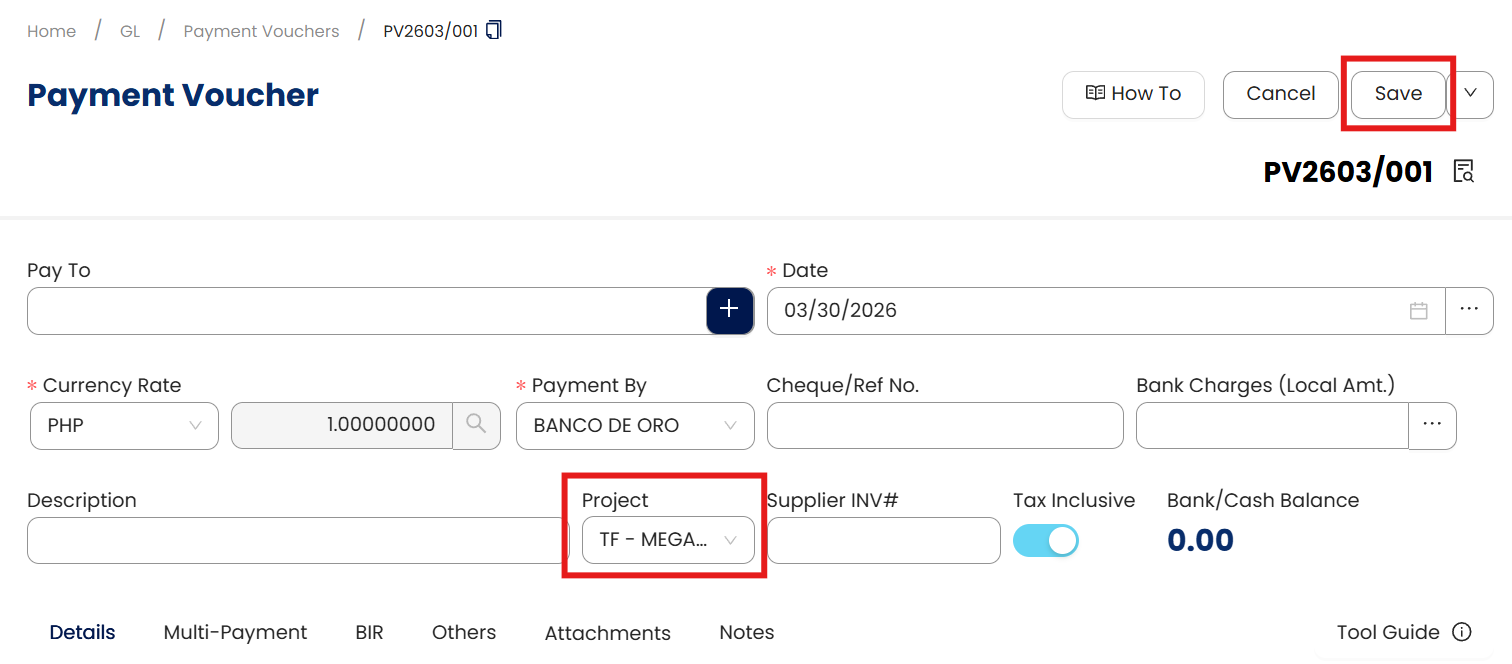
Click Preview to view the project-specific header applied.

The form previews the configured project header.

Notes:
This feature is available only to those who have availed the Project Module.
Header tabs mirror the Company Profile structure.
Default values come from the Company Profile but can be customized per project.
When no project or multiple projects are tagged, the company’s general header is used.
Application:
Document Consistency: Automatically apply correct project headers to all related transactions.
Clear Identification: Improve visibility of project details on documents.
Process Efficiency: Reduce manual updates when creating project-based transactions.
Reporting Accuracy: Maintain standardized headers across project reports.
Operational Control: Support multi-project workflows with clear header rules.
System Scope: QNE AI Cloud Accounting / N3 AI Accounting
Was this article helpful?
That’s Great!
Thank you for your feedback
Sorry! We couldn't be helpful
Thank you for your feedback
Feedback sent
We appreciate your effort and will try to fix the article