Overview:
Budget Maintenance allows you to define, manage, and track Budget Maintenance allows you to define, manage, and track financial budgets within the system. It helps organizations plan expected income and expenses, monitor actual performance against targets, and enforce spending control.
This feature is designed for finance teams, accountants, and budget owners who need structured financial oversight. By setting up budgets correctly, you gain visibility into variances and can make informed financial decisions.
Key terms:
Budget – A planned amount of income or expense for a specific period.
Budget Period – The time frame the budget applies to (e.g., monthly, quarterly, annually).
Variance – The difference between the budgeted amount and the actual amount.
Scenario:
A Finance Officer needs to control departmental spending for the upcoming fiscal year. She plans to allocate monthly expense limits per account and compare them with actual transactions. To achieve this, she sets up Budget Maintenance to define budget amounts by account and period.
Procedure:
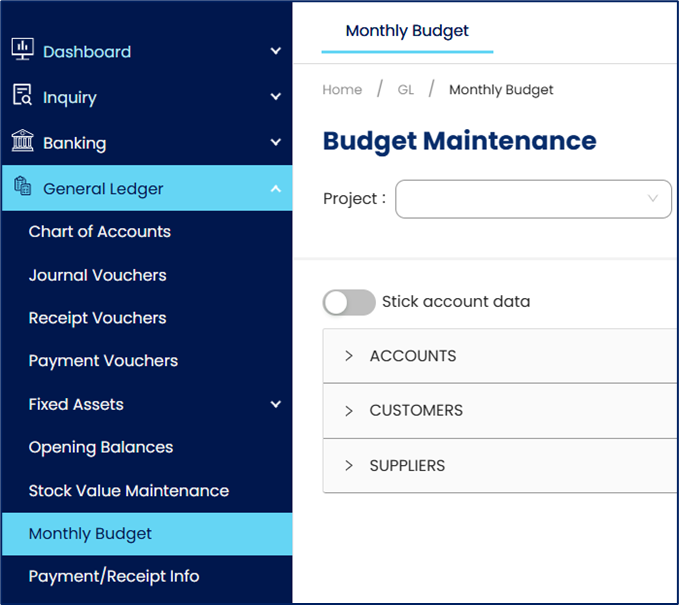
Navigate to General Ledger > Monthly Budget
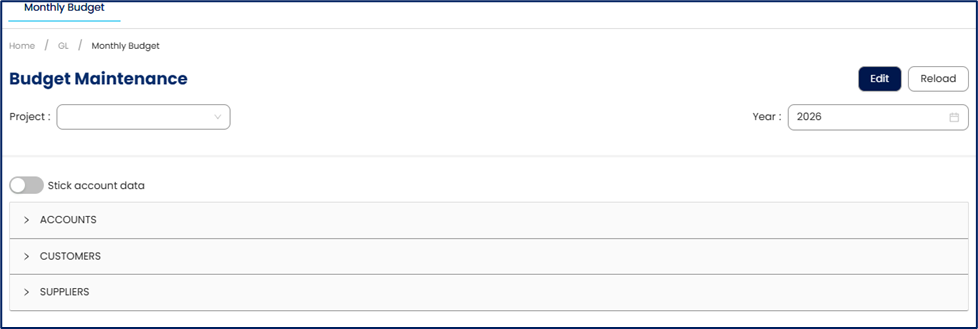
Click Edit to create or modify a budget record.
Select the Fiscal Year from the dropdown list
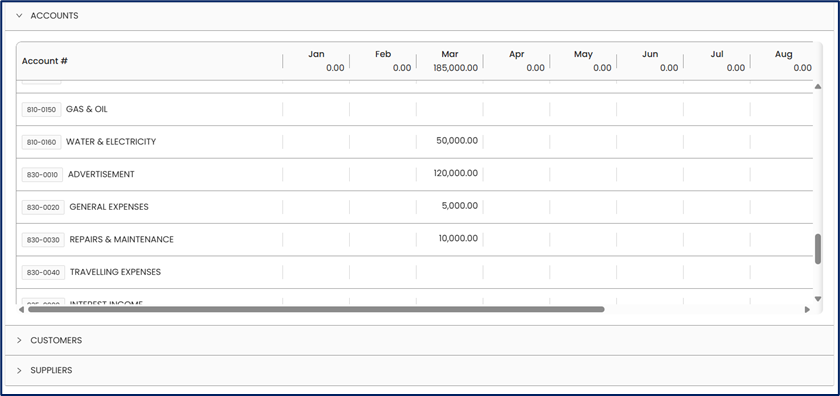
In the Account selection you may set up on
GL Accounts
Customer Account
Supplier Accounts
Note: Use Customer or Supplier accounts to define sales or expense targets per business partner.
Enter budget amount per month
Click Save to apply budget setup.
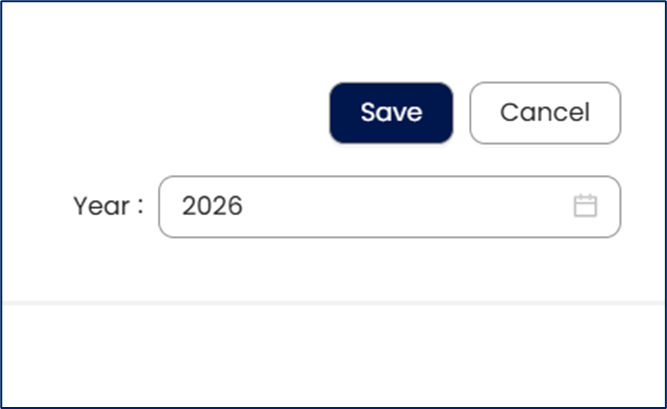
Note: The system would not restrict the user to save the transaction if the actual amount exceeded the set budget. Budget Setting is for Report Analysis purposes only.
Application:
Annual Budget Planning Setup
A company prepares for a new fiscal year by defining budget allocations for each expense and revenue account. The finance team sets up Budget Maintenance to establish planned amounts, enabling structured financial planning from the start of the year.Departmental Budget Allocation
An organization wants to control spending across different departments. The accountant assigns budget amounts per account (and cost center, if applicable) to ensure each department operates within its allocated limits.Monitoring Budget vs Actual Performance
During the year, management needs to track financial performance. Budget Maintenance is used to compare actual transactions against planned amounts, helping identify overspending or underutilization early.Financial Forecasting and Decision Support
Management relies on budget data to make strategic decisions. Budget Maintenance provides a structured basis for forecasting future financial performance and adjusting business plans accordingly.
System Scope: QNE AI Cloud Accounting / N3 AI Accounting
Was this article helpful?
That’s Great!
Thank you for your feedback
Sorry! We couldn't be helpful
Thank you for your feedback
Feedback sent
We appreciate your effort and will try to fix the article