Overview:
Recording past supplier credit notes allows businesses to establish historical Accounts Payable (AP) adjustments that existed before the accounting start date. This process is commonly performed during system migration, opening balance setup, or when transferring records from a legacy accounting system.
Past supplier credit notes are recorded to reflect unapplied supplier credit balances that reduce Accounts Payable balances in the new system. These transactions help maintain accurate supplier balances, aging reports, and payment reconciliation records after migration.
Depending on business requirements, past transactions may be recorded either as:
Consolidated balances per supplier, or
Itemized historical credit note records based on original references
When recording historical transactions, verify that:
Outstanding balances are verified against prior accounting records
Related historical bills, payments, or debit notes are also considered to maintain accurate supplier balances
The Accounts Payable opening balance is derived from the net effect of:
Past Supplier Bills
Past Supplier Debit Notes
Past Pay Bills
Past Supplier Credit Notes
Only unapplied supplier credit note balances before the accounting start date should be recorded.
Prerequisites:
Supplier master records must already exist in the system.
The financial year and opening balance period must already be configured.
Unapplied supplier credit note balances must be verified against the previous accounting records before migration.
The user has permission to create Past Supplier Credit Notes.
Historical supplier credit schedules or migration documents are available for reference.
Scenario:
Your company is migrating from a legacy accounting system to QNE Optimum for the January to December 2015 financial year. As part of the migration, the company needs to record all unapplied supplier credit notes dated before January 1, 2015, so that supplier balances and Accounts Payable reports remain accurate in the new system.
Some suppliers have a single outstanding balance, while others require individual historical credit notes to be recorded for tracking and reconciliation purposes.
Procedure 1: Recording a Past Supplier Credit Note
Prepare the list of unapplied supplier credit notes from the legacy records or prior accounting system.
Verify that the credit note balances represent unapplied supplier credit amounts as of the accounting start date.
Review whether the credit notes will be recorded as:
Consolidated balances per supplier, or
Individual historical credit note transactions
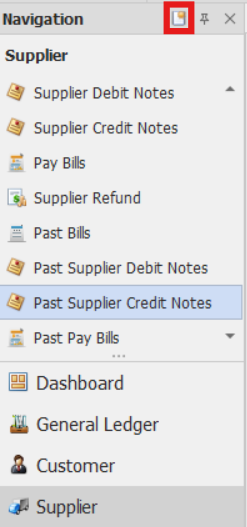
In the navigation pane, go to Supplier > Past Supplier Credit Notes.
Note: If the Quick Create Icon (the one inside the redbox) is highlighted, clicking Past Supplier Credit Notes will immediately redirect you to the new Past Supplier Credit Notes transaction form. If the Quick Create Icon is not highlighted, you will be directed to the Past Supplier Credit Notes Listing instead.
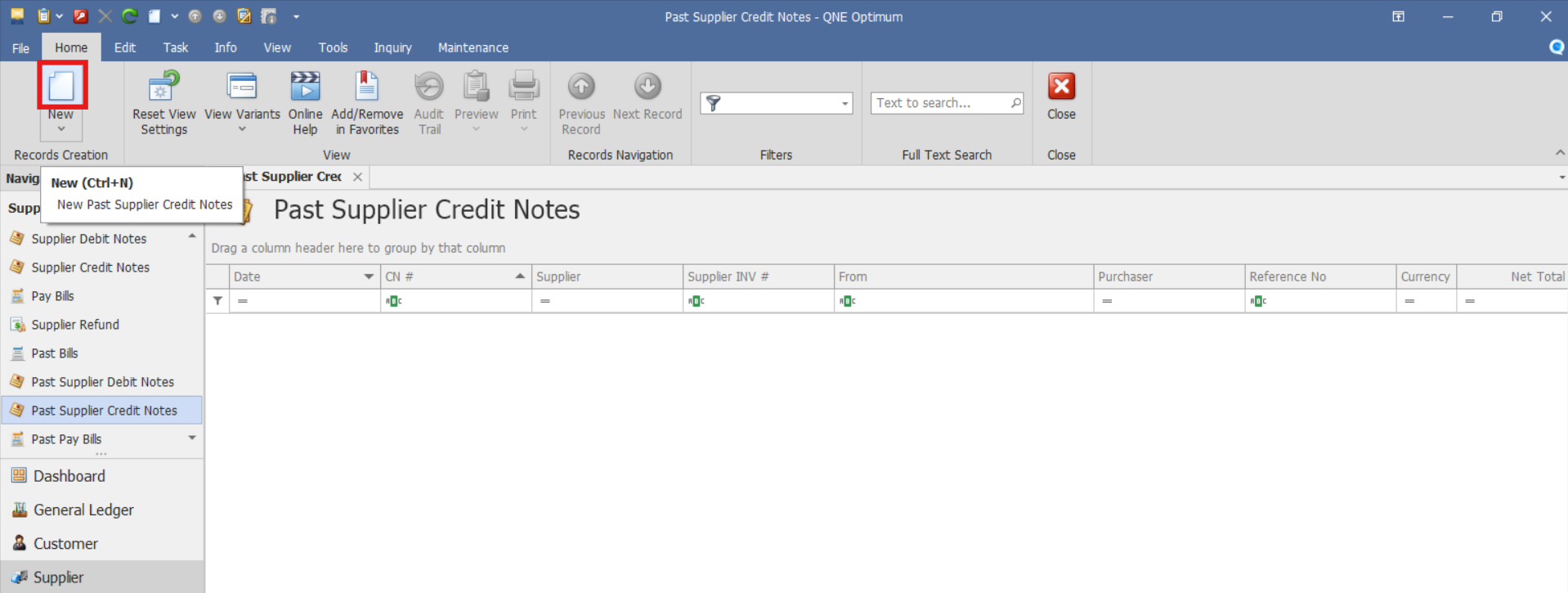
From there, select the New button to create a new Past Supplier Credit Note.
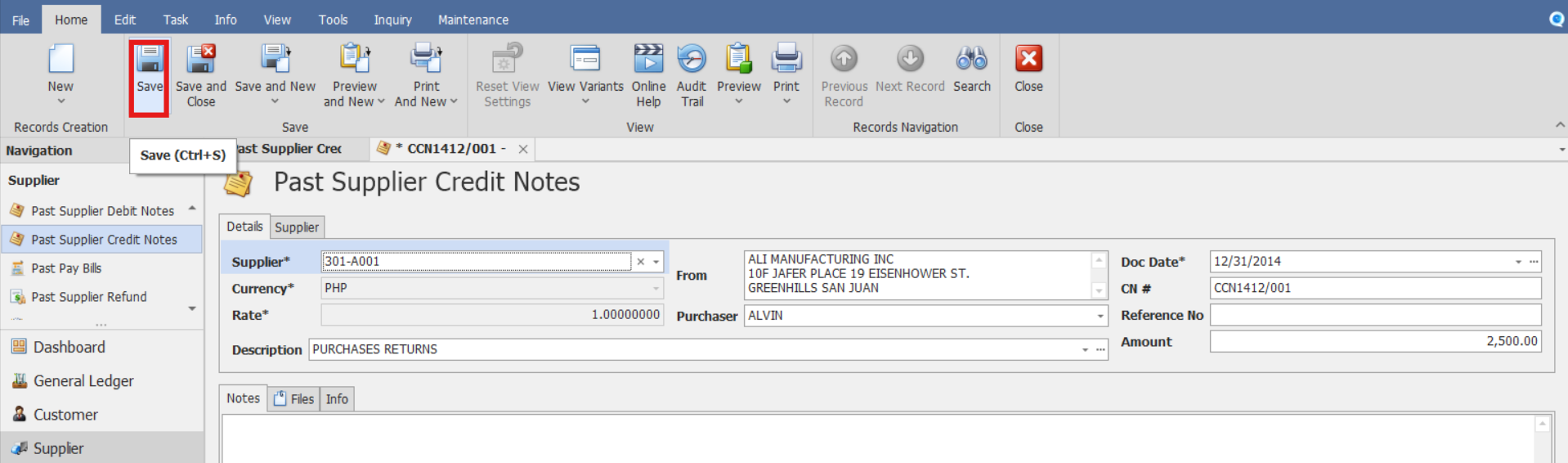
Select the Supplier and enter the historical supplier credit note details, such as:
CN #
Reference No
Description
Doc. Date (Enter or verify the document date for the historical supplier credit note.)
Purchaser (Employee or purchaser responsible for the procurement transaction. Used for tracking and reporting purposes.)
Amount

Review the entered amounts carefully and save the transaction.
Note:
Past Pay Bills and Past Supplier Credit Notes can be matched against supplier documents through Supplier Knock-Off, where applicable.
Repeat the process for all remaining outstanding credit notes.
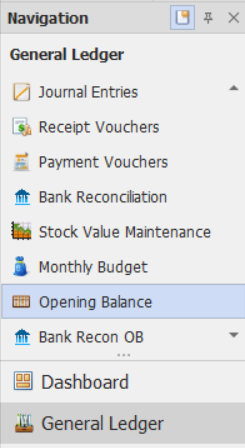
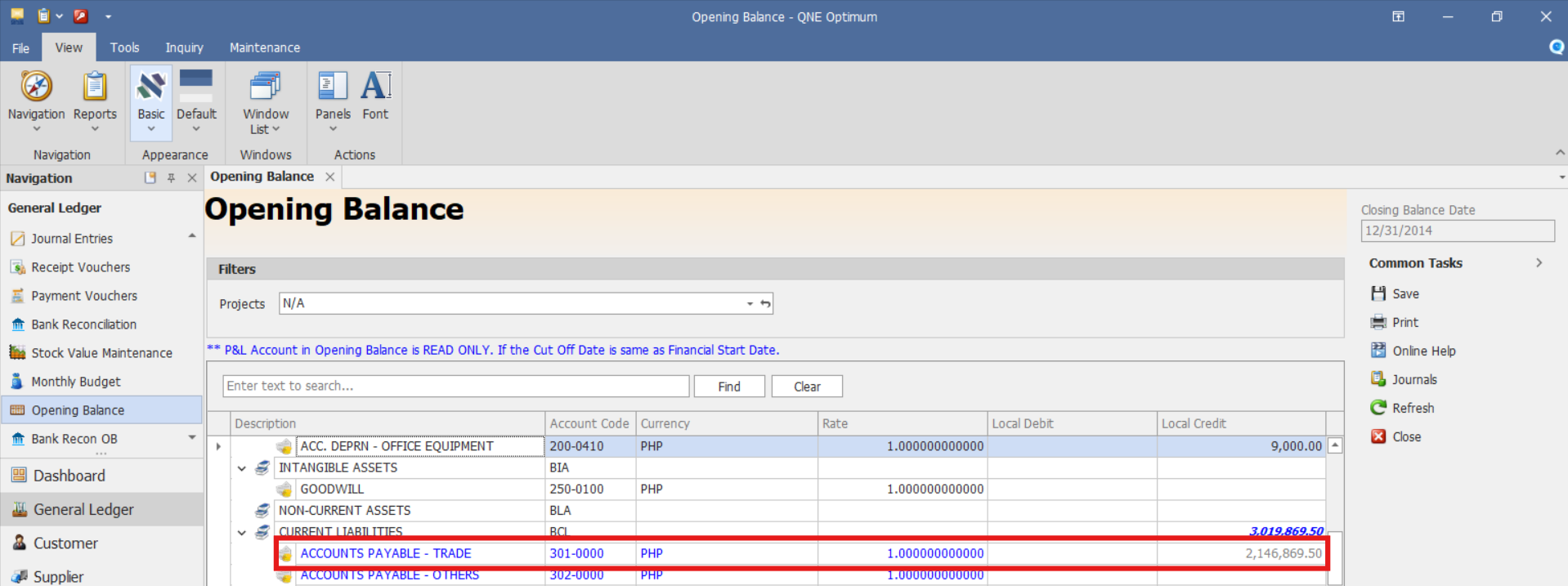
After all entries are completed, review the reflected opening Accounts Payable balance in General Ledger > Opening Balances
Verify the recorded balances match the historical records.
Procedure 2: Validation of Recorded Past Supplier Credit Note
After saving the transaction, verify that:
The Past Supplier Credit Note is saved successfully.
The past supplier credit note number is generated or displayed correctly.
The transaction displays the correct unapplied supplier credit balance.
Verify that the past supplier credit note appears in the Past Supplier Credit Note List.
Procedure 3: Editing a Past Supplier Credit Note
Go to Supplier > Past Supplier Credit Notes, then select the Doc # of the Past Supplier Credit Note that you want to update.

Once opened, make the required changes, then click Save.
Procedure 4: Deleting a Past Supplier Credit Note
In the Past Supplier Credit Note List View, identify the document you wish to delete. Hover your cursor over the document and right-click on it. Then click Delete to remove the transaction.

Verify that the Past Supplier Credit Note no longer appears in the Past Supplier Credit Notes List.
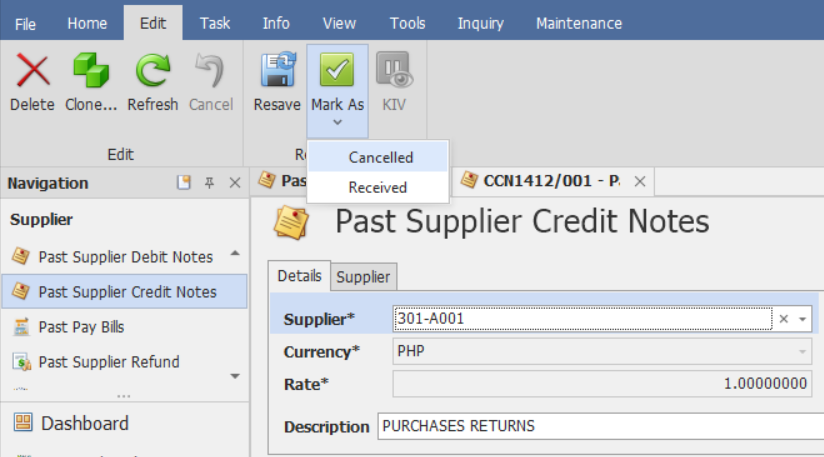
Preferred Method: If the Past Supplier Credit Note is no longer required, click Cancel instead. This preserves the transaction history while marking it as inactive.
Application (General Use Cases):
Past Supplier Credit Notes are used to:
System Migration
Transfer unapplied supplier credit balances from a legacy accounting system.Opening Balance Setup
Establish opening Accounts Payable adjustments during system migration.Supplier Aging Continuity
Maintain supplier aging information after go-live.Historical Reconciliation
Support reconciliation of historical supplier credit balances.Accounts Payable Reporting
Help maintain continuity and accuracy of Accounts Payable reporting.Audit and Historical Reference
Retain historical supplier credit note records for audit and tracking purposes.System Scope: QNE Optimum
Was this article helpful?
That’s Great!
Thank you for your feedback
Sorry! We couldn't be helpful
Thank you for your feedback
Feedback sent
We appreciate your effort and will try to fix the article