Overview:
The Customer Aging by Currency report provides a clear breakdown of outstanding customer balances for the past six months, grouped by transaction currency. This report is essential for businesses handling multi-currency sales because it highlights overdue amounts, currency-based exposure, and collection performance.
It helps Accountants, Finance Managers, and Collections Teams monitor receivables more accurately, ensuring they can analyze aging trends, validate balances, and prepare reliable financial and management reports.
Scenario:
During month-end closing, the Accounts Receivable Specialist must review aging balances to identify overdue customers and understand which currencies carry the highest outstanding amounts. Instead of manually checking each currency, the specialist generates the 6 Months Customer Aging by Currency report to instantly view all aging buckets organized per currency. This consolidated view helps them validate balances, detect delays, and prepare accurate reports for finance management.
Procedure:
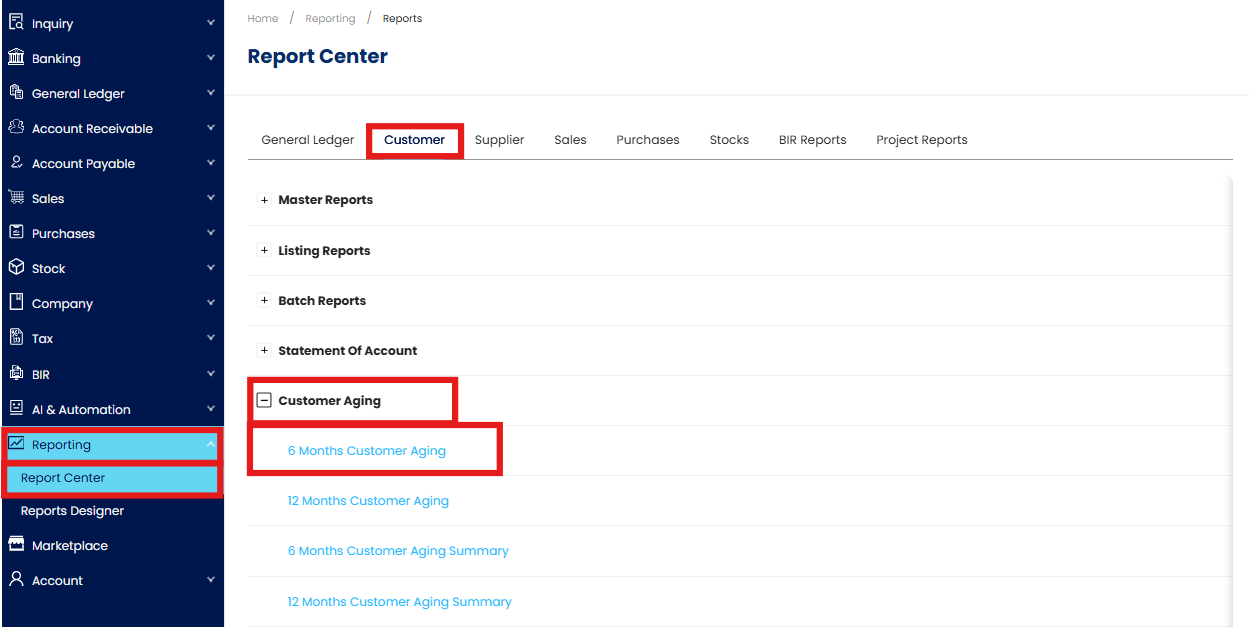
Go to Reporting > Report Center > Customer > Customer Aging > 6 Months Customer Aging
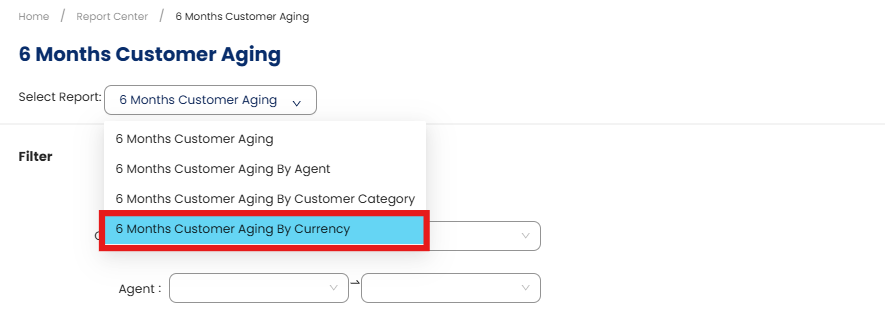
In the Select Report dropdown, choose 6 Months Customer Aging by Currency.
In the Filter section, configure the available fields as needed
As of – Select the cutoff date for the aging computation.
Customer – Filter by specific customer or leave blank to include all.
Agent – Filter by assigned agent.
Doc Agent – Filter by document agent, if applicable.
Area – Filter by customer area or region.
Category – Select the customer category.
Control A/C – Choose the customer control account.
Project - Filter by project (visible only if the add-on module is enabled).
Title View By - Choose between Month or Day.
Exclude - Check statuses to exclude: Active, Inactive, Prospect, Suspended.
Sort By – Select Customer Code or Customer Name for sorting.
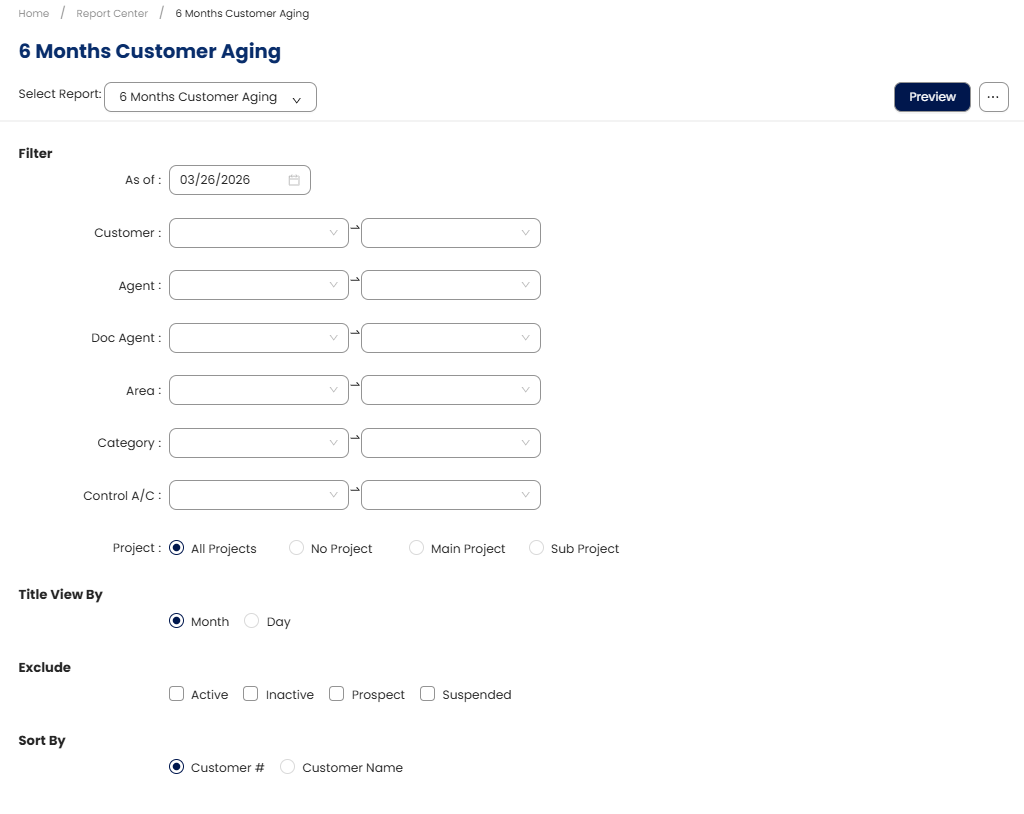
Click Preview to generate the report
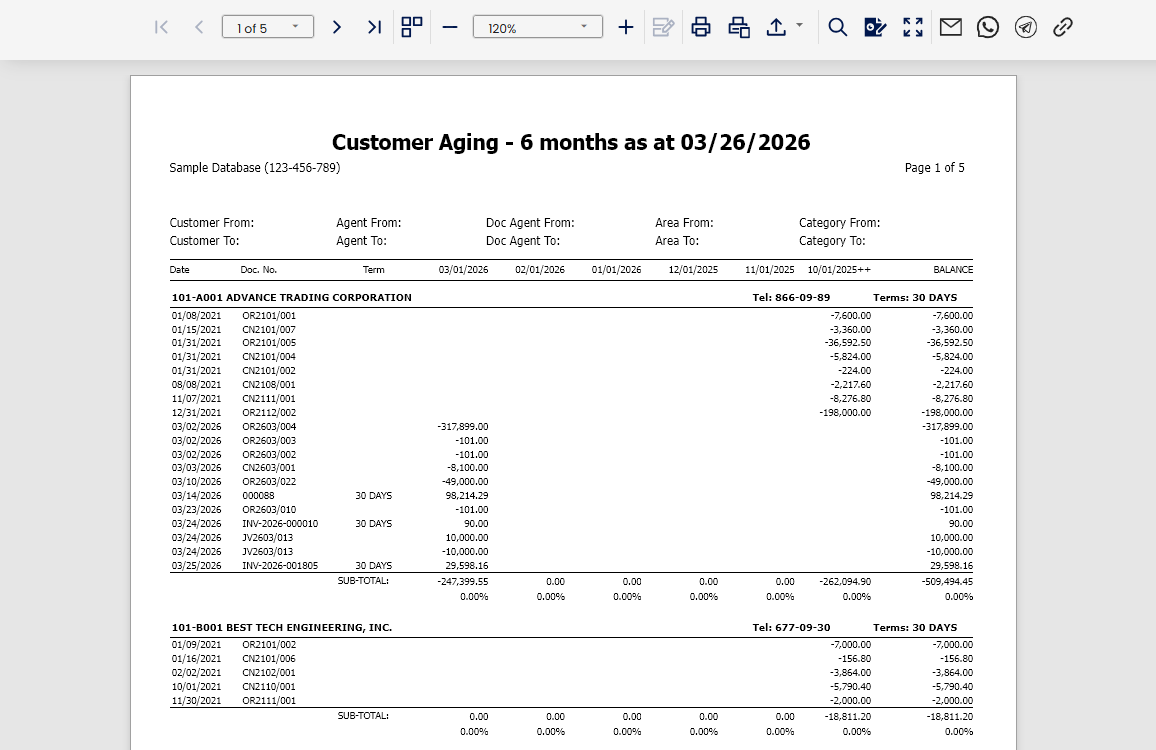
Review the output to confirm that the aging details and balances are displayed correctly by currency.
Note: The same procedure and filter settings apply if you need to generate the 12 Months Customer Aging by Currency report. Simply select “12 Months Customer Aging by Currency” from the Select Report dropdown and follow the same steps.
Application:
Multi-Currency Receivables Monitoring: View outstanding balances per currency in one report.
Collection Prioritization: Identify overdue customers per currency to plan follow-ups.
Financial Reporting: Support month-end reporting with accurate, currency-based aging data.
Cash Flow Planning: Forecast collections by currency for better liquidity management.
Audit Support: Provide auditors with a clear, currency-segmented aging schedule.
System Scope: N3 AI Accounting (formerly QNE AI Cloud Accounting)
Was this article helpful?
That’s Great!
Thank you for your feedback
Sorry! We couldn't be helpful
Thank you for your feedback
Feedback sent
We appreciate your effort and will try to fix the article