Overview:
The Mark as Issued and Mark as Collected functions for BIR 2307 help track withholding tax certificates across sales and purchase transactions. Tagging the status in the system prevents duplicate issuance, highlights pending forms, and maintains a clear audit trail. Optional uploads of signed forms provide additional documentation to support compliance and audit requirements.
Scenario:
An accounting team processes a supplier bill that requires the issuance of a BIR 2307. After generating the form and securing the supplier’s signature, the form is marked as Issued in the system to prevent duplicate release.
In another case, a customer settles an invoice but submits the BIR 2307 later. The payment is recorded, and once the form is received, it is marked as Collected, with the signed document uploaded for reference. These steps ensure both issued and collected forms are accurately tracked.
Procedure:
Marking BIR 2307 as Issued
Open a transaction that generates BIR 2307 (e.g., Bills under Accounts Payable) > Click Edit.
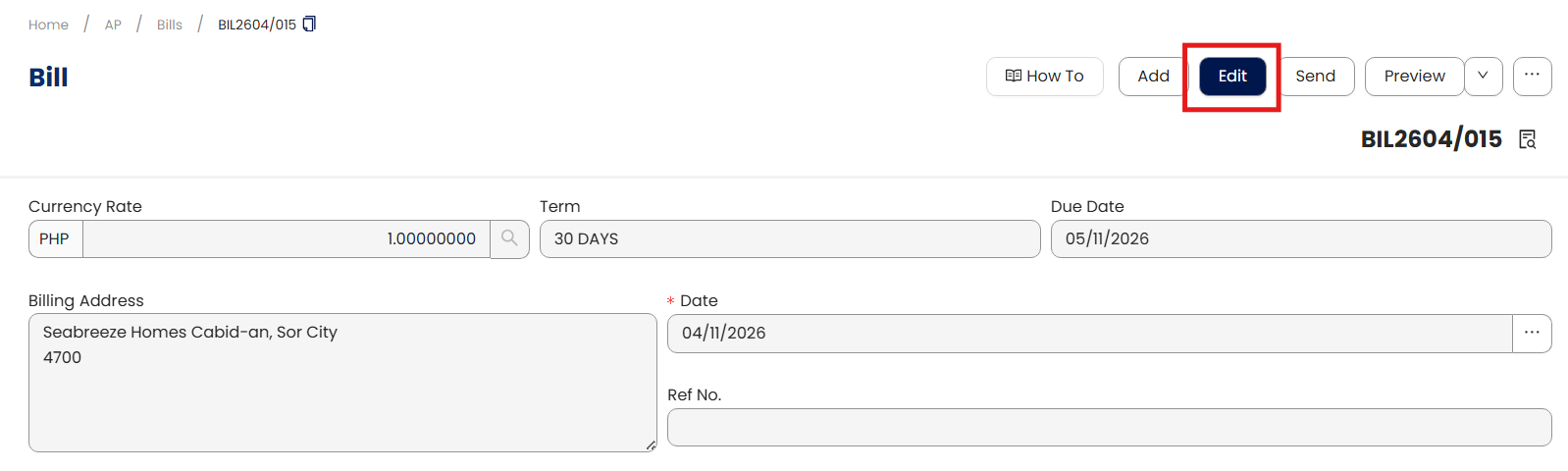
Go to the BIR Tab > Toggle BIR 2307 Issued.
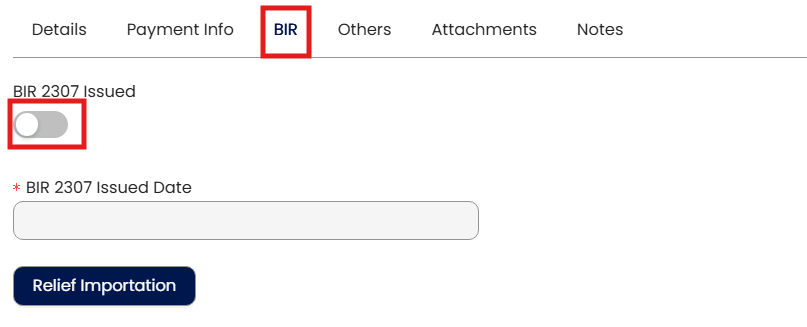
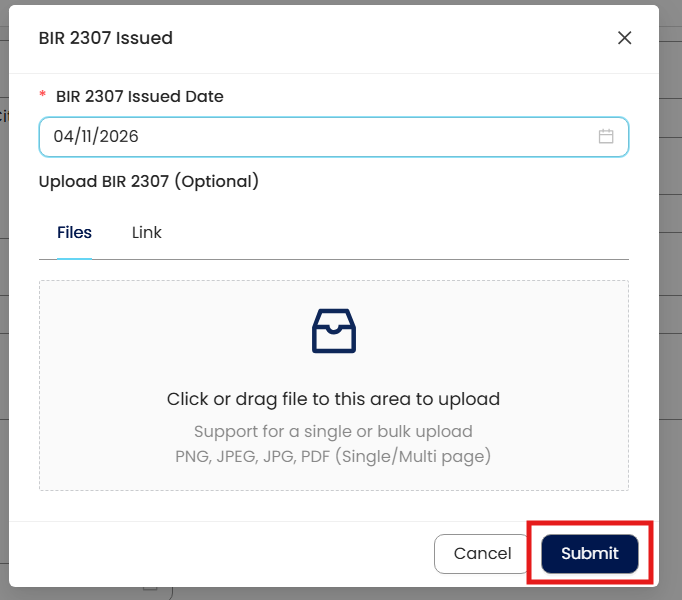
Enter the Issued Date and optionally upload the signed form. Click Submit and then Save.
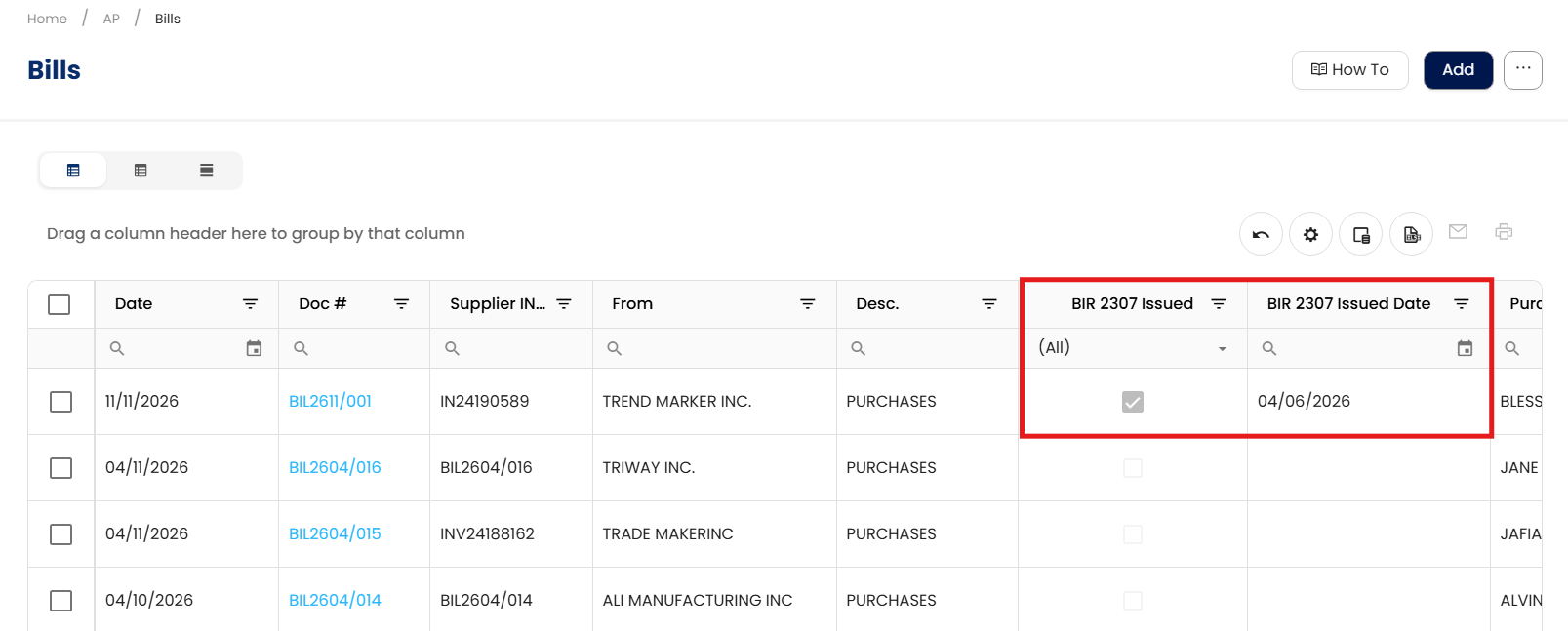
The transaction is now tagged as Issued, preventing duplicate issuance.
Marking BIR 2307 as Collected
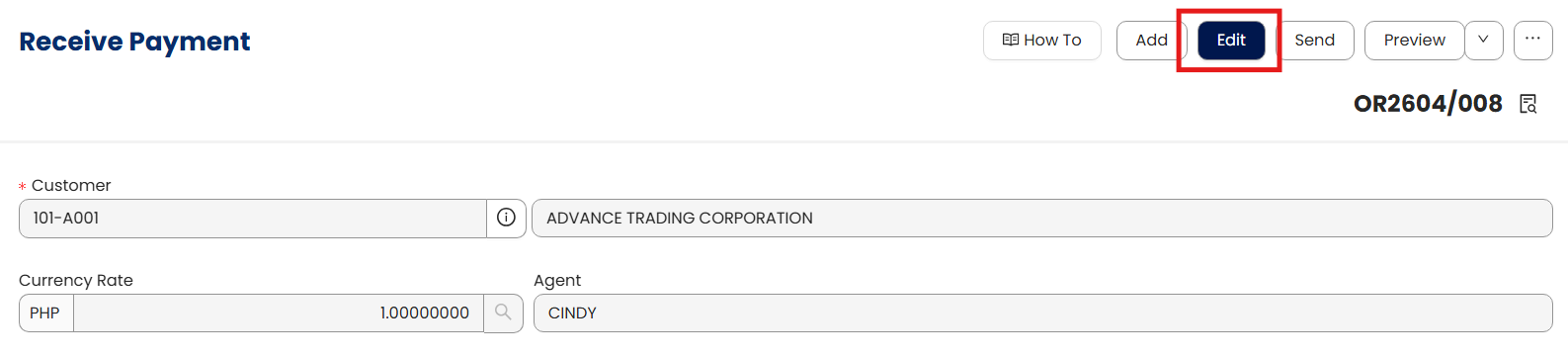
Open a transaction related to a customer payment (e.g., Receive Payments under Accounts Receivable) > Click Edit.
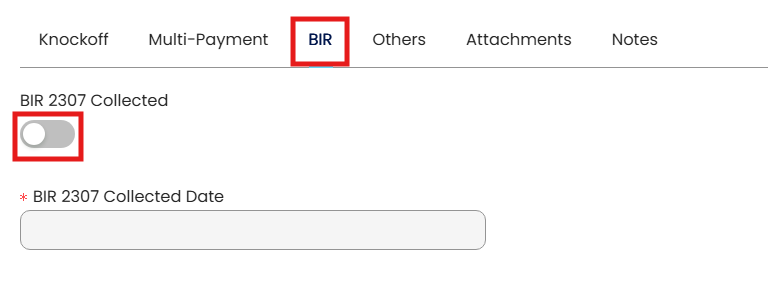
Go to the BIR Tab > Toggle BIR 2307 Collected.
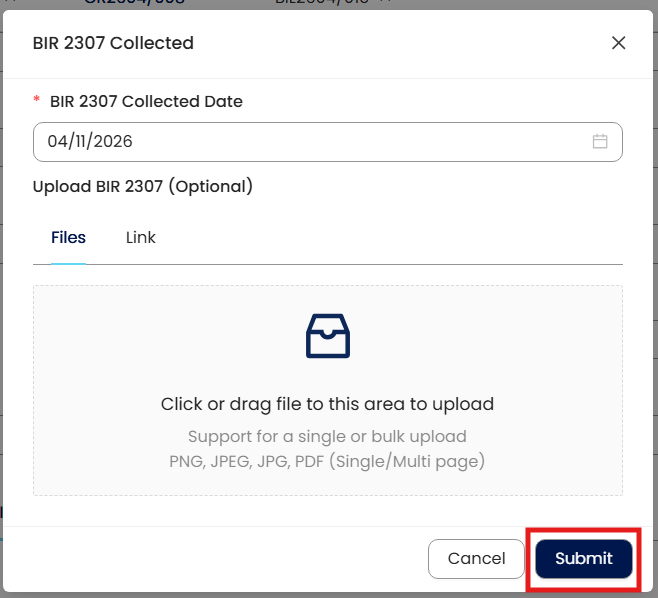
Enter the Collected Date and optionally upload the signed form. Click Submit and then Save.
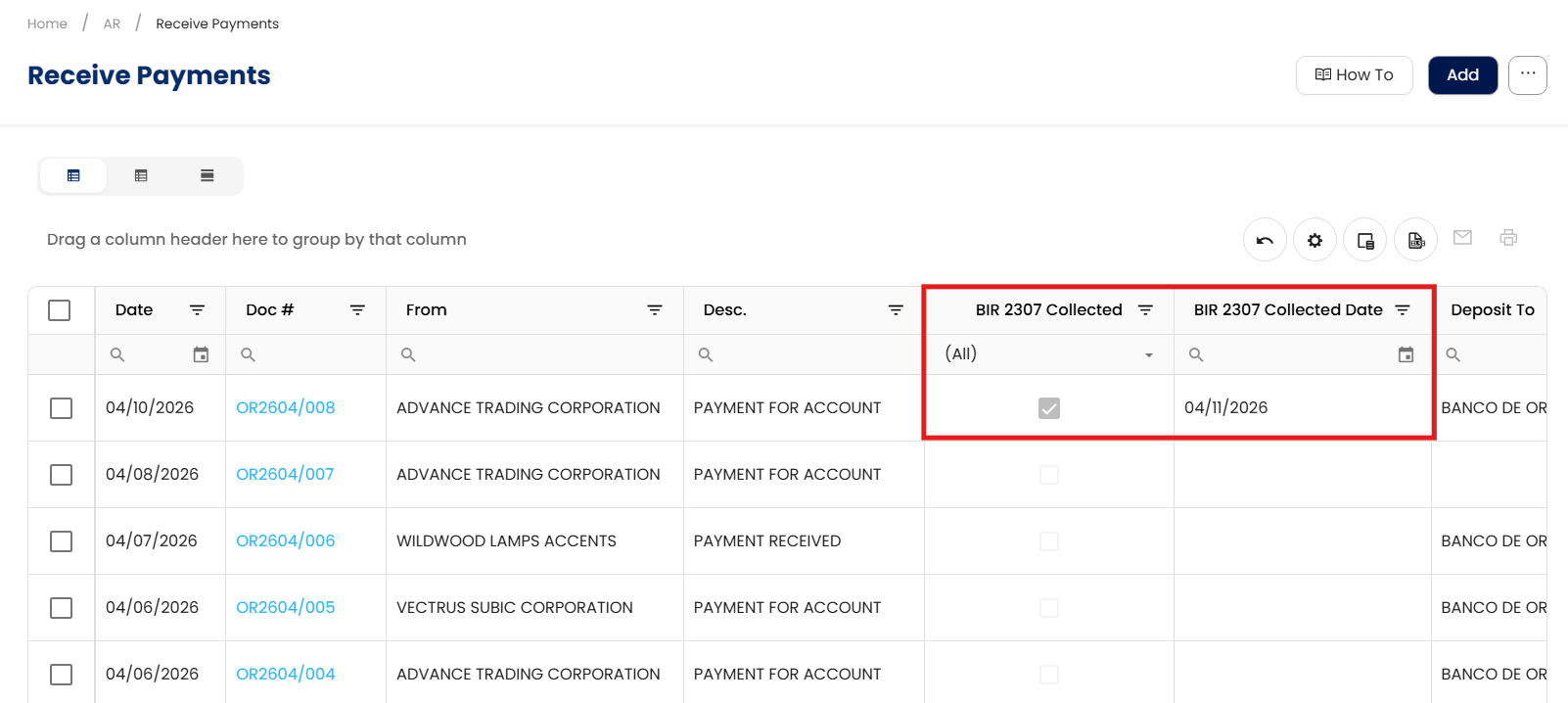
The transaction is now tagged as Collected for accurate tracking.
Notes:
Untoggling BIR 2307 Collected or Issued will revert the status. Uploaded attachments remain and must be manually deleted if needed.
Uploading signed forms is optional but recommended for audit and compliance purposes.
These indicators track the form’s status only; they do not affect withholding tax calculations.
Application:
Duplicate Prevention: Avoid accidental re-issuance of BIR 2307 forms.
Document Tracking: Quickly see which forms are pending or completed.
Audit Support: Maintain a clear record of all issued and collected withholding tax certificates.
Process Visibility: Enable quick status checks for accounting and finance teams.
Compliance Control: Support accurate documentation for tax reporting and audit readiness.
System Scope: QNE AI Cloud Accounting / N3 AI Accounting
Was this article helpful?
That’s Great!
Thank you for your feedback
Sorry! We couldn't be helpful
Thank you for your feedback
Feedback sent
We appreciate your effort and will try to fix the article