
Overview:
The Online Portal is part of QNE AI Cloud Accounting’s online payment feature that allows customers to conveniently settle invoice payments online. Through the portal, customers can view invoice details, check outstanding balances, and submit payment information for processing.
Currently, the Online Portal supports one (1) payment option only for the Philippines: Upload Deposit Slip, where customers submit proof of payment for validation and approval.
Prerequisite:
Payment Methods must be set up in advance. This setup is covered in a separate knowledge base article.
Scenario:
A customer wants to settle an outstanding invoice using the Online Portal after receiving the invoice notification email.
Solution::
1. Click ‘Review and Pay’ or access the link stated in the email. This will redirect them to the Online Portal.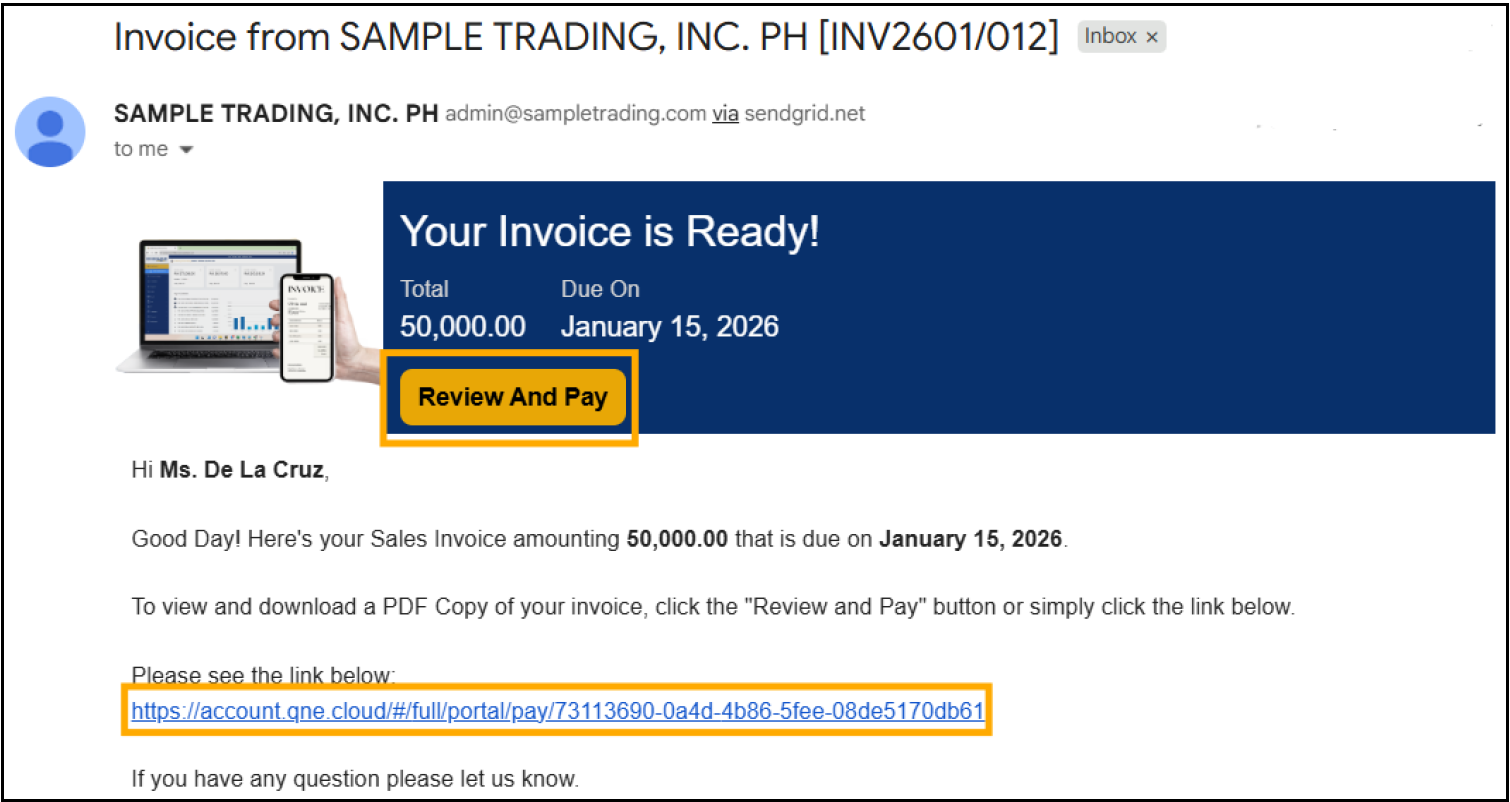
2. Customer will be redirected to the Online Portal, where the invoice details and outstanding balance are displayed. 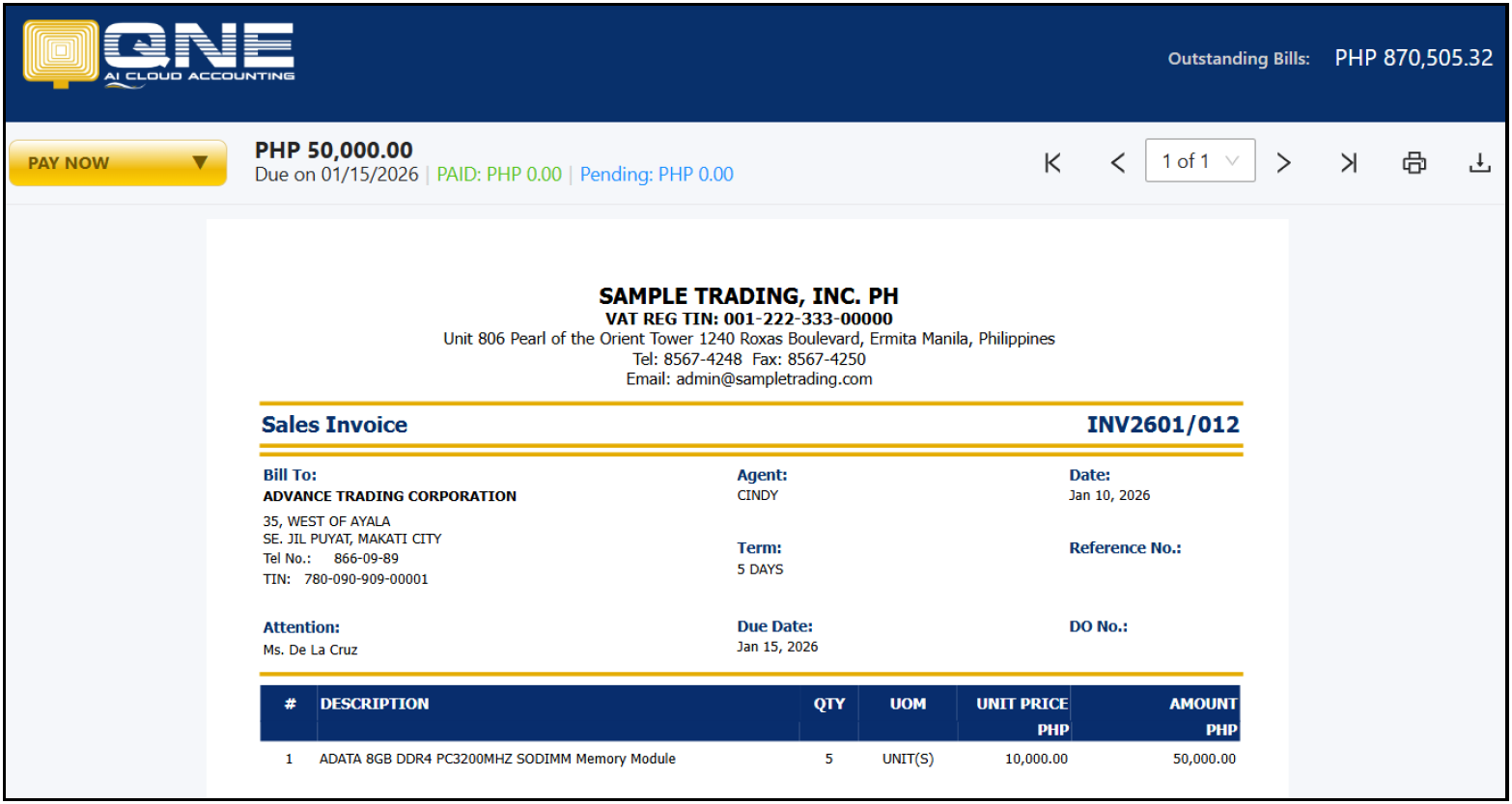
3. Click ‘Pay Now’ and this will show options for payment. 
Currently, only one payment option is available.
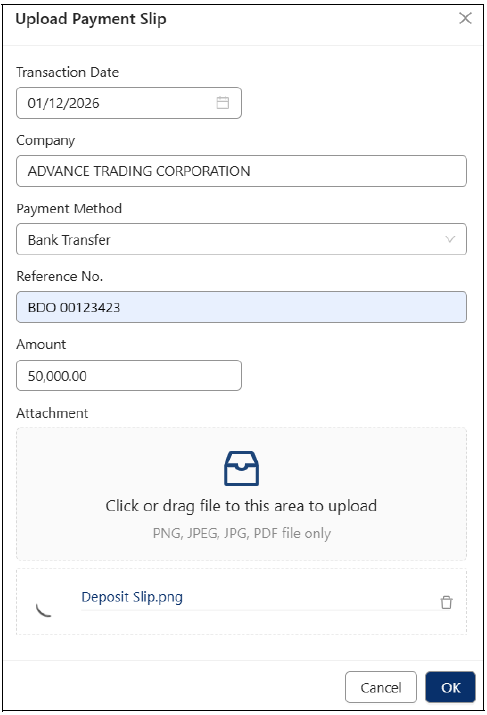
Upload Payment Slip - This allows the customer to attach the payment slip. Fill out the details based on the proof of payment and click ‘OK’.
Details:
Transaction Date – Date when the payment was made
Company – Automatically filled based on the invoice (editable if needed)
Payment Method – Select the appropriate payment method
Reference No. – Reference number indicated on the proof of payment
Amount – Amount paid as shown on the deposit slip
Attachment – Upload the proof of payment
All payments settled in on this type of payment will be shown as pending and subject to approval of the Supplier.
Application:
Faster Payment Collection: Enables customers to submit payment proof online, reducing delays caused by manual email or offline confirmation.
Improved Payment Visibility: Allows finance teams to track pending customer payments in one centralized portal.
Stronger Internal Controls: Ensures all online payments are reviewed and approved before posting, supporting audit and compliance requirements.
Reduced Administrative Work: Minimizes back-and-forth communication between customers and accounting staff regarding payment confirmations.
Better Customer Experience: Provides customers with a simple and convenient way to settle invoices without contacting support.

Was this article helpful?
That’s Great!
Thank you for your feedback
Sorry! We couldn't be helpful
Thank you for your feedback
Feedback sent
We appreciate your effort and will try to fix the article