Overview:
The Cash Sales feature in N3 AI Accounting is used to record a sale when payment is received immediately at the time of the transaction. This is commonly used by cashiers, accountants, and finance staff when customers pay instantly using cash, bank transfer, or other direct payment methods.
Unlike a credit sale, a Cash Sale does not create an Accounts Receivable balance, because the payment is collected at the same time the sale is recorded.
Recording a Cash Sale updates the sales revenue, selected cash or bank account, and any applicable tax in a single transaction, ensuring that financial records remain accurate and up to date.
Scenario:
A business sells office supplies to a regular customer who pays immediately at the time of purchase.
Instead of issuing a sales invoice and recording the payment separately, the accountant records the transaction directly as a Cash Sale.
By using the Cash Sales function in N3 AI Accounting, the system automatically:
Records the sales revenue
Updates the selected cash or bank account
Applies applicable taxes such as VAT
This allows the business to record completed sales transactions quickly while keeping financial records accurate.
Procedure:
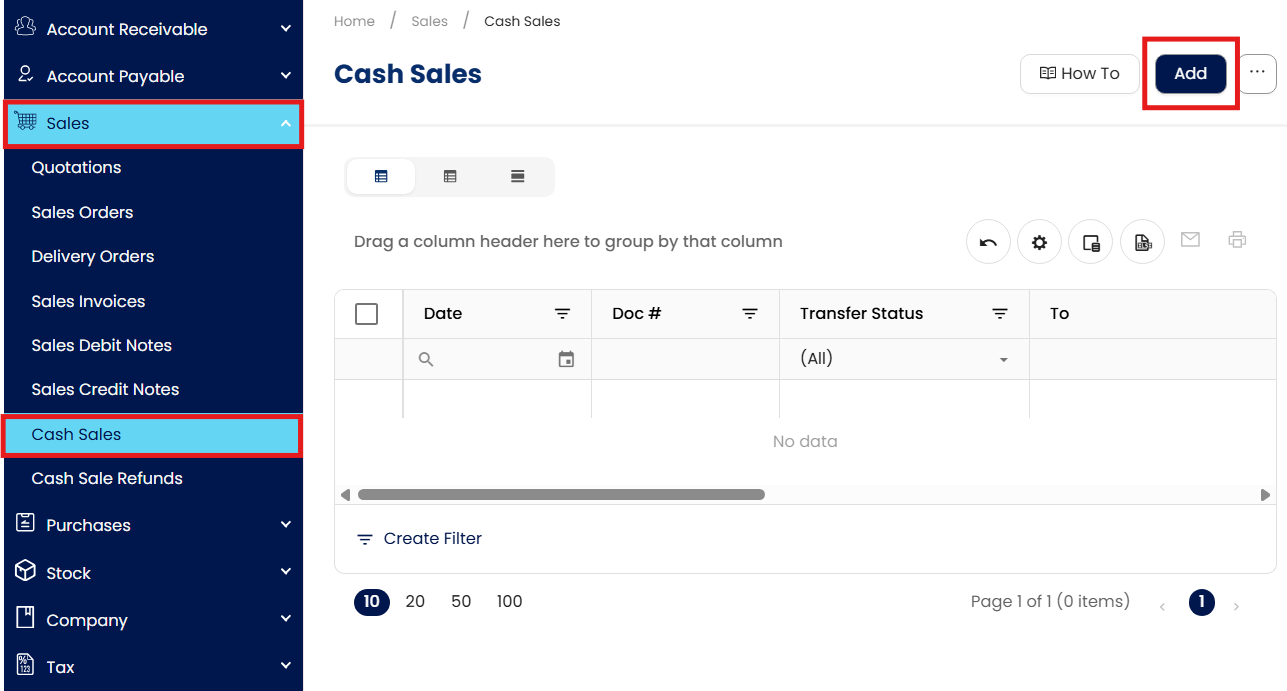
In the navigation pane, go to Sales > Cash Sales, then click Add.
Search for and select the Customer from the Customer field.

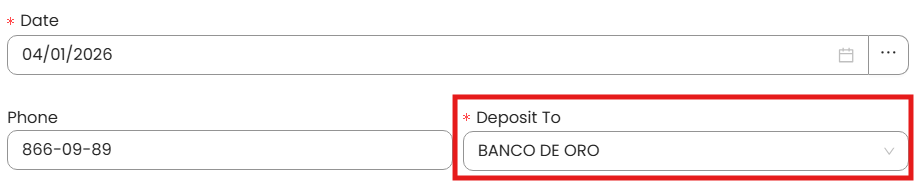
In the Deposit To field, select the account where the payment will be recorded (e.g., Cash on Hand or Bank Account).
Add the Items or Services sold:
Select the Item Code or Product/Service Name
Enter the Quantity
Verify the Unit Price and Amount
Select the appropriate Tax Code

Click Save to record the Cash Sales transaction.

The system will display a confirmation message indicating that the transaction has been successfully saved.

Procedure 2: Editing a Cash Sale
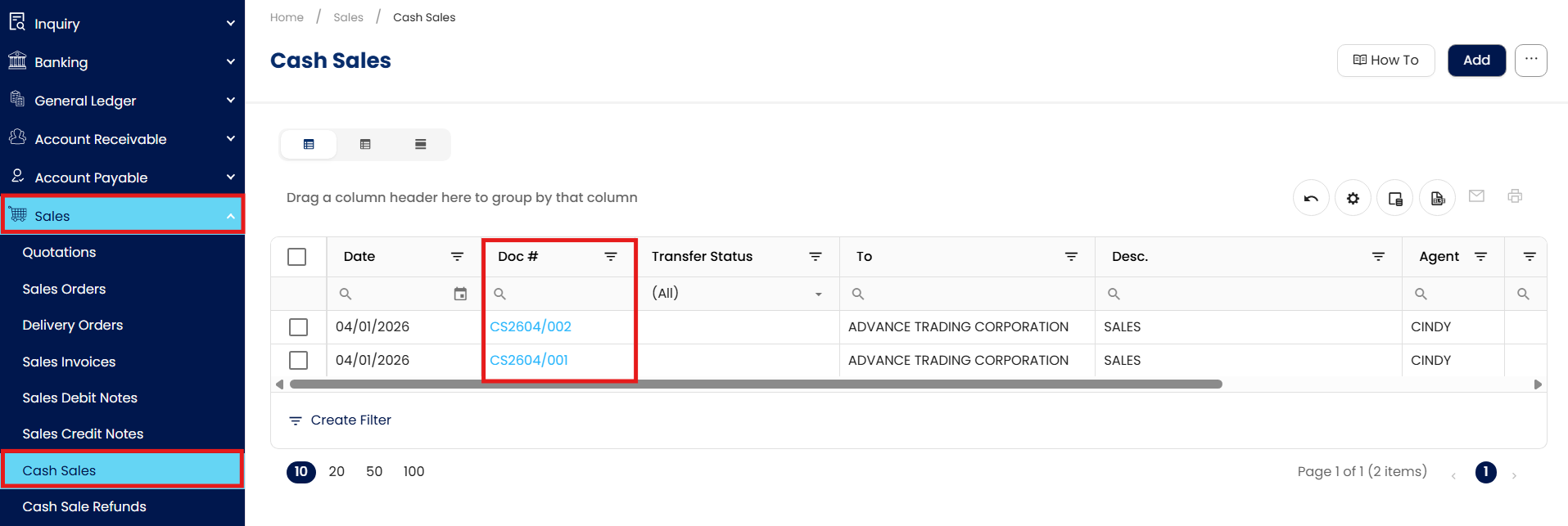
Go to Sales > Cash Sales, then select the Doc # of the Cash Sale Record that you want to update.
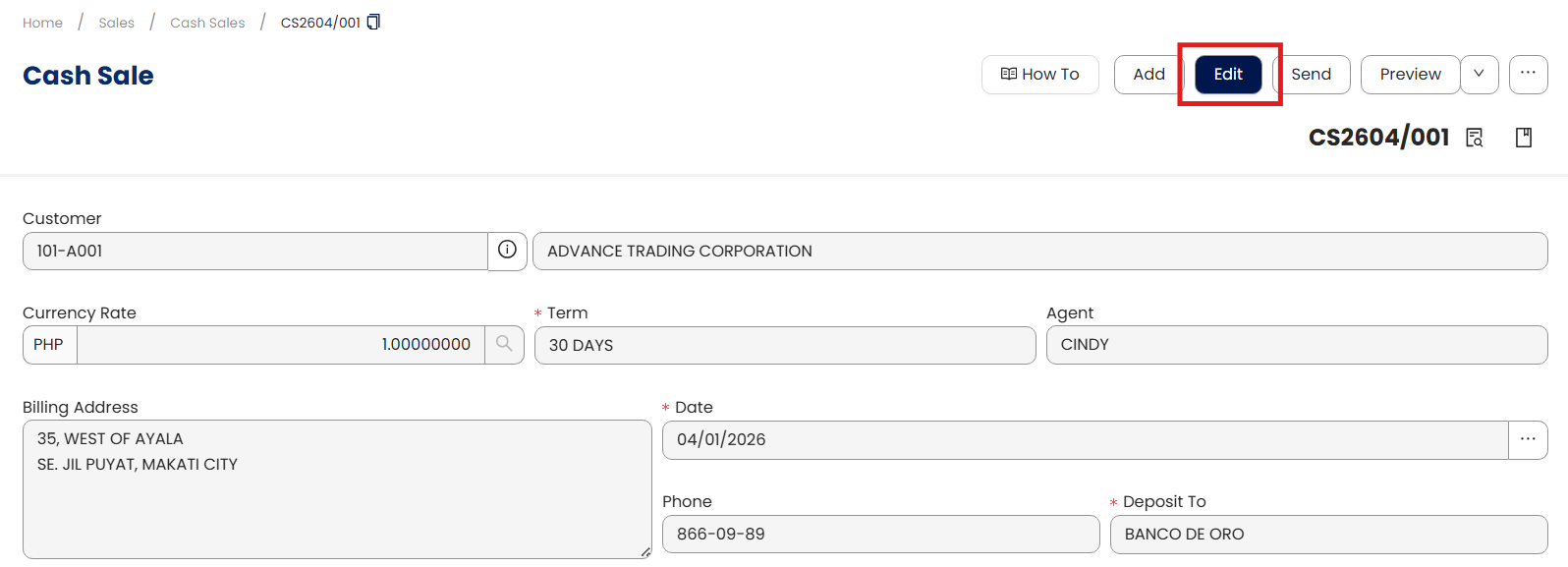
Click Edit and apply necessary changes.
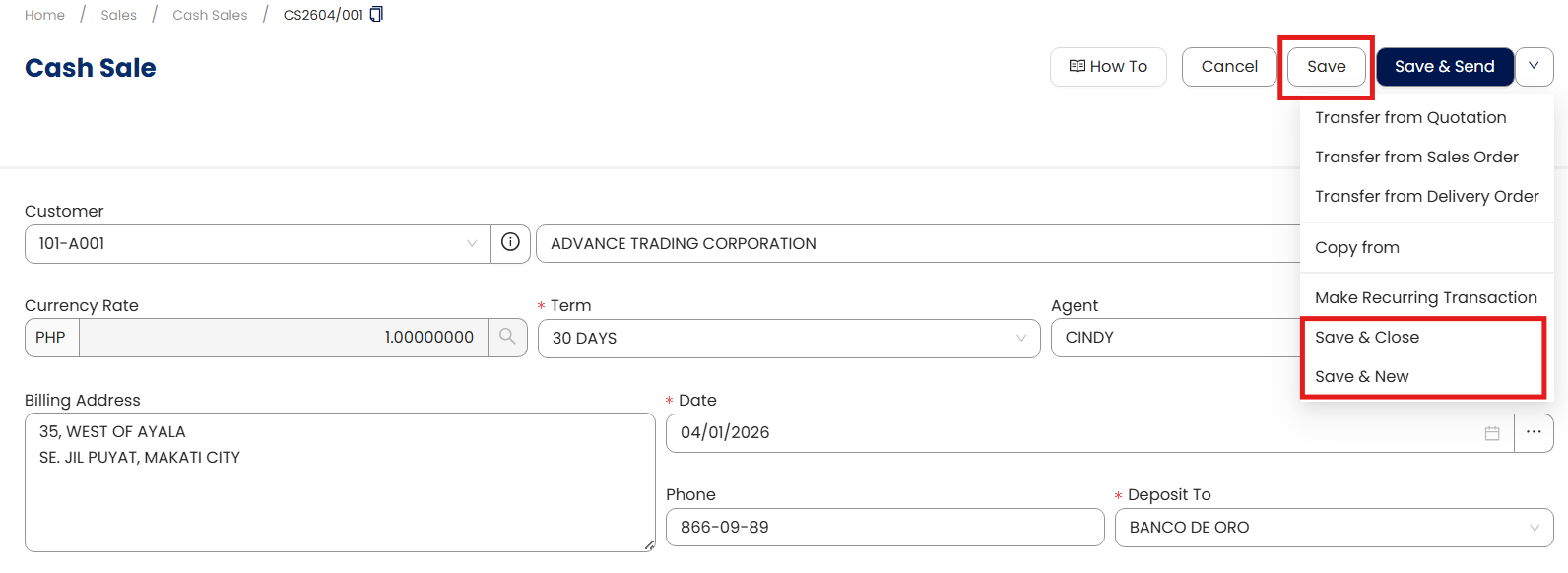
Once done, click Save, Save & New, or Save & Close to update the item.
ocedure 3: Deleting a Cash Sale
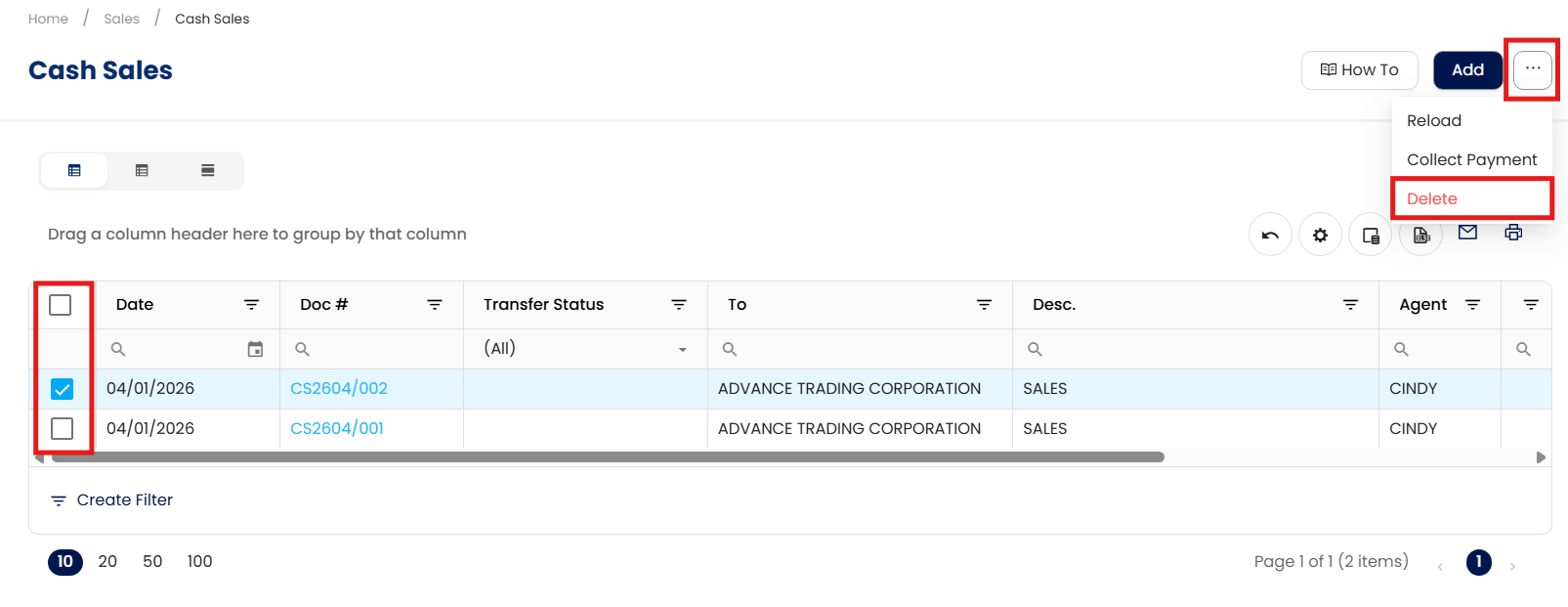
In the Cash Sale List View, tick the checkbox beside the item you wish to delete. Hover your cursor over the three dots beside "Add," then click Delete.
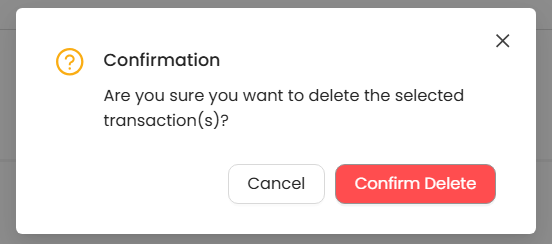
When the confirmation message appears, click Confirm Delete.
Application:
The Cash Sales feature is commonly used in the following situations:
Immediate Payment Sales
A customer purchases office supplies and pays immediately. The cashier records the transaction as a Cash Sale so that revenue and cash balances are updated at once.Same-Day Customer Payments
A regular customer places an order and pays immediately through bank transfer. The accountant records the sale as a Cash Sale instead of creating a credit invoice.Counter or Retail Sales to Registered Customers
A business sells products directly to a registered customer at the counter. Since payment is received immediately, the transaction is recorded as a Cash Sale.Direct Service Payments
A service provider completes a job and receives payment on the same day. The transaction is recorded as a Cash Sale to capture the income and payment in one step.
Important Note:
Editing and Deleting Transactions: According to regulatory guidelines, modifications or deletions of recorded transactions in the system may be strictly prohibited once Computerized Accounting System (CAS) approved. It's vital to adhere to your company's internal policy regarding these functionalities. It is generally advisable to disable or limit the ability to edit/delete to maintain compliance with regulations.
System Scope: QNE AI Cloud Accounting / N3 AI Accounting
Was this article helpful?
That’s Great!
Thank you for your feedback
Sorry! We couldn't be helpful
Thank you for your feedback
Feedback sent
We appreciate your effort and will try to fix the article