Overview:
The Restore feature in My Companies allows for the retrieval of deleted companies within a 29-day timeframe. However, only the owner or creator of the company has access to this option.
Scenario:
The company was accidentally deleted and needs to be retrieved.
Procedure:
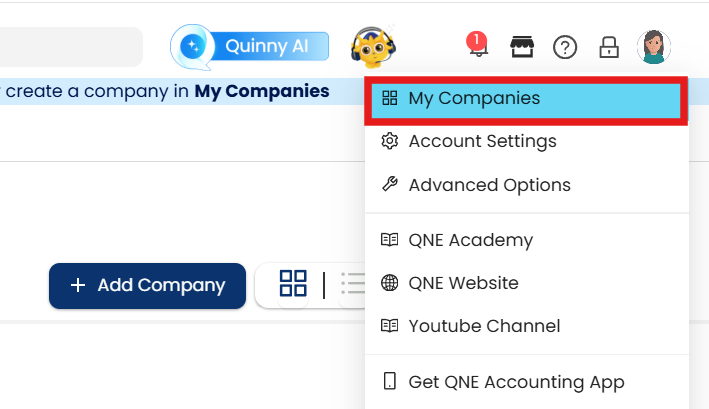
1. In Banner, click the display name then open My Companies
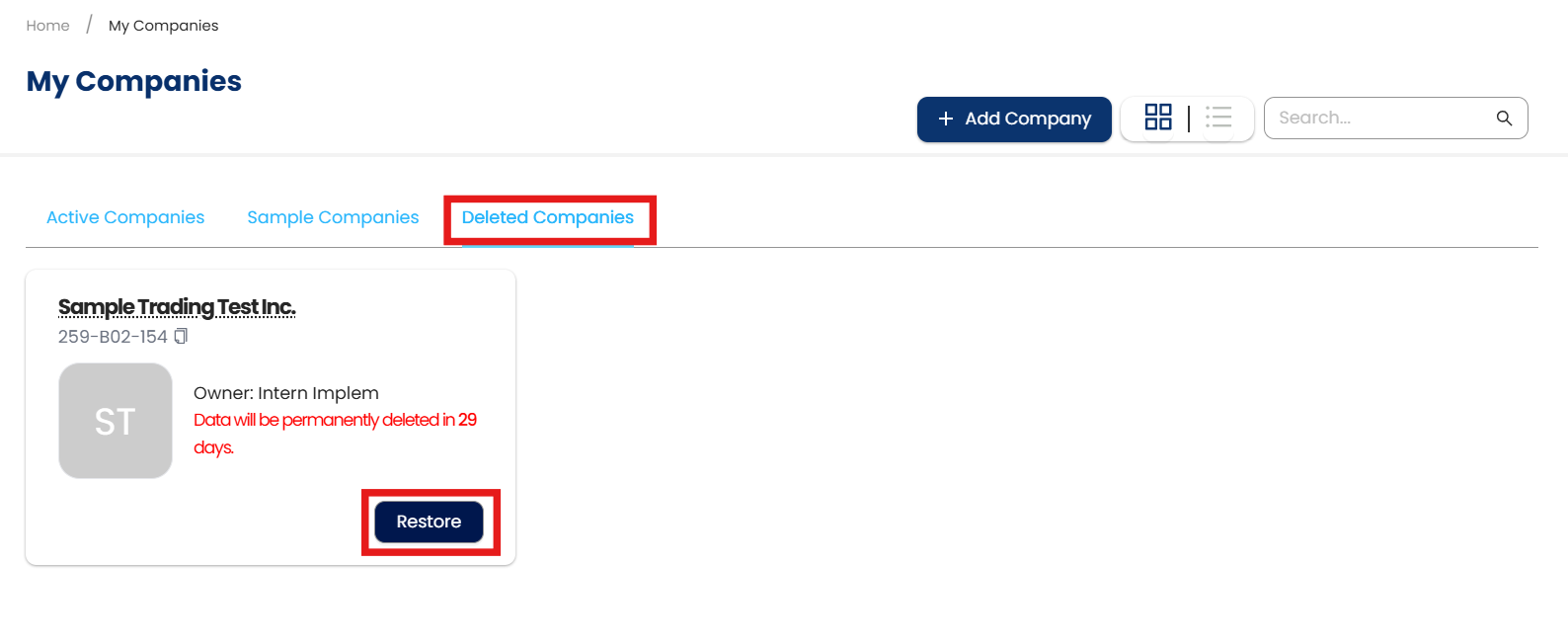
2. In My Companies, go to the Delete Companies tab. Click Restore
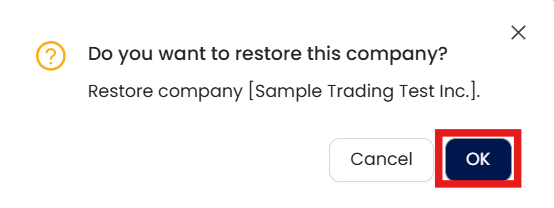
3. Confirmation prompted. Click OK
Application:
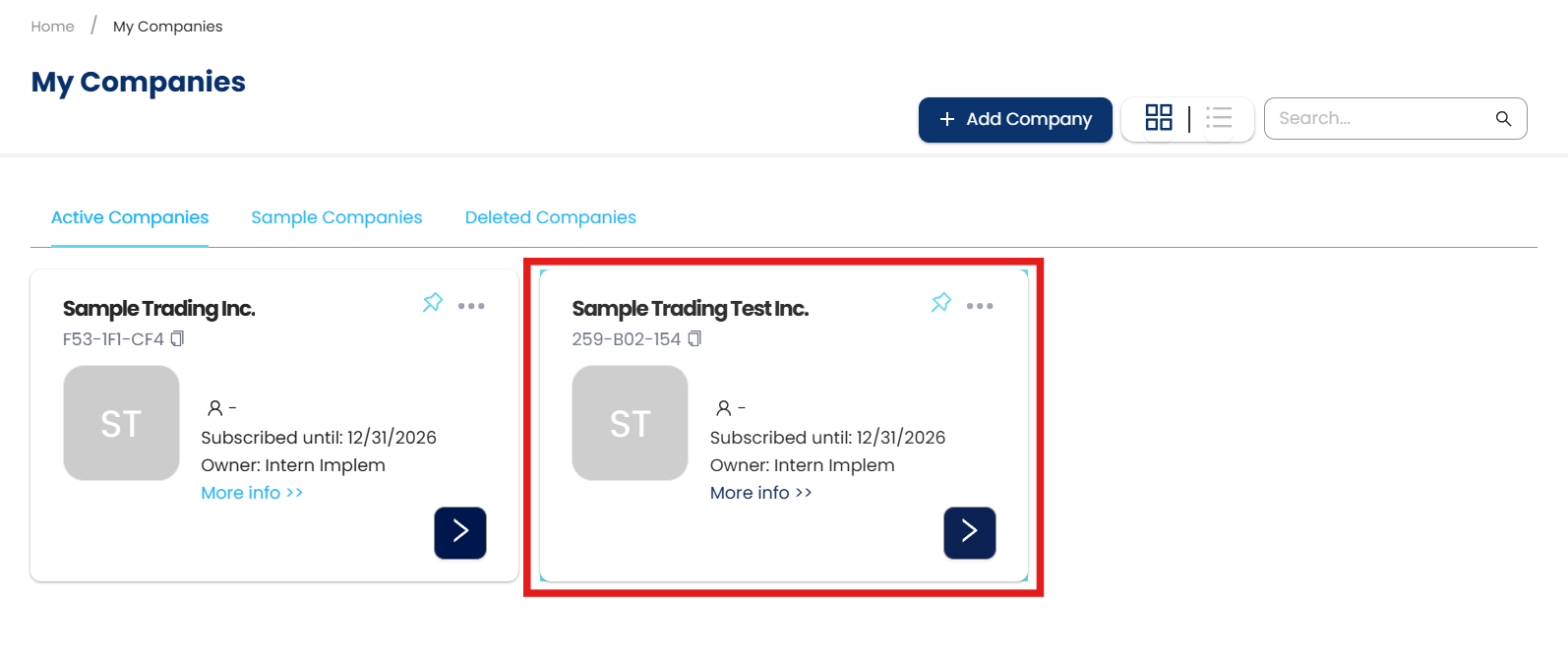
The company has been successfully restored.
System Scope: QNE AI Cloud Accounting / N3 AI Accounting
Was this article helpful?
That’s Great!
Thank you for your feedback
Sorry! We couldn't be helpful
Thank you for your feedback
Feedback sent
We appreciate your effort and will try to fix the article