What’s New
This release introduces major improvements across reporting, inquiry experience, compliance, transaction management, and system usability. Key enhancements include upgraded DevExpress inquiry screens, improved tax and localization support, enhanced accounting workflows, and additional customization options for reports and transaction views. These updates are designed to provide users with faster access to information, better operational control, and improved efficiency across daily business processes.
June 30, 2026
✨Key Feature
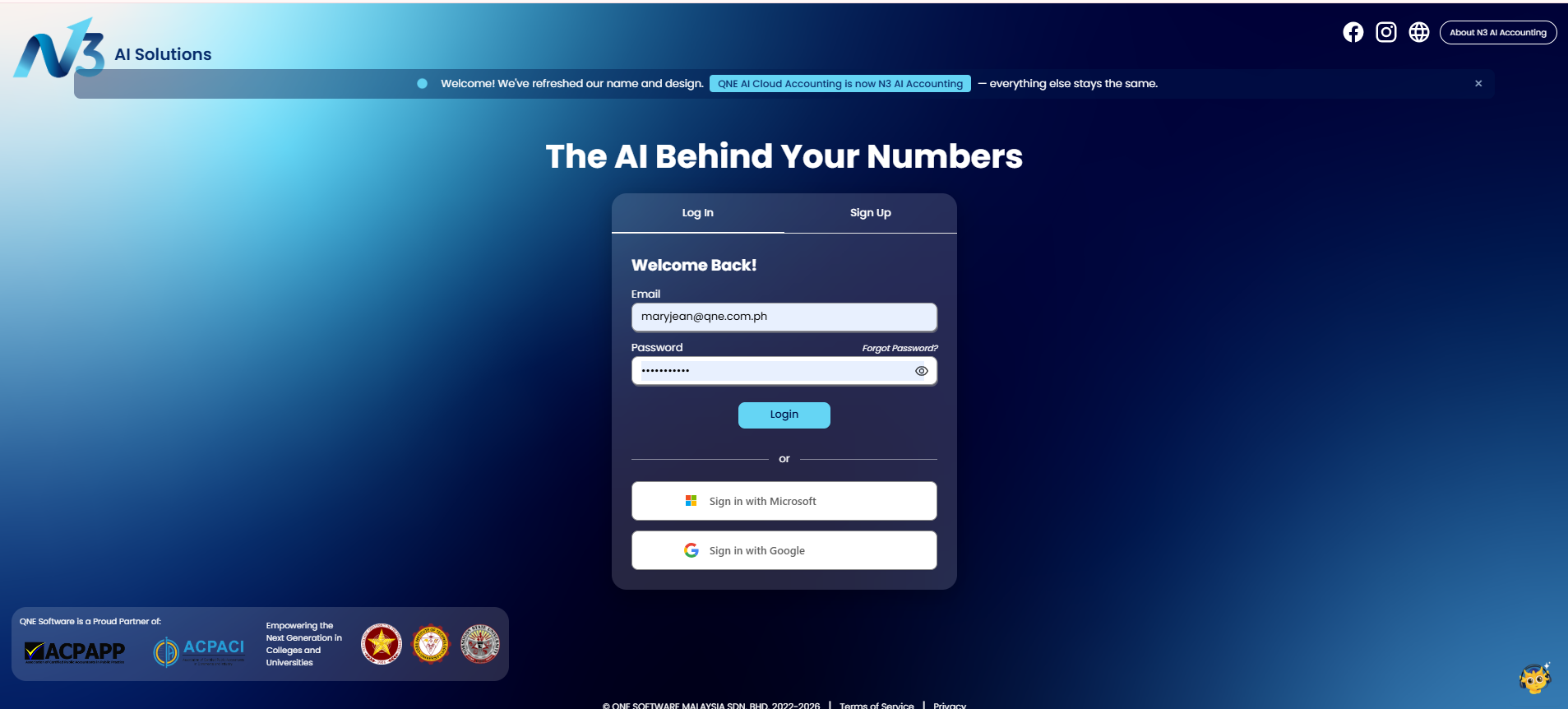
1. Seamless Single Sign-On with Google and Microsoft Accounts
Users can now access the system through Single Sign-On (SSO) using Google and Microsoft accounts for a faster and more convenient login experience. This enhancement simplifies authentication by allowing users to use their existing trusted accounts. Users can reduce login effort while benefiting from a more streamlined access process.
2. Inquiry Experience Across Business Modules
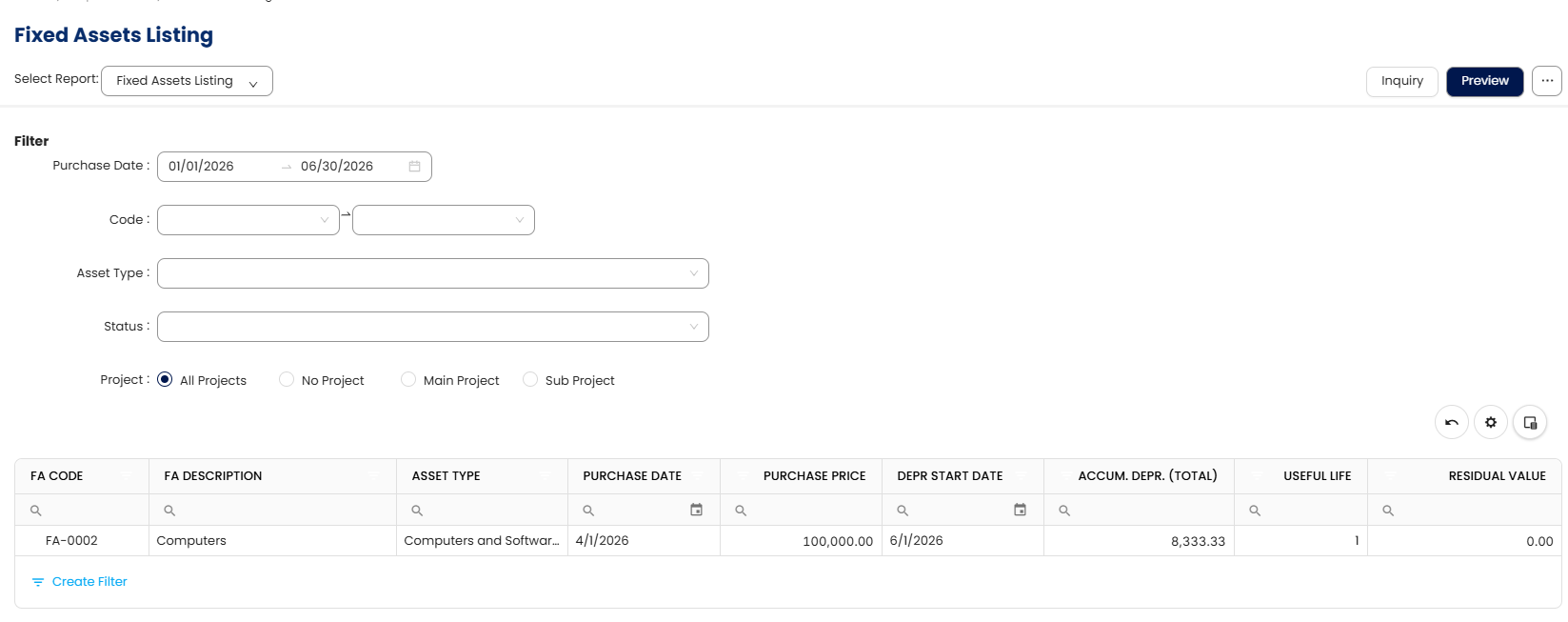
Multiple inquiry screens have been upgraded to the DevExpress framework to provide a more modern, consistent, and efficient user experience. Users can now benefit from improved data navigation, filtering, sorting, and viewing capabilities across Customer Receipt Listing, Invoice Matching Listing, Invoice Listing, and Fixed Assets Listing. These enhancements allow users to review transaction information faster and analyze records with greater flexibility. The upgraded inquiry experience improves usability and provides a stronger foundation for future enhancements.
Included enhancements:
- Customer Receipt Listing Report
- Invoice Matching Listing Report
- Invoice Listing Report
- Fixed Assets Listing Report
3. Multi-Select and Bulk Actions in Projects
✨Tax & Other Localization
4. BIR Form 1701Q
A new BIR Form 1701Q option has been added under the BIR tab to support quarterly income tax reporting requirements. Users can now access the required form directly within the system for easier compliance management. This enhancement reduces manual preparation efforts and improves accuracy when handling tax submissions. Businesses can manage their tax reporting process more efficiently within the application.
5. Tax and Withholding Tax Adjustment in General Ledger Transactions
General Ledger transaction forms now support Tax and Withholding Tax adjustments to provide better flexibility in accounting entries. Users can record necessary tax corrections directly within financial transactions without relying on manual adjustments outside the system. This improves accounting accuracy and ensures tax-related information is properly reflected in financial records. The enhancement helps businesses maintain better compliance and reporting consistency.
6. Creditable VAT Withheld Information in BIR 2550Q and VAT Declaration Forms
The system now captures Creditable VAT Withheld details in BIR 2550Q and VAT Declaration forms. Users can generate tax reports with more complete withholding information for compliance and submission purposes. This enhancement minimizes manual tracking of VAT withholding records and improves reporting accuracy. Businesses can better manage VAT-related obligations with more reliable tax data.
7. Quarter Information Column in BIR 1701Q Listing
A new Quarter column has been added to the BIR 1701Q listing to improve record identification and filtering. Users can quickly determine the applicable reporting period when reviewing quarterly tax records. This enhancement makes tax data management more organized and easier to analyze. It also improves visibility when handling multiple quarterly submissions.
✨General Ledger
8. Balance Sheet Account Comparison Improvement
An issue causing duplicated total values in the Balance Sheet Account Comparison – 5 Periods report has been resolved. Users can now view accurate comparison results without duplicated totals affecting financial analysis. This improvement enhances report reliability and supports better decision-making. Financial users can rely on cleaner and more accurate comparison information.
✨Account Receivable
9. Customer Credit Notes List View Improvement
The Customer Credit Notes List View has been converted to DevExpress to provide improved performance and usability. Users can now access enhanced filtering, sorting, and navigation features when reviewing credit note transactions. This upgrade simplifies transaction analysis and improves overall efficiency. The improved interface provides a more consistent experience across inquiry screens.
10. Customer Debit Notes List View Improvement
The Customer Debit Notes List View has been upgraded to DevExpress for a better user experience. Users can now manage debit note records with improved viewing and filtering capabilities. This enhancement makes transaction review faster and more convenient. The upgraded interface supports more efficient accounts receivable management.
11. Restricted Address and Billing Address Modification Access
Restrictions have been implemented for Address and Billing Address modifications through the pop-up function. Users now have better control over important customer information changes. This enhancement reduces the risk of unauthorized modifications affecting transaction accuracy. Businesses can maintain more reliable customer master data.
12. Due Invoices Report
A new Due Invoices report has been introduced to improve customer outstanding invoice monitoring. Users can easily review upcoming and overdue customer invoices to support better collection management. This enhancement helps businesses improve cash flow visibility and follow up on outstanding receivables more efficiently. Users can manage customer payment tracking with better accuracy and control.
✨Account Payable
13. Due Bills Report
A new Due Bills report has been introduced to improve outstanding payment monitoring. Users can easily review upcoming and overdue supplier obligations in one place. This enhancement supports better cash flow planning and payment scheduling. Businesses can improve control over payable management activities.
14. Payment Information Field in Bill and Purchase Invoice List View
Payment information is now available as a pull-out field in Bill and Purchase Invoice List Views. Users can access payment-related details more easily without navigating through multiple screens. This enhancement improves visibility of payment status during transaction reviews. It helps users make faster decisions when managing outstanding balances.
✨Sales
15. Sales Analysis Comparison Report
A new Sales Analysis Comparison Report has been added to help users compare sales performance more effectively. Users can analyze sales trends and differences across selected periods for better decision-making. This enhancement provides improved visibility into sales performance and business growth opportunities. It supports more informed planning and reporting activities.
✨Stock
16. Stock Code and Stock Name Display After Selection in Stock Inquiry
Stock Inquiry now displays both Stock Code and Stock Name after users select an item. This improvement provides clearer identification of selected stock records. Users can reduce confusion when managing items with similar descriptions. The enhancement improves accuracy during stock review activities.
17. Stock Group Fields in Sales History and Purchase History Inquiry
Stock Group and Stock Group Name fields are now available as pull-out fields in Sales History Inquiry and Purchase History Inquiry. Users can analyze transaction history based on stock grouping information. This enhancement improves inventory reporting flexibility and classification analysis. Businesses can gain better insights into product performance.
18. Barcode Import Support from UOM Records
Users can now import barcode information from Unit of Measurement (UOM) records. This enhancement simplifies barcode setup and reduces manual data entry requirements. Businesses can maintain more accurate stock identification information across inventory processes. The improvement increases efficiency for inventory management tasks.
19. Stock Import Template Support for Stock Location Field
The Stock Import CSV Template now includes the Stock Location field. Users can import stock records with location details more efficiently. This enhancement improves inventory setup accuracy and reduces manual updates after importing data. Businesses can better manage stock distribution across locations.
✨Other Enhancements
20. Option to Include Attachments When Sending Transaction Emails
Users can now choose to include transaction attachments when sending emails directly from the system. This enhancement allows supporting documents to be shared together with transaction emails, reducing the need for users to send files separately through external channels. The improved workflow helps ensure recipients receive complete transaction information in a single communication. This feature improves efficiency, traceability, and convenience when managing email-based transaction exchanges.
21. Updated Amount Column Font for DevExpress Lists and Report Inquiries
The amount column font in DevExpress List Views and Report Inquiries has been updated to improve readability. Users will experience a more consistent and professional display when reviewing financial values. This enhancement improves visual clarity, especially when handling large financial datasets. The updated formatting provides a better reporting experience.
22. New Report Designer Fields for Enhanced Transaction Reporting
Additional fields have been introduced in Report Designer to provide more flexibility when creating customized reports. New available fields include Supplier Invoice No., Stock Location Code, Stock Location Name, and Currency Rate fields across relevant reports. Users can design reports with more complete transaction information based on business requirements. These improvements enhance reporting capability and reduce the need for manual data preparation.
Included items:
- Supplier Invoice No. Field in Stock Ledger Report Designer - Field List
- DetailStock LocationCode and DetailLocationName Field in Sales and Purchase Transaction Report Designer
- Currency Rate in PR and GRN Report Designer Field List
23. New Column Chooser Fields for Improved List View Customization
New columns have been added to Column Chooser options to provide users with greater flexibility in customizing list views. Users can select additional information fields based on their operational needs. These enhancements improve visibility and allow users to personalize transaction and master data views. The additional columns help users analyze information more efficiently.
Included items:
- First, Middle, Last Name in TIN Library Column Chooser
- Branch Name in Sales and Purchase Transactions List View Column Chooser
Was this article helpful?
That’s Great!
Thank you for your feedback
Sorry! We couldn't be helpful
Thank you for your feedback
Feedback sent
We appreciate your effort and will try to fix the article