What’s New
This release introduces enhancements focused on improving inventory traceability, financial reporting, taxation, compliance, and overall usability. Users can expect better operational efficiency through new reporting capabilities, expanded configuration options, enhanced localization support, and a more streamlined user experience.
July 15, 2026
✨Key Feature
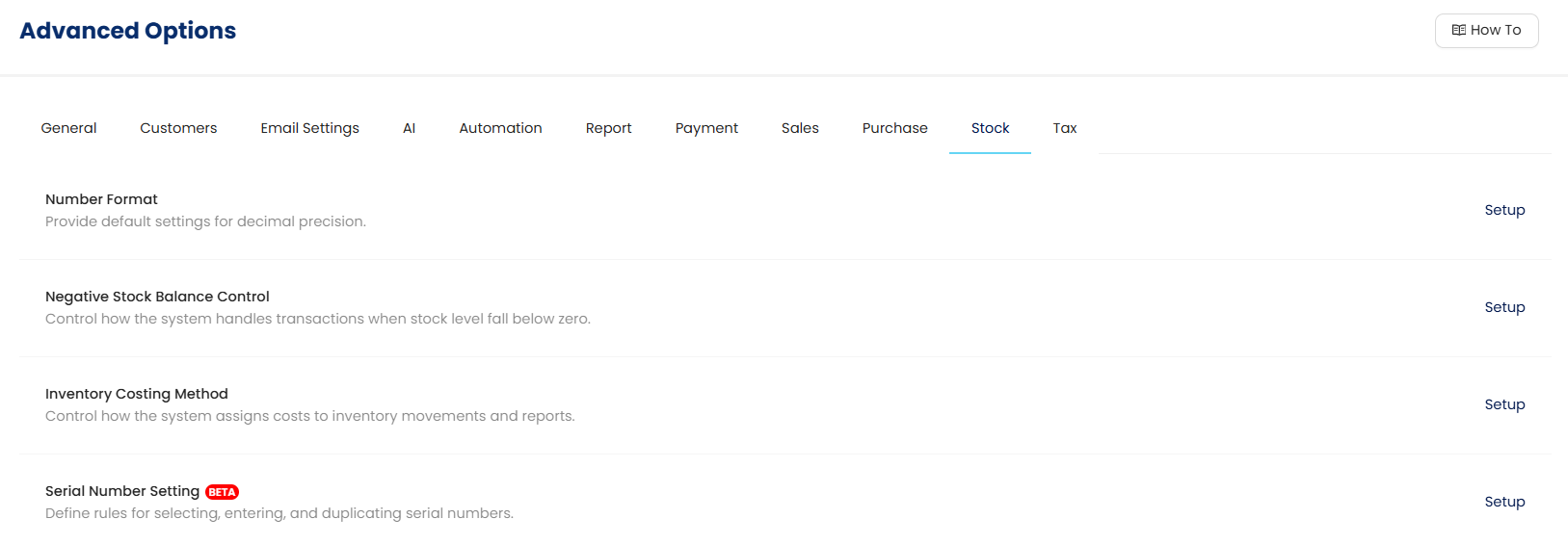
1. Serial Number Module
The system now introduces comprehensive serial number management across inventory settings, business transactions, and reporting. This enhancement improves product traceability throughout the entire inventory lifecycle, enabling better stock control, warranty tracking, and audit readiness. Users can confidently monitor serialized items from setup to transaction processing and reporting.
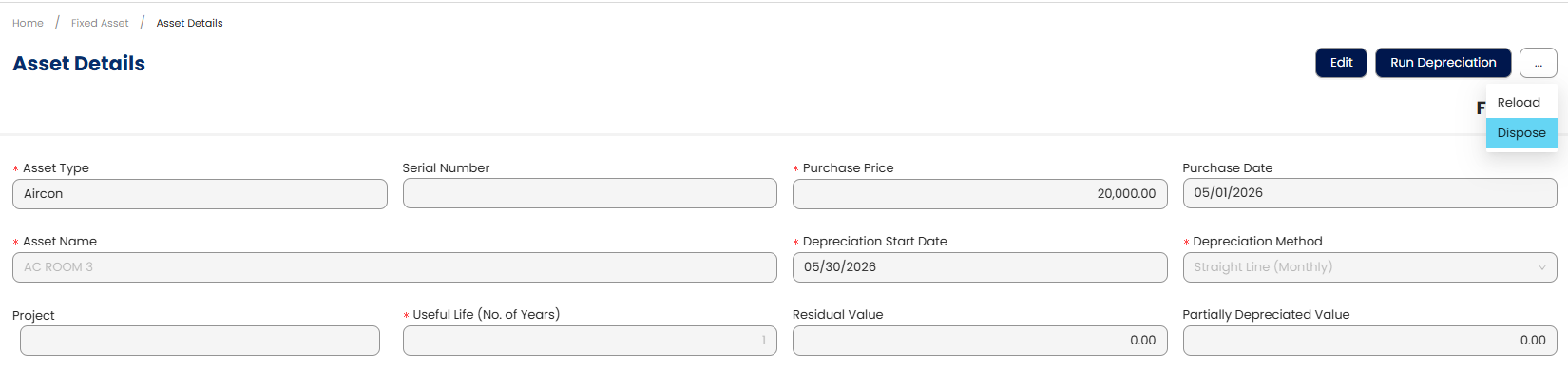
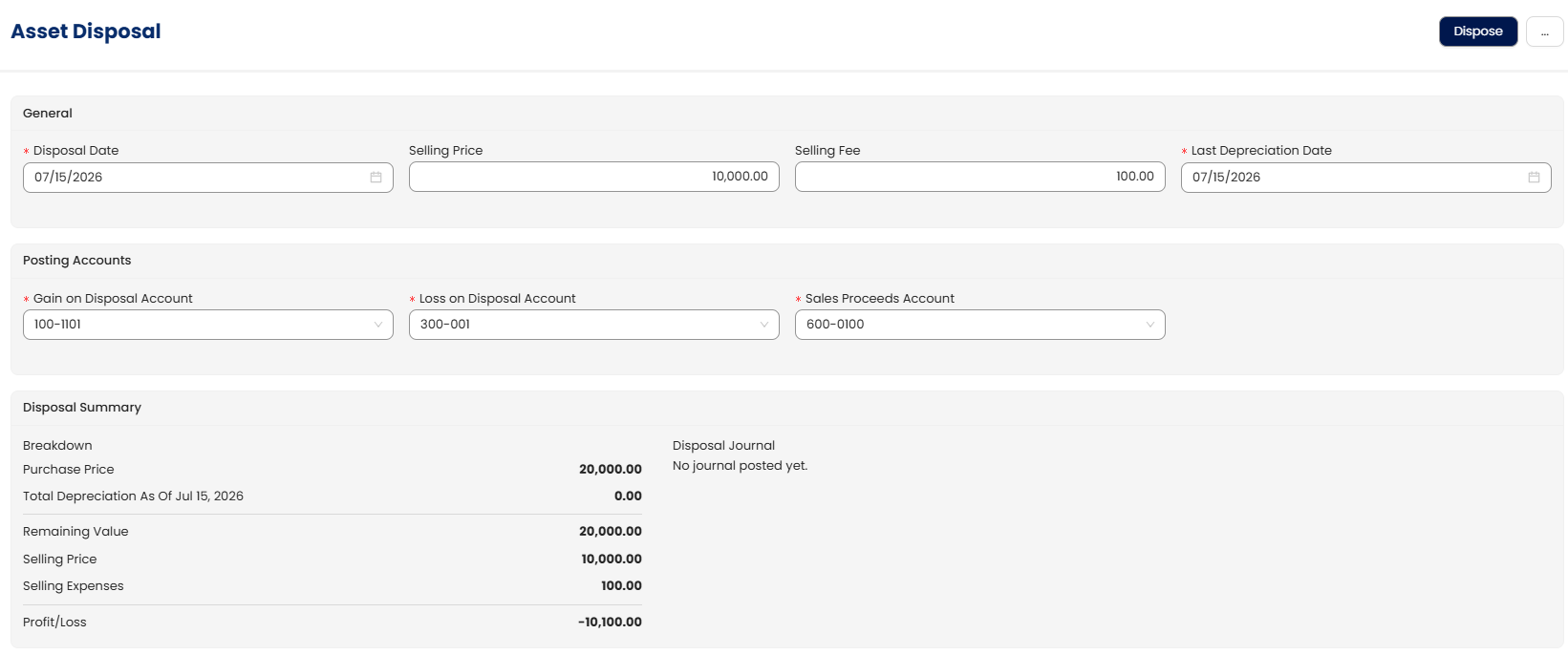
2. Fixed Assets Disposal
The Fixed Assets Management now supports asset disposal processing to help organizations accurately record retired or disposed assets. This improves financial accuracy by ensuring asset values and depreciation records remain up to date. The enhancement also simplifies compliance with accounting and audit requirements.
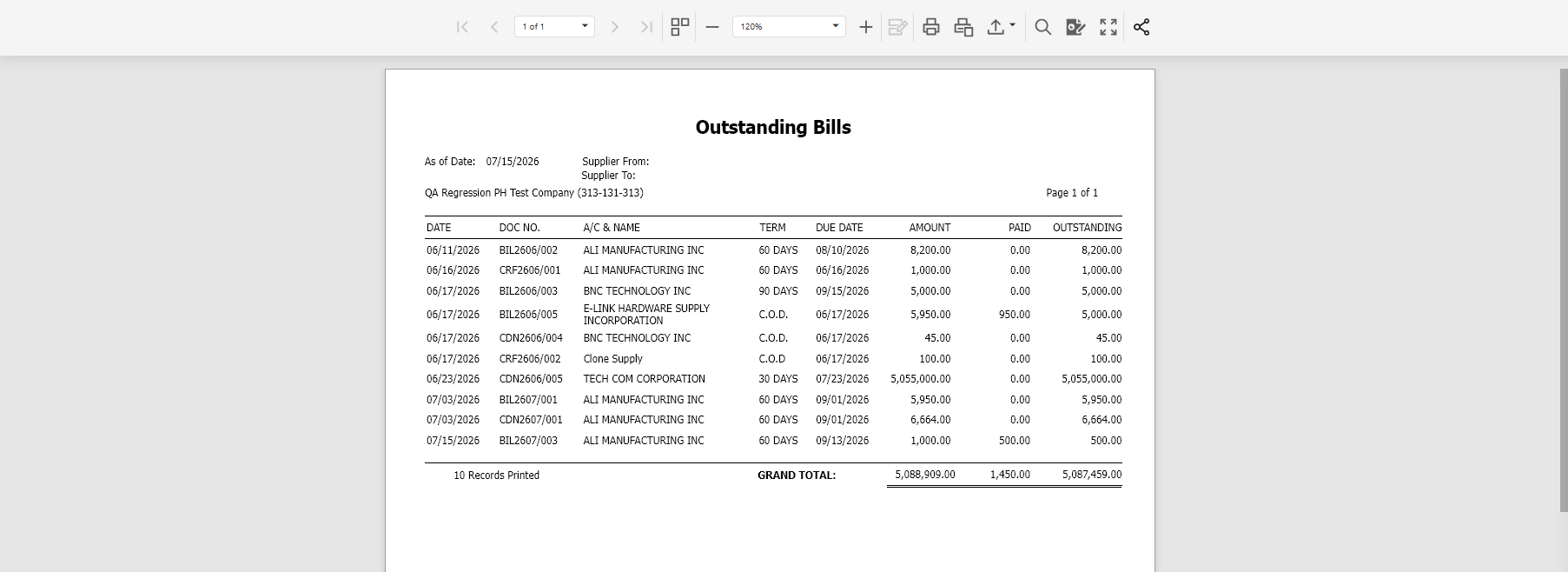
3. Outstanding Bills Report
✨BIR CAS & Other Localization
4. Form-Like User Interface for BIR Form 1604-E
BIR Form 1604-E now uses the same modern form-like interface to provide a consistent filing experience. The redesigned layout simplifies data entry and improves usability for tax preparation. This helps users complete compliance requirements with greater confidence.
5. Form-Like User Interface for BIR Form 0619-E
BIR Form 0619-E has been migrated to a modern form-like interface for a more intuitive filing experience. The updated layout improves data entry, readability, and navigation while reducing the likelihood of user errors. Users can complete tax forms more efficiently.
6. Remove 'NA' from Taxpayer Classification
The "NA" option has been removed from the Taxpayer Classification settings within the Company Profile for Philippine companies. This encourages more accurate taxpayer classification and helps prevent invalid configuration during compliance setup. Users can maintain cleaner and more consistent company tax information.
✨General Ledger
7. Support Additional Special Account Types in Summary Ledger
Summary Ledger of Accounts now supports GL Accounts configured with CCAC and DAC special account types. This provides more comprehensive financial reporting by ensuring these account classifications are included in ledger summaries. Organizations gain improved visibility into their financial data.
8. Allow GL Account Selection for Fixed Asset Depreciation
Users can now directly select a GL Account under the Cost of Goods Sold section when configuring Depreciation Expense Accounts in the Fixed Assets module. This provides greater flexibility in aligning depreciation postings with company accounting practices. The enhancement simplifies financial configuration and reporting.
9. Correct Parent Project Display in Consolidated Project Statement
The Consolidated Project Statement of Comprehensive Income now correctly displays the Parent Project within value breakdowns. This improves report accuracy and provides better visibility into consolidated financial information. Users can perform project analysis with greater confidence.
10. Allow Zero-Posting for Cancelled Transactions
A new Advanced Option allows zero-value journal postings for cancelled transactions in Philippine companies. This provides organizations with greater flexibility in handling cancellation scenarios while maintaining complete audit trails. Businesses can configure the behavior according to their accounting policies.
✨Sales
11. Display Stock Group Information in Sales and Purchase History
Sales History Inquiry and Purchase History Inquiry now include Stock Group and Stock Group Name fields. These additional details provide better product categorization during transaction analysis and reporting. Users can perform more meaningful inventory reviews.
✨Stock
12. Import Barcodes from Unit of Measure Records
Barcode import functionality has been extended to support Unit of Measure (UOM) records. This reduces manual barcode maintenance and improves the efficiency of product data migration. Businesses can onboard inventory information more quickly and accurately.
13. Improved Amount Display in DevExpress Views
Amount columns displayed in DevExpress List Views and Report Inquiries now use the Inter font for improved readability. The updated presentation makes financial figures easier to distinguish and review, especially in large reports. This delivers a cleaner and more consistent user experience.
✨Other Enhancements
14. User Dropdown Displays User Names
User selection dropdowns now display user names alongside existing identifiers. This makes it easier to locate the correct user and reduces selection errors. The enhancement improves usability throughout the application.
15. Enhanced Sales Analysis Reporting
Additional reporting fields—including Customer Code, Customer Name, Agent Code, Agent Name, Document Code, and Document Date—have been added to the Sales Analysis Report. These fields provide richer analytical capabilities and allow users to perform more detailed sales evaluations. The enhancement supports improved business reporting and decision-making.
16. New Report Designer Fields
Additional fields have been introduced to the Report Designer, allowing users to build more detailed and flexible reports. These new fields improve reporting customization and reduce the need for manual data extraction. Organizations can generate reports that better meet operational and management requirements.
Included Items:
- Customer Code, Customer Name, Agent Code, Agent Name, Document Code, Document Date field in Sales Analysis Report
17. New Column Chooser Options
Several new columns have been added across inquiries and listings to provide greater flexibility when viewing business data. Users can personalize list views with additional information relevant to their daily operations, improving productivity and reducing the need to open individual records.
Included Items:
- "Remark 4" to Sales Invoice Inquiry Column Chooser
- "Start Date" Column in Customer and Supplier Listing
- "Supplier INV #" and "Ref No" in WTAX Detail Listing
Was this article helpful?
That’s Great!
Thank you for your feedback
Sorry! We couldn't be helpful
Thank you for your feedback
Feedback sent
We appreciate your effort and will try to fix the article